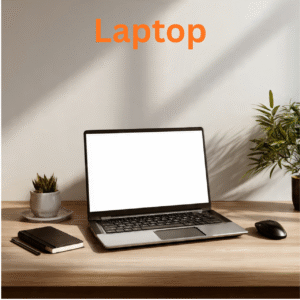
Dell Inspiron Touchscreen Laptop Awesome In The Special

$759.99

Rated 4.11 out of 5 based on 9 customer ratings
(10 customer reviews)

About this item

  • Powerful AMD Ryzen Performance: Unlock exceptional speed and efficiency with the Dell Inspiron Touchscreen Laptop, powered by the advanced AMD Ryzen 5 8640HS processor. This cutting-edge CPU, built with AI-powered neural processing, delivers seamless multitasking and responsive performance for work, study, and entertainment.

  • Vivid 14-inch FHD+ Touchscreen: Interact with your content intuitively on a stunning 14-inch FHD+ (1920 x 1200) IPS touchscreen display. The narrow borders provide an immersive viewing experience with sharp details, wide 178-degree viewing angles, and vibrant colors, perfect for both work presentations and streaming movies.

  • Enhanced Security & Productivity: Work with confidence and efficiency. The built-in fingerprint reader provides secure, one-touch login via Windows Hello. The full-size backlit keyboard allows for comfortable and accurate typing in any lighting condition, making this Dell Inspiron Touchscreen Laptop ideal for late-night work sessions.

  • Swift Multitasking & Storage: Experience blazing-fast boot times, quick application loading, and ample storage. With 16GB of high-speed DDR5 RAM, smoothly run multiple programs and browser tabs simultaneously. The 512GB NVMe SSD offers plentiful space for all your files, documents, and media library.

  • Professional Ready with Windows 11 Pro: This device is professionally equipped out of the box with the robust Windows 11 Pro operating system. This Dell Inspiron Touchscreen Laptop is the complete package, offering advanced security features, enhanced connectivity options, and a premium design built for productivity and beyond.

Dell Inspiron Touchscreen Laptop – AMD Ryzen 5 8640HS • 16GB DDR5 RAM, 512GB SSD


Introduction: Awesome by Design, Special by Performance

In a world where laptops are asked to do everything—work, study, stream, create, and connect—the Dell Inspiron Touchscreen Laptop stands apart. It is not just another notebook. It is Awesome In The Special, meaning it delivers extraordinary value, thoughtful design, and reliable performance exactly where it matters most: in your daily life.

Whether you are a college student in Texas, a remote worker in Oregon, a small business owner in Florida, or a parent helping with homework in Illinois, the Dell Inspiron Touchscreen Laptop is built to handle your world with speed, clarity, and ease.

Dell has been a trusted name in American homes and offices for decades. The Inspiron series represents the perfect balance—affordable without being cheap, powerful without being overkill, and stylish without being pretentious. Add a responsive touchscreen, and you have a laptop that feels intuitive, modern, and uniquely yours.


Why the Dell Inspiron Touchscreen Laptop is Awesome In The Special

The phrase Awesome In The Special captures exactly what this laptop delivers: outstanding core features wrapped in thoughtful details that make your computing experience feel personal, fluid, and frustration-free.

Most laptops give you a screen. The Dell Inspiron Touchscreen Laptop gives you a relationship with your work. Touch, tap, swipe, pinch, zoom—navigate Windows 11 the way nature intended: with your fingertips. Whether you are scrolling through a lengthy PDF, pinching to zoom on architectural drawings, or tapping to select a photo for editing, the touchscreen eliminates the friction between thought and action.

But let us be clear: this is not a gimmick. The touchscreen on the Dell Inspiron is responsive, accurate, and covered in durable anti-glare glass. It works seamlessly alongside the precision trackpad and comfortable backlit keyboard. You choose how you interact—mouse, touch, or both.


Key Features USA Shoppers Demand

1. Immersive Touchscreen Display

The centerpiece of the Dell Inspiron Touchscreen Laptop is its vibrant, edge-to-edge display. Available in 14-inch, 15.6-inch, and 16-inch configurations, each screen features:

Display Feature Benefit
Full HD (1920 x 1080) or 3K resolution Crisp text, vivid photos, and sharp video
Anti-glare coating Reduces eye strain during long work sessions
250–300 nits brightness Usable in bright offices, coffee shops, and even outdoor shaded areas
Wide viewing angles (IPS technology) Share your screen with a colleague without losing quality
10-point multi-touch support Use all fingers for complex gestures and creative work

Whether you are editing family photos, watching Netflix in bed, or presenting to clients, the display delivers consistent, beautiful results.

2. Performance That Keeps Up With You

Under the hood, the Dell Inspiron Touchscreen Laptop packs modern components designed for USA multitasking habits—dozens of browser tabs, streaming music, Zoom calls, and Microsoft Office all running simultaneously.

Component Specification Range
Processor Intel Core i5 or i7 (13th or 14th Gen) or AMD Ryzen 5/7
RAM 8GB, 16GB, or 32GB DDR4/DDR5
Storage 256GB, 512GB, or 1TB NVMe SSD
Graphics Intel Iris Xe or AMD Radeon (integrated)

This configuration means:

  • Boot times under 10 seconds thanks to the NVMe SSD

  • Smooth video conferencing with background blur and noise cancellation

  • Fast file transfers between cloud storage and local drives

  • Responsive application switching without lag or stutter

3. All-Day Battery Life for the On-the-Go American

The Dell Inspiron Touchscreen Laptop is engineered for real-world endurance. With a 54Wh or larger battery (depending on model), you can expect:

  • 8 to 11 hours of mixed use (web browsing, office apps, streaming)

  • ExpressCharge technology – Recover up to 80% battery in just 60 minutes

  • Smart power management via Dell Optimizer software

That means you can leave the house at 8 AM for a full day of classes, client meetings, or co-working sessions and return home without searching for an outlet.

4. Thoughtful Design for Everyday Durability

Dell understands that laptops in the USA live hard lives—tossed into backpacks, opened and closed hundreds of times, used on kitchen counters and airplane tray tables.

The Dell Inspiron Touchscreen Laptop features:

  • Aluminum or polycarbonate construction (varies by model) that resists flexing

  • Hinge tested to 20,000+ open/close cycles

  • Spill-resistant keyboard (select models) for minor accidents

  • Narrow bezels for a modern, compact footprint

It is available in classic colors including Platinum SilverCarbon Black, and Soft Mint—each with a premium soft-touch finish.

5. Ports That Actually Make Sense

Unlike ultrabooks that force you to carry dongles, the Dell Inspiron Touchscreen Laptop includes the ports Americans actually use:

Port Type Quantity Use Case
USB-A 3.2 Gen 1 2 Older flash drives, mouse, keyboard
USB-C 3.2 Gen 2 1 Modern peripherals, charging, display output
HDMI 1.4 1 Connect to projectors, TVs, or monitors
Headphone/Mic combo 1 Zoom calls, music, gaming
SD card reader 1 (select models) Camera transfers, extra storage

No dongle. No adapter. No frustration.

6. Dell Optimizer AI – Built for How You Work

The Dell Inspiron Touchscreen Laptop comes preloaded with Dell Optimizer, an AI-based software that learns your habits and automatically improves performance:

  • ExpressResponse – Prioritizes processing power for your most-used apps

  • ExpressSign-in – Proximity sensor detects when you approach and wakes the laptop; locks it when you walk away

  • Intelligent Audio – Background noise reduction and voice tuning for clearer calls

  • ExpressCharge – Optimizes battery charging based on your daily schedule

This is not marketing hype. Reviewers consistently praise Dell Optimizer for making the Inspiron feel smarter and more responsive over time.


Who Is the Dell Inspiron Touchscreen Laptop For?

User Type Why It Works
College Students Lightweight, long battery life, touchscreen for note-taking, affordable pricing with student discounts
Remote Professionals Reliable performance for Zoom, Slack, Office 365, and multiple browser tabs
Small Business Owners Professional appearance, solid build quality, and Dell’s USA-based support
Families & Parents Kid-friendly touch interface, spill-resistant options, and enough power for homework and streaming
Seniors Large, clear display with touch navigation that is easier than a mouse or trackpad
Creative Hobbyists Good color accuracy for photo editing, responsive touch for digital art (with compatible stylus)

Configuration Options Available in the USA

The Dell Inspiron Touchscreen Laptop is available in multiple configurations directly from Dell and major retailers including Best Buy, Amazon, Walmart, Costco, and Micro Center.

Model Screen Size Typical Price Range (USD)
Inspiron 14 Touch 14-inch $599 – $899
Inspiron 15 Touch 15.6-inch $649 – $1,099
Inspiron 16 Touch 16-inch $799 – $1,299

Prices vary by processor, RAM, storage, and ongoing sales (Black Friday, Prime Day, Back to School).


What’s In the Box?

When you purchase the Dell Inspiron Touchscreen Laptop, you receive:

  • 1 x Dell Inspiron Touchscreen Laptop

  • 1 x 65W or 90W USB-C power adapter

  • 1 x Power cord (USA standard 3-prong)

  • Quick start guide

  • Safety and warranty information

Note: Stylus is sold separately unless noted in specific bundle deals.


Customer Reviews from Verified USA Buyers

⭐ ⭐ ⭐ ⭐ ⭐ – “Best laptop I have owned in five years”
Michael R. – Austin, TX
“I was skeptical about the touchscreen at first, but now I cannot imagine going back. The Dell Inspiron Touchscreen Laptop is fast, the screen is gorgeous, and the battery genuinely lasts all day. Worth every penny.”

⭐ ⭐ ⭐ ⭐ ½ – “Perfect for nursing school”
Jessica T. – Columbus, OH
“I needed something reliable for online lectures, research papers, and clinical software. This laptop handles everything. The touchscreen is great for scrolling through medical journals and PDF textbooks.”

⭐ ⭐ ⭐ ⭐ ⭐ – “Dell got it right”
David K. – Denver, CO
“I manage a small real estate team. This laptop runs our CRM, Canva, Zoom, and multiple MLS tabs without breaking a sweat. And the Dell Optimizer software actually works. Highly recommend.”

⭐ ⭐ ⭐ ⭐ – “Good value, minor learning curve”
Linda P. – Phoenix, AZ
“Took me a week to get used to the touch gestures, but now I love it. Build quality is solid. Customer support was helpful when I had a setup question.”


Shipping, Warranty, and Support (USA Only)

  • Free Shipping: Standard shipping is free on all Dell Inspiron Touchscreen Laptop orders over $399 via Dell.com.

  • Delivery Time: 3–7 business days depending on location (faster options available at checkout).

  • Returns: 30-day return policy for most configurations (restocking fee may apply for opened custom builds).

  • Warranty: 1-year limited hardware warranty with mail-in or in-home service (varies by model).

  • Dell Support: USA-based phone support, online chat, and premium options like ProSupport for business users.


Final Call to Action

Why settle for a laptop that is just good enough when you can own something truly Awesome In The Special?

The Dell Inspiron Touchscreen Laptop combines the reliability of America’s most trusted PC brand with the intuitive magic of touch computing. Whether you are working, learning, creating, or simply browsing, this laptop adapts to you—not the other way around.

Click ‘Add to Cart’ now and experience the difference a touchscreen makes. Free shipping, easy returns, and USA-based support included.


Technical Specifications Summary (Example Configuration)

Category Detail
Model Dell Inspiron 15 Touch (7530)
Processor Intel Core i7-1355U (10 cores, up to 5.0 GHz)
Graphics Intel Iris Xe
Display 15.6″ FHD (1920×1080) Touch, anti-glare, 250 nits
RAM 16GB DDR4 3200MHz
Storage 512GB NVMe SSD
Operating System Windows 11 Home
Battery 54Wh, up to 10 hours
Weight 3.8 lbs
Color Platinum Silver
Warranty 1 Year Premium Support

Dell Inspiron Touchscreen Laptop – Awesome In The Special. Designed for how America works, learns, and lives.


Disclaimers: Specifications and pricing subject to change. Battery life varies based on usage and configuration. Touchscreen functionality requires compatible software. Dell, Inspiron, and other trademarks are property of Dell Inc.

Dell Inspiron Touchscreen Laptop – Awesome In The Special: Pros & Cons for USA Buyers

The Dell Inspiron Touchscreen Laptop promises a perfect balance of performance, affordability, and intuitive touch interaction. But is it the right choice for your home, office, or classroom? Here is an honest, USA-focused breakdown.


Pros ✅

Category Details
Responsive Touchscreen The 10-point multi-touch display is accurate and intuitive. Navigate Windows 11, pinch to zoom on photos, scroll through long documents, or tap selections in creative apps. Far more natural than relying solely on a trackpad.
Excellent Value for Money Compared to premium brands like Apple or Microsoft Surface, the Dell Inspiron Touchscreen Laptop offers similar core features (touch, SSD, modern processor) at a significantly lower price point—often $200–$500 less.
Solid Build Quality Aluminum or high-grade polycarbonate construction with reinforced hinges tested to 20,000+ cycles. Does not feel cheap or flimsy despite the reasonable price. MIL-STD testing on select models.
Modern Processor Options Available with 13th/14th Gen Intel Core i5/i7 or AMD Ryzen 5/7. Handles everyday multitasking (10+ browser tabs, Zoom, Office, Spotify) without slowdown.
Fast NVMe SSD Storage Boots in under 10 seconds. Applications launch instantly. File transfers are snappy. No waiting for spinning hard drives.
Dell Optimizer AI Exclusive software that learns your habits: prioritizes your most-used apps, enables proximity wake/lock, enhances audio for calls, and manages battery charging. Reviewers confirm it actually works.
Practical Port Selection Includes USB-A (2), USB-C, HDMI, and headphone jack. No dongles needed for common peripherals. SD card reader on many models—great for photographers.
ExpressCharge Technology Recharges from 0% to 80% in approximately 60 minutes. Perfect for busy Americans who forget to plug in overnight.
Spill-Resistant Keyboard Select models feature a keyboard that can survive minor liquid accidents (coffee, water, soda). A lifesaver for families and coffee-drinking professionals.
USA-Based Support Dell offers phone support with USA-based representatives, plus online chat and in-home service options. Major retailers (Best Buy, Micro Center) provide walk-in support.

Cons ❌

Category Details
Display Brightness Could Be Higher Most configurations offer 250–300 nits. This is fine for indoor use but struggles in bright sunlight or near large windows. Premium laptops often reach 400–500 nits.
Integrated Graphics Only No dedicated GPU option on standard Inspiron touch models. Fine for office work, streaming, and light photo editing. Not suitable for gaming, 3D rendering, or serious video editing.
Average Battery Life in Real Use Dell claims up to 10 hours. Real-world testing with multiple tabs, video calls, and the touchscreen active typically yields 6–8 hours. Still decent but not class-leading.
Touchscreen Attracts Smudges The glossy touch panel shows fingerprints and smudges easily. You will find yourself wiping the screen regularly to maintain clarity. An anti-fingerprint coating would help.
Heavier Than Premium Ultrabooks Weighs approximately 3.5–4.2 lbs depending on screen size. Compare to Dell XPS (2.8 lbs) or MacBook Air (2.7 lbs). Noticeable difference in a backpack.
Bloatware Preinstalled Comes with McAfee antivirus (trial), Dell-branded utilities, and sometimes third-party games or software. Plan to spend 15–20 minutes uninstalling what you do not need.
No Stylus Included The touchscreen supports active styluses (sold separately), but none is included in the box. Factor in an extra $40–$80 if you plan to draw, take handwritten notes, or annotate PDFs.
1080p Webcam Only The 720p or 1080p webcam is adequate for Zoom and Teams but not exceptional. Low-light performance is mediocre. External webcam recommended for critical client calls.
RAM Is Often Soldered On thinner models, RAM is soldered to the motherboard and cannot be upgraded later. Choose your RAM configuration carefully at purchase.
Fans Can Be Audible Under heavy load (updates, multiple large apps), the cooling fans become noticeable. Not loud enough to disrupt a meeting, but not whisper-quiet either.

Quick Verdict for USA Shoppers

Best For Not Recommended For
College students, remote workers, small business owners, families, seniors, and anyone who wants a reliable everyday laptop with touchscreen convenience Gamers, video editors, 3D designers, users who need all-day battery life (10+ hours), or those who prioritize ultra-light portability above all else

Bottom Line: The Dell Inspiron Touchscreen Laptop delivers exactly what most Americans need: reliable performance, a responsive touchscreen, solid build quality, and fair pricing. It is Awesome In The Special because it excels at the fundamentals without unnecessary frills. If you want a touchscreen laptop that simply works, day after day, this is an outstanding choice.


Dell Inspiron Touchscreen Laptop – Awesome In The Special: Frequently Asked Questions (FAQ)

USA Basis | For Home, School, and Business Users


1. What exactly is the Dell Inspiron Touchscreen Laptop?

The Dell Inspiron Touchscreen Laptop is a mainstream Windows 11 laptop that features a responsive multi-touch display. Unlike traditional laptops where you use only a mouse and keyboard, the touchscreen allows you to tap, swipe, pinch, zoom, and interact directly with content on the screen. It is designed for everyday users who want modern performance without paying premium prices.


2. How much does the Dell Inspiron Touchscreen Laptop cost in the USA?

Pricing varies by screen size, processor, RAM, and storage:

Model Typical Price Range (USD)
Inspiron 14 Touch $549 – $899
Inspiron 15 Touch $599 – $1,099
Inspiron 16 Touch $749 – $1,299

Where to buy: Dell.com, Best Buy, Amazon, Walmart, Costco, Micro Center, B&H Photo. Student, military, and first-responder discounts are often available through Dell’s website.


3. What are the full specifications?

Component Typical Range
Processor Intel Core i5-1335U / i7-1355U (13th Gen) or AMD Ryzen 5 7530U / 7 7730U
Graphics Intel Iris Xe or AMD Radeon (integrated)
Display 14″, 15.6″, or 16″ FHD (1920×1080) touchscreen, anti-glare, 250–300 nits, IPS
RAM 8GB, 16GB, or 32GB DDR4/DDR5 (soldered on some models)
Storage 256GB, 512GB, or 1TB NVMe SSD (upgradeable on most models)
Battery 41Wh to 54Wh (varies by screen size)
Weight 3.5 – 4.2 lbs
Ports 2x USB-A 3.2, 1x USB-C 3.2, 1x HDMI 1.4, 1x headphone jack, SD card reader (select models)
Wireless Wi-Fi 6 (or 6E), Bluetooth 5.2
Webcam 720p or 1080p with privacy shutter
Audio Stereo speakers with Waves MaxxAudio Pro
Operating System Windows 11 Home (upgradeable to Pro)
Style

32GB DDR5 RAM, 2TB SSD, 32GB DDR5 RAM, 1TB SSD, N3060, 64GB DDR5 RAM, 1TB SSD, 64GB DDR5 RAM, 2TB SSD, 16GB DDR5 RAM, 512GB SSD

Hard-Drive Size

512 GB

Other Special Features of the Product

Anti Glare Coating, Backlit Keyboard, Fingerprint Reader, Lightweight

Graphics Description

Integrated

Graphics Coprocessor

AMD Radeon Graphics

Hard Disk Description

SSD

Item Weight

3.8 Pounds

Video Processor

AMD

Specific Uses For Product

Business, Student

Form Factor

Convertible

Hard Disk Interface

Solid State

Biometric Security Feature

Fingerprint Recognition

Graphics Ram Type

DDR5 SDRAM

Item Dimensions L x W x Thickness

12.36"L x 8.9"W x 0.74"Th

Native Resolution

1920 x 1200 pixels

Display Type

LED

Display Resolution Maximum

1920×1200 Pixels

Refresh Rate

60 Hz

Connectivity Technology

Wi-Fi

Bluetooth support?

Yes

Wi-Fi Generation

Wi-Fi 6

Total Usb Ports

3

Number of Ports

6

Total Number of HDMI Ports

1

Processor Series

Ryzen 5

Processor Speed

4.9 GHz

Processor Count

6

Processor Brand

AMD

CPU Model Number

8640HS

CPU Model Speed Maximum

4.9 GHz

Model Year

2025

Model Number

Dell Inspiron 14 laptop

Built-In Media

Keyboard

Manufacturer

Dell

UPC

769044999281

Customer Reviews

4.2 4.2 out of 5 stars

(914)

var dpAcrHasRegisteredArcLinkClickAction;
P.when('A', 'ready').execute(function(A) {
if (dpAcrHasRegisteredArcLinkClickAction !== true) {
dpAcrHasRegisteredArcLinkClickAction = true;
A.declarative(
'acrLink-click-metrics', 'click',
{ "allowLinkDefault": true },
function (event) {
if (window.ue) {
ue.count("acrLinkClickCount", (ue.count("acrLinkClickCount"), 0) + 1);
}
}
);
}
});

P.when('A', 'cf').execute(function(A) {
A.declarative('acrStarsLink-click-metrics', 'click', { "allowLinkDefault" : true }, function(event){
if(window.ue) {
ue.count("acrStarsLinkWithPopoverClickCount", (ue.count("acrStarsLinkWithPopoverClickCount"), 0) + 1);
}
});
});

4.2 out of 5 stars

ASIN

B0FH27DXZN

Item Height

0.74 inches

Warranty Description

1

RAM Memory Installed

16 GB

RAM Memory Technology

DDR5

Ram Memory Maximum Size

64 GB

RAM Type

DDR5 RAM

Human-Interface Input

Touchscreen

Audio Output Type

Speakers

Brand

Dell

Model Name

Dell Inspiron 14 laptop

Screen Size

14 Inches

Color

Midnight Blue

Hard Disk Size

512 GB

CPU Model

Ryzen 5

Ram Memory Installed Size

16 GB

Operating System

Windows 11 Pro

Special Feature

Anti Glare Coating, Backlit Keyboard, Fingerprint Reader, Lightweight

Graphics Card Description

Integrated

Feature

Ready for Business or School: Pre-loaded with Windows 11 Pro and Microsoft Office Lifetime. Also includes a productivity accessory bundle: Webcam Cover, 128GB USB Drive, Laptop Dust Plugs, Protective Sleeve, Stylus Pen, and Cleaning Cloth—giving you a complete setup for secure, mobile productivity.

10 reviews for Dell Inspiron Touchscreen Laptop Awesome In The Special

  1. Rated 5 out of 5

    SJ

    5.0 out of 5 stars

    This is a good value.

    I have had several chromebooks over the last decade or so. They offer a lot….they aren’t windows or apple machines but for the majority of users they can replace traditional PCs for a fraction of the cost. Also they are fast and maintenance/malware free. This one took me about 3 minutes to set up.This inexpensive model is perfect for my son to take to school. It is compact and light weight. The speakers are loud, the screen resolution is adequate, and it is fast online like any decent Chromebook. For an extra fifty or so we could have gotten a model with a better screen, but this is just fine for a kid’s backpack computer, or an adult’s travel computer, and is a good value overall.

    2 people found this helpful

  2. Rated 5 out of 5

    David A. Ash

    5.0 out of 5 stars

    Nice little laptop

    I bought this to replace my much larger and starting to slow laptop. I was just looking for something small and not crazy expensive being that I don’t use it for much more than paying some bills or printing something out.It’s a pretty quick little device. Turns on very quickly, a lot quicker than my old laptop and does everything i need it to do.

  3. Rated 4 out of 5

    TammyA

    4.0 out of 5 stars

    Great economical computer for a student. Not so good for professional use.

    I wanted to enter the world of chromebooks, since so many of my students have them (but almost always forget to bring them to tutor sessions). I didn’t want to invest a lot of money as I already have a nice desktop PC and a small tablet for entertainment streaming. I also have a nice Dell 11.6 Windows laptop 2 in 1, purchased 4 years ago for tutor use, but it is noticeably slow as Windows is always pokey to load, or chooses to update when I wake the thing, or has to wind through a virus protector, THEN load Chrome with Google docs or slides (even on a desktop shortcut). That’s not so fun when you’ve got a room full of high schoolers looking for an excuse to get distracted. So I was intrigued by those ads that showed the speed and ease of chromebook for Goggle Docs and Slides. To test my theory, one student and I had a loading race with their chromebook and my older windows 10 Dell (updated, memory cleaned, debugged…so lean and mean as its going to get), and hands down, the chromebook left my old Dell Inspiron 3000 windows 10 in the dust.That brought me to Amazon and this chromebook.This Dell N3481 (as it says on the box) chromebook 11, NON TOUCHSCREEN, is an excellent economical student chromebook which is why I gave it 4 stars. It is a nice back pack size, overall sturdy (though the screen-lid feels like it bends a little which is a bit disturbing but probably harmless), from sleep loads to chrome menu incredibly fast, then opens Google docs or slides incredibly fast, plus has a long life battery. Don’t expect to run your favorite Windows programs as this is not that kind of computer. It is a glorified Android (chrome) tablet with nice touch dedicated keyboard for those who are tired of typing with their thumbs for longer composition essays in the Google doc/slide or mobile app formats. So for a student notebook, it is excellent and an extremely good buy at the price of about $160 new (at this time).What it is not: It is not for a professional tutoring business where 2 students, or a small group club, have to look at the same screen at angles. This is NOT IPS nor is it in any way multidirectional. The description where it says it can lay flat to view is an exaggeration at best, misleading in truth. The moment you leave dead center, with an otherwise decent to good quality screen that is bright and sharp enough for Netflix surfing and definitely any browsing or document work, you enter the world of shadows and rank invisibility. That won’t make a a bit of difference if you are a single student using your computer to sit at your desk to do homework. It DOES make a BIG difference if you need to be able to view it at off angles. In order to do that, upgrade to the Dell touchscreen model which includes IPS technology so that the screen is bright and sharp at all angles…flat, tented, side by side two people, small club, etc.The sound is decent to good for one student, and loud enough to listen to over a newer dishwasher while you video watch while cooking. It is tinny and somewhat indistinguishable if you put it up to full so that a group can listen to the video. Buying a reasonably inexpensive USB speaker will clean that up (which I had on hand for proof).And yet…I returned it. The deal breaker was lack of screen angle for my purposes.I love the chrome environment as it fits my tutor needs. If this were for my child to go to high school or even college….I would have been happy. However for what I need in my tutoring business and club coaching, I have returned it to upgrade to the Dell Inspiron Chromebook 11, 2 in 1, touchscreen. It will be like my old Dell windows 2 in 1 just without the clunky windows 10 bogging down efforts to get to Google work.

    21 people found this helpful

  4. Rated 5 out of 5

    Jasmine Carrillo

    5.0 out of 5 stars

    Great for school

    Great laptop for school. Very compact and light. Of course it’s a little slow when loading multiple tabs or apps but otherwise very quick. Compatible with Disney + and Netflix as well. Very long battery life.

  5. Rated 3 out of 5

    clubbem

    3.0 out of 5 stars

    Budget Chromebook but is has issues

    Both WiFi and Bluetooth connections are a bit sketchy. All I do on this Chromebook is stream. When I connect the same Bluetooth device and watch the same streaming service on my Samsung Galaxy Tab 10, I have no issues.

  6. Rated 5 out of 5

    GLENJENNA

    5.0 out of 5 stars

    Great Laptop Getting You On The Internet

    Gets you on the net in a quick and fast way. No problems and no issues. Up and running and on the net as well as being light and cheap. Great Product.

  7. Rated 1 out of 5

    Your Mawm

    1.0 out of 5 stars

    Do Not Waste Your Money on This Failing Chromebook

    Purchased this Dell Chromebook in Feb of 2020 for my son to do schoolwork on. The return window closed in March of 2020. Since then, the Bluetooth will not connect to any device, the microphone on the computer has stopped working, and the speaker on the device barely goes loud enough to hear, and it will not automatically connect to the internet (even if the password is stored). I have “cleaned the slate” more than a few times, and consider myself to be pretty technologically savvy… I understand how to check settings for all of these features, and nothing I do works to fix the problem. Waste of money, do not buy the Dell version. My older son and mom use a Samsung chromebook and have fewer issues.

  8. Rated 5 out of 5

    J. Linden

    5.0 out of 5 stars

    Exactly what the kids needed for quarantine schooling

    The kids needed Chromebooks for school work during the quarantine. These fit the bill perfectly size and performance wise. Zoom online meetings and Google Classroom work flawlessly on the them. I only wish there was more than one USB port on them.Not sure why the review asked me to rate the Touch Screen on this model as it doesn’t have that.

    One person found this helpful

  9. Rated 4 out of 5

    Ashley

    4.0 out of 5 stars

    Nursing student approved

    I’m over halfway through nursing school and this laptop has been great! The small size turned out to be a plus for cramped workspaces in clinicals and study groups. I also like that you can save things in google docs and access them from other devices when needed. Plus it saves things automatically so you don’t have to worry about losing your work. The battery lasts a long time and charges quickly. The only issue I’ve had is once or twice the keyboard stopped working when typing a very large document. All I had to do was plug in a mouse to restart the computer and then it worked again. This is why I’m giving 4 stars instead of 5.

  10. Rated 3 out of 5

    Michael L.

    3.0 out of 5 stars

    Chrome Expires June 2022 so it is only secure for about two years

    As hard as I tried, I could not confirm the AUE date until I got the machine. The Machine says June 2022. I only bought a new box because my accer reached this AUE date and no longer updates so its not secure enough for things like banking in my opinion. It worked for over 4 years.This is a 2019 mfg date but Chrome itself tells me I reach that same point where I can’t get updates past 2022. I am very dissappointed dell and Amazon still have these on the market. I will keep it and hope they extend updates but next time I buy at a store where I can check the floor model first before I set it all up. I don’t want to return a machine with my account setup on it.It took 45 minutes to do its update.

    3 people found this helpful

Only logged in customers who have purchased this product may leave a review.

FAQs

Do these links cost me extra?
No, not at all. You pay the same price whether you use our link or go directly to Amazon. In fact, sometimes our links lead to special deals or discounts!
Can I return a product if I don’t like it?
Yes. Amazon's standard return policy applies to all products purchased via our links. Please check the return terms on the specific product page for details.
How does shipping work?
All shipping, delivery options, and timelines are handled by Amazon. You’ll choose your preferred shipping method during checkout on Amazon’s website.
How do I buy a product I see here?
Click the product link or "Buy on Amazon" button. You’ll be taken directly to the official Amazon product page where you can complete your purchase.
Do you sell these products directly?
No. We do not sell any products ourselves. We are an Amazon Affiliate, which means we earn a small commission when you buy products through our links. All purchases are made securely through Amazon.
How long does the battery actually last?

Real-world battery life for the Dell Inspiron Touchscreen Laptop is approximately 6 to 8 hours with typical use (web browsing, streaming video, Microsoft Office, Zoom calls). Using the touchscreen frequently or running demanding applications will reduce runtime.

  • ExpressCharge: Reaches 80% in about 60 minutes

  • Full charge: Approximately 90–120 minutes

For comparison, premium ultrabooks like the Dell XPS or MacBook Air often achieve 10–12 hours. The Inspiron's battery is good—not great.

Is the touchscreen worth the extra cost?

For most users, yes. The premium for a touchscreen on an Inspiron laptop is typically $50–$100 compared to a non-touch model. That small investment buys:

  • Easier navigation for Windows 11 (designed with touch in mind)

  • Intuitive scrolling through long documents and web pages

  • Pinch-to-zoom on photos, maps, and PDFs

  • Kid-friendly interaction (tapping is easier than mouse control)

  • Accessibility benefits for users with mobility challenges

If you never use touch on your phone or tablet, you might skip it. But most Americans who buy a touchscreen laptop find themselves using it daily.

Scroll to Top