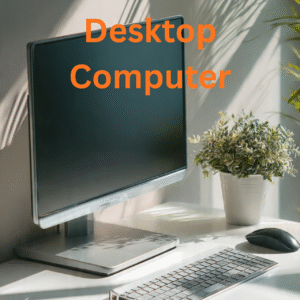
Dell Inspiron 27-inch Desktop Computer
All-in-One, 27″ FHD Touchscreen, Core 7 150U
Upgrade your workspace with the Dell Inspiron 27-inch Desktop, a powerful, space-saving solution designed for modern homes and offices across the United States. Combining a stunning 27-inch Full HD touchscreen display with the performance of the Intel Core 7 150U processor, this all-in-one PC delivers seamless productivity, immersive visuals, and clutter-free convenience—all in one sleek device.
Whether you’re working remotely, managing business tasks, or enjoying entertainment, the Dell Inspiron 27-inch Desktop offers a perfect balance of performance, design, and functionality.
Large 27” Full HD Touchscreen Display
Experience vibrant visuals on the expansive 27-inch Full HD touchscreen. The large display offers crystal-clear resolution, making it ideal for multitasking, streaming, video conferencing, and creative projects.
The 27 inch touchscreen desktop allows intuitive navigation, making everyday tasks faster and more interactive. Perfect for professionals, students, and families alike.
Powerful Intel Core 7 Performance
Powered by the Intel Core 7 150U processor, the Dell Inspiron 27-inch Desktop delivers reliable performance for demanding tasks. From running multiple applications to handling office software and web browsing, it ensures smooth and responsive operation.
This makes it an excellent business desktop computer for productivity and efficiency.
Smooth Multitasking & Efficiency
Designed for modern workflows, this desktop supports efficient multitasking. You can switch between applications, manage large files, and work on multiple projects without slowdowns.
It’s ideal for users looking for a high performance all in one PC for both professional and personal use.
Space-Saving All-in-One Design
Say goodbye to clutter with the sleek all-in-one design. The Dell Inspiron 27-inch Desktop integrates the CPU and monitor into one streamlined unit, saving desk space and enhancing your workspace aesthetics.
This makes it perfect for apartments, home offices, and small business setups in the U.S.
Perfect for Work, Study & Home Use
Whether you’re attending online classes, working remotely, or managing daily tasks, this all in one PC for home use adapts to your needs. It’s also a great choice for students and professionals who need a reliable desktop solution.
Entertainment & Streaming Experience
Enjoy movies, videos, and streaming content in Full HD clarity. The large display enhances your viewing experience, making it a great option for entertainment alongside productivity.
Modern Connectivity & Convenience
Stay connected with essential ports and wireless features designed for today’s digital lifestyle. Whether you’re connecting peripherals or accessing cloud services, this desktop ensures smooth connectivity.
Reliable Dell Build Quality
Dell is known for its durability and performance, and the Dell Inspiron 27-inch Desktop continues that tradition. Built with quality materials, it offers long-lasting reliability for everyday use.
Designed for Productivity & Comfort
The large screen size and touchscreen capability improve workflow efficiency and reduce strain during long work sessions. This makes it an ideal office desktop computer USA users can rely on.
Key Features
- 27-inch Full HD touchscreen display
- Intel Core 7 150U processor
- All-in-one space-saving design
- Smooth multitasking performance
- Ideal for work, study, and entertainment
- Reliable Dell build quality
Why Choose Dell Inspiron 27-inch Desktop?
The Dell Inspiron 27-inch Desktop stands out as a powerful and stylish desktop solution. With its large touchscreen, modern processor, and compact design, it offers everything you need for productivity and entertainment in one device.
Ideal For
- Home offices and remote work
- Students and online learning
- Business professionals
- Everyday home computing
- Streaming and entertainment
Keywords
Dell Inspiron 27-inch All-in-One Desktop, 27 inch touchscreen desktop, all in one PC for home use, business desktop computer, high performance all in one PC, office desktop computer USA
Final Thoughts
If you’re looking for a modern, powerful, and space-saving desktop, the Dell Inspiron 27-inch Desktop is an excellent choice. Its combination of performance, display quality, and sleek design makes it perfect for users across the United States who want a reliable and efficient all-in-one computing solution.
✅ Pros – Dell Inspiron 27-inch Desktop
- Large 27” Full HD Touchscreen
Spacious, clear display with responsive touch for better productivity and entertainment. - Powerful Core 7 Performance
Handles multitasking, office work, and daily computing smoothly. - Space-Saving All-in-One Design
Combines monitor and CPU into one sleek unit, reducing desk clutter. - Great for Work & Home Use
Ideal for remote work, students, business tasks, and streaming. - Modern & Stylish Look
Enhances any home or office setup with a clean, professional design. - Easy Setup
Minimal cables and quick installation make it user-friendly. - Reliable Dell Quality
Durable build with trusted performance for long-term use.
❌ Cons – Dell Inspiron 27-inch Desktop
- Limited Upgrade Options
Hardware upgrades are more restricted compared to traditional desktops. - Not Ideal for Heavy Gaming
Lacks dedicated graphics for high-end gaming or 3D work. - Large Size Requires Space
Needs a bigger desk compared to smaller desktops or laptops. - Touchscreen Adds Cost
May be more expensive than non-touch models. - Repair Can Be Complex
All-in-one design may make repairs more difficult and costly.
Dell Inspiron 27-inch Desktop vs Typical All-in-One PC
| Feature | Dell Inspiron 27-inch Desktop | Typical All-in-One PC |
|---|---|---|
| Display Size | 27” Full HD Touchscreen | 21.5”–24” Non-touch |
| Touchscreen | Yes (Responsive Touch) | Usually No |
| Processor | Intel Core 7 150U (High Performance) | Intel i5 / Ryzen 5 |
| Performance | Smooth multitasking & productivity | Standard everyday tasks |
| Design | Premium, slim all-in-one | Basic all-in-one design |
| Space Saving | Yes | Yes |
| Graphics | Integrated Graphics | Integrated Graphics |
| Best For | Work, study, entertainment | Basic home/office use |
Dell Inspiron 27-inch Desktop vs Traditional Desktop PC
| Feature | Dell Inspiron 27-inch All-in-One Desktop | Traditional Desktop PC |
|---|---|---|
| Setup | All-in-one (no extra tower) | Separate CPU + monitor |
| Desk Space | Minimal, clutter-free | Requires more space |
| Portability | Moderate | Low |
| Upgrade Options | Limited | Highly upgradeable |
| Performance | High for daily tasks | Can be very high (customizable) |
| Cable Management | Minimal cables | Multiple cables |
| Ease of Use | Plug & play | Requires setup |
Dell Inspiron 27-inch Desktop vs 24-inch AIO Desktop
| Feature | Dell Inspiron 27-inch AIO | 24-inch AIO Desktop |
|---|---|---|
| Screen Size | 27-inch (Larger workspace) | 23.8–24 inch |
| Viewing Experience | More immersive | Standard viewing |
| Multitasking | Better due to larger display | Limited screen space |
| Touchscreen | Yes | Optional / Limited |
| Best Use Case | Work + entertainment + multitasking | Basic office tasks |
Key Takeaway
The Dell Inspiron 27-inch Desktop offers a larger touchscreen, stronger performance, and a more premium experience compared to typical all-in-one PCs, making it ideal for users who want both productivity and entertainment in one powerful device.
❓ FAQs – Dell Inspiron 27-inch Desktop
1. Is the Dell Inspiron 27-inch Desktop good for office work?
Yes, it’s excellent for office tasks like documents, video meetings, and multitasking thanks to its Core 7 processor and large display.
2. Does this desktop have a touchscreen?
Yes, it features a 27-inch Full HD touchscreen, making navigation and interaction easier and more intuitive.
3. Can I upgrade the hardware later?
Upgrades are limited compared to traditional desktops, but some models may allow RAM or storage upgrades.


KaMac –
Very fast
Love this PC. Goes on fast . Reliable . Updates work great
Tammy H –
Best deal
Best investment for back to school. Works beautifully. Very easy to setup. Looks modern.
Bhoj –
Good purchase
It’s very good one. It looks solid with good speed. I highly recommend this desktop computer. Worth purchase.
One person found this helpful
Nikki A. –
Good computer no USB for keyboard
This computer has been really good I have had it for several weeks. The only reason I did not give 5 stars is because the USB for the keyboard was missing. I had a extra keyboard with a USB and used it.
3 people found this helpful
hojgard –
Easy to Set Up and Start Using
Smooth setup, quick response to commands. I migrated my old Windows 10 computer software to this one and it worked out great, lessening the pain of installing preferred programs and getting used to new equipment. I dreaded converting to Windows 11, but so far it’s not been the headache I expected. There is no touch screen on my model, nor did I want one. My major complaint is the messy desktop. You can go plain or live with the system files somebody placed on the desktop which thus far have been impossible to remove, despite all the helpful hints on the Internet. The native Windows 11 had a problem installing updates so I contacted Microsoft and they reloaded the software without disturbing any of mine. Works fine now. CoPilot AI is really useful! I’ve asked it how to do a few software tweaks and it did well. It even did well when I told it there was an error in where it told me to begin my tweak; it apologized and corrected itself! My last two computers have been Dells and they have performed well for years. I have confidence that this one will, too.
20 people found this helpful
Francis J Mason –
Dell desktop
Great computer for the price.
Carmen Madison –
Always wanted
I don’t use a computer to much anymore. I just wanted something to download recipes and do taxes. My daughter said this sounds right. Haven’t set up yet. But sure it will be great!!
One person found this helpful
edna –
Major problems setting it up.
I had major problems setting this computer up. It started out ok but as soon as I tried to add an external program it got encrypted and crashed. At one point I was ready to put it back in the box and return it but eventually got the correct 50-digit code entered and was able to start over again. BEWARE.
Richard A. Hucklebridge –
It was very difficult to switch over from my old Dell computer which had windows. 10 ??????
That Microsoft company and its people are not making a very good product anymore! The Dell computer seems to be Ok, but that Microsoft outfit sucks.
5 people found this helpful
DalyDaly –
Rapido
De verdad que llego bastante rápido y en muy buenas condiciones
2 people found this helpful