

Microsoft Surface Bundle Pro 11 2-in-1 Tablet with Pro Keyboard and Surface Pen
The Microsoft Surface Bundle Pro 11 is more than a tablet; it’s a statement from Microsoft. It has been equipped with the new Snapdragon X Elite processor, which will make it feel like a tablet and a laptop all in one. But will it be the best 2-in-1 for you? From real-world applications to a comparison to the competition, it covers it all.
The Surface Bundle Pro 11 is what?
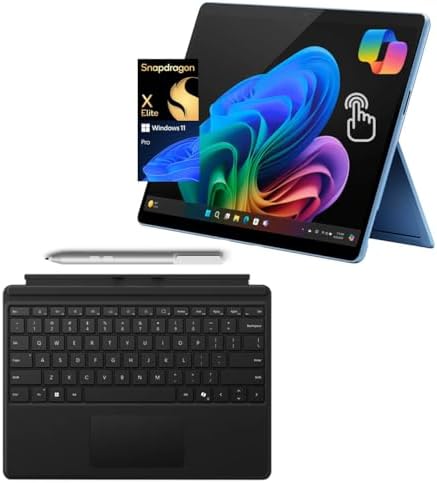
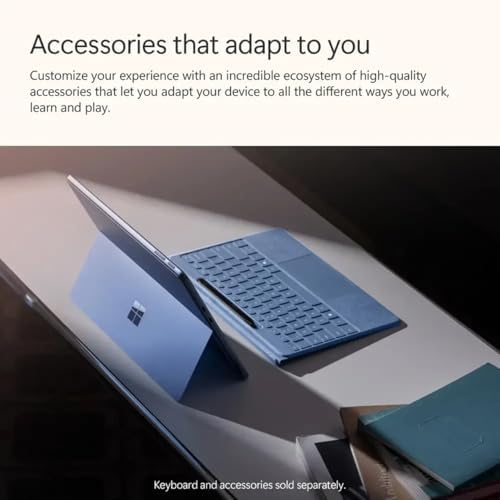
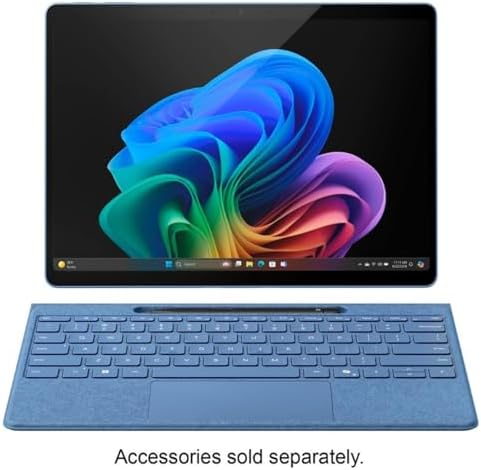
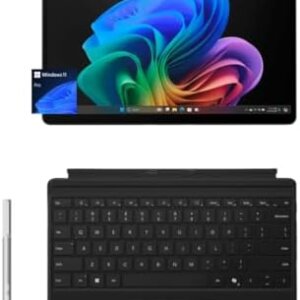
The Surface Pro 11 is Microsoft Surface Bundle Pro 11 top-of-the-range detachable, which it hopes you’ll use as your main device. The “Bundle” version comes with a number of standard accessories: the Surface Pro Keyboard and the Surface Slim Pen 2. It is an all-in-one package, a new class of Windows device that makes use of on-device AI, the Copilot+ PC.
The core of this machine is the Snapdragon X Elite processor. It’s an ARM-based chip similar to the one you’d get in a smartphone, and it comes with a whole host of benefits, but there are some things you should be aware of:
Key Features & Benefits
1. Snapdragon X Elite Processor & AI Power
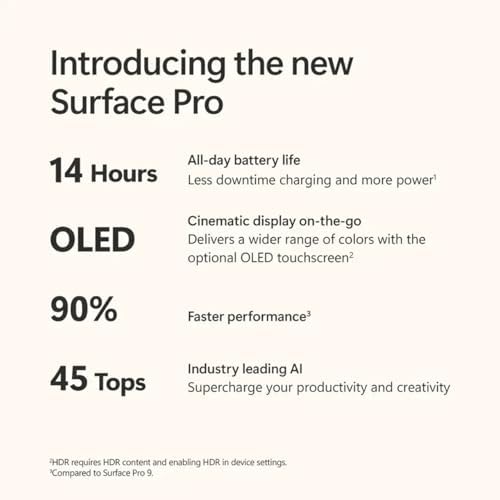
The Snapdragon X Elite is a turnaround for Windows on ARM. It has a 12-core CPU and a powerful NPU (Neural Processing Unit) of 45 TOPS. The new Copilot+ AI experiences are powered by this NPU.
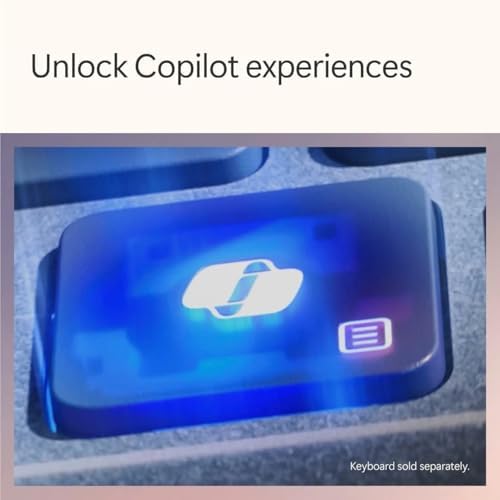
Benefit: The on-device AI capabilities include on-device translation with Live Captions, background blur, and eye contact for video calls with Windows Studio Effects and creative features such as Cocreator in Paint. Unlike cloud-based features, these features operate locally and are therefore faster and more private.
2. Acrylic lens and built-in stand.4. CAS Power Supply Unit.
The Surface Pro 11 features a virtually edge-to-edge 13-inch PixelSense Flow display with a stunning 2880 x 1920 resolution. This specific model features an OLED screen with cool blacks, saturated colors and 120Hz refresh rate to ensure smooth scrolling.
3. Included Pro Keyboard & Slim Pen 2
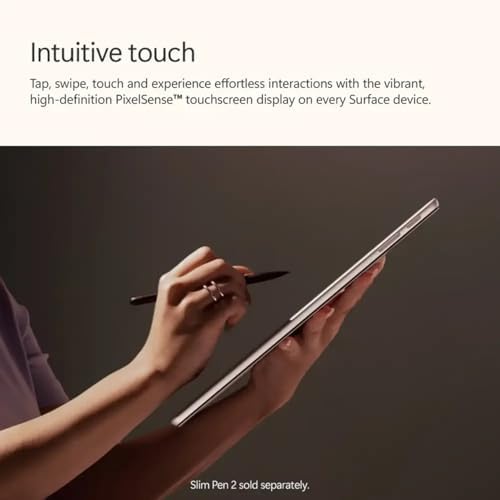
The bundle comes with the top-of-the-range Surface Pro keyboard as well as the Surface Slim Pen 2. The keyboard is rugged, features a large glass trackpad and has a slot where the pen can sit securely and be charged. Prospective: This will give you the entire laptop experience without much of the doing of annoying configurations. The keyboard is comfortable to type on and the pen is ideal for notes, sketches, and using a pad to navigate a device, making it a digital canvas.
4. All-Day Battery Life
The greatest advantage of Snapdragon X Elite is its stupefying efficiency. 24 hours to hold up to according to Microsoft Surface Bundle Pro 11, and in actual use, it’s been able to go and go even though having videos for longer than 16 hours. Benefit: You can be sure that your charger will be at home. Thanks to its long battery life, the Surface Pro 11 can help you get through the day, a flight of several hours or a weekend trip without having to plug it in.
5. Studio Camera with AI support (1440p).
The front camera’s resolution has increased to 1440p Quad HD. When coupled with AI-powered Windows Studio Effects, it provides tools such as auto framing, ensuring that you stay in frame even when you’re moving around. Advantage: You will be displayed your best on video calls, great pictures and great effects, anywhere you are.
Real Use Cases
Use Case 1 – The Mobile Creative Professional
A graphic designer who is often on the road for client visits. They use the Surface Pro 11 with the keyboard as a laptop for emails and presentations. In meetings, they remove the keyboard and take advantage of the tablet mode to brainstorm design ideas and to annotate mockups directly on the screen using the Slim Pen. The beautiful OLED screen displays colors accurately, and they last a whole day at the office without the need to find a power outlet.
Use Case 2: The Digital Artist & Student
An art student requiring a device to take notes and make digital artwork. In lectures they operate in tablet mode and use the Slim Pen to make handwritten notes on the screen. They are based on the high-performance Snapdragon X Elite chipset, which powers creative applications such as Adobe Fresco and Adobe Photoshop with the aid of the colorful OLED screen and the pen’s pressure sensitivity.
Use Case 3: Executive Who Focuses on Productivity
A busy executive who requires a lightweight, very portable gadget for that management of emails, documents and video calls. In Laptop Mode they use the Surface Pro 11 with the Surface Pen and the keyboard to write reports. The AI-enhanced camera and Studio Effects make them look professlaptopon video calls. Always connected and always on, they can easily check schedules and reply to important emails anytime of day, with good battery life.
Competitor Comparison Microsoft Surface Bundle Pro 11
| Feature / Model | Surface Pro 11 Bundle | Apple iPad Pro 13″ (M4) | Dell XPS 13 2-in-1 |
|---|---|---|---|
| Best For | Full Windows productivity with tablet flexibility | Creative work & media consumption on iPadOS | Traditional laptop performance |
| Processor | Snapdragon X Elite (ARM) | Apple M4 (ARM) | Intel Core Ultra / Snapdragon X Elite |
| Display | 13″ OLED (2880×1920), 120Hz | 13″ OLED (2752×2064), 120Hz | 13.4″ OLED (2880×1920) |
| RAM / Storage | 16GB / 512GB | 8GB / 256GB | 16GB / 512GB |
| OS | Windows 11 Pro | iPadOS | Windows 11 |
| Key Feature | Full Windows, AI features, best-in-class webcam | Superior raw performance, massive app ecosystem | Familiar clamshell design, more ports |
| Price (Est.) | ~$1,500+ | ~$1,300+ | ~$1,300+ |
How It Stacks Up
vs. Apple iPad Pro M4: The iPad Pro M4 is more powerful and offers plenty of tablet-optimized apps. But the Surface Pro 11 has a full version of Windows 11, so it can truly replace a laptop and gives you access to all of your desktop applications. The Surface is the better option for business and productivity. vs. Dell XPS 13 2-in-1: The Dell XPS is a more standard 2-in-1 featuring a clamshell and having more port options. The Surface Pro 11 is a lot lighter and more portable. The Surface may also have a more conventional feel to the laptop, while the Surface’s detachable design and the fact that it has better battery life may appeal to those favoring a more innovative design.
Pros & Cons
Pros Microsoft Surface Bundle Pro 11
-
Long Battery Life: Can operate for hours, and days on a single charge.
-
Bright and crisp 13-inch OLED screen and 120Hz refresh rate.
-
Super Portable: Small and lightweight and easily carried.
-
Flexible Form Factor: Converts from laptop mode to tablet mode and studio mode.
-
AI-Powered Webcam: The 1440p AI camera is one of the very best on any laptop.
-
Copilot+ AI Features: On-device AI enhances productivity and creativity.
-
Premium Keyboard and Pen included: Save money by getting the premium pen and keyboard.
Cons Microsoft Surface Bundle Pro 11
-
Expensive purchase: The bundle is a costly one, especially compared to a traditional laptop.
-
ARM Compatibility Concerns: Older or specialized x86 software may not work or run slowly on the ARM version.
-
Expensive peripherals: Included in this bundle, this keyboard and pen are expensive peripheral items to purchase separately.
-
Limited Ports: There are only two USB-C 4 ports, which might require a dongle for additional ports.
-
Pen can be tricky to remove: Pen is securely stored but may be slightly tricky to remove.
Frequently Asked Questions (FAQ)
1. Will all my software work on the Surface Pro 11?
The Surface Pro 11 is using the Surface Plus version of Windows 11 on ARM and powered by the Snapdragon X Elite chip. Many popular applications, such as Microsoft Surface Bundle Pro 11 Office, Adobe Creative Cloud, and Chrome, have ARM versions or perform well using Microsoft Surface Bundle Pro 11 Prism emulation. But some older or specialized x86 software, especially niche business applications and some games, may not work or run slower. Before purchasing, check to see if the critical software is compatible.
2. How long does the battery really last?
Real-world battery life will be between 10 and 14 hours. It’s lasted more than 16 hours in specific tests when playing videos. This is a significant upgrade over the previous Surface models and among the longest-lasting of any Windows device.
3. Is the OLED display worth the extra cost?
For the majority of users, yes. The OLED panel is capable of providing much greater contrast ratios, blacks, and colors. The upgrade is definitely worthwhile for anyone who consumes a lot of HDR content, engages in photo or video editing, or simply appreciates a high-end viewing experience. This upgrade is already contained in the bundle you are thinking of buying.
✅ Final Verdict: Should You Buy the Microsoft Surface Bundle Pro 11?
The Microsoft Surface Bundle Pro 11 is an impressive feat. It is the most sophisticated, capable, and efficient Microsoft Surface Bundle Pro 11 has ever produced. The all-day battery life, AI functionality, and a beautiful OLED screen make it an excellent option for professionals, students, and creatives who demand versatility from their 2-in-1.
Buy it if: Microsoft Surface Bundle Pro 11
-
You prefer to have one device that is ultra-portable and can be used for both your laptop and your tablet.
-
A complete Windows experience is required while on the move.
-
You appreciate a high-quality display and the very best camera.
-
You’re prepared for the future of computing with AI.
Skip it if: Microsoft Surface Bundle Pro 11
-
You are using specialized software that is not updated for ARM.
-
You have limited funds for your budget.
-
You like the traditional clamshell laptop, which has more ports.
Note: This particular combination of features may differ depending on the retailer. See the current price and availability on the Amazon site and the Microsoft Surface Bundle Pro 11 Store.

Tilert –
What I ordered
So far I am delighted with my new laptop. It appears to be what I needed. I have only had it a day.
2 people found this helpful
jorge lopez –
very good
Muy bueno
One person found this helpful
Edgar Rivera Vazquez –
Defective from scratch
I received the item with a defects. I get a Blue Screen of Death after booting. I’ now undergoing warranty process with Microsoft. Inot the best scenario when you buy a brand new device and it is defective.