
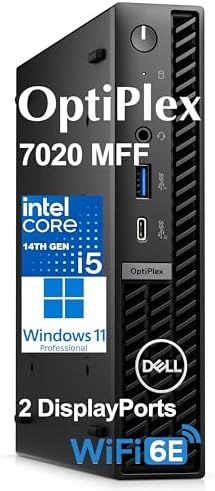

Type Dell OptiPlex 7020 MFF Computer, 16GB DDR5 RAM, 512GB PCIe SSD, 14th Gen Intel 14-Core i5
Dell OptiPlex 7020 MFF Review: A Compact Business Desktop Built for U.S. Offices and Home Workspaces
Small footprint, big output — that’s the promise of the Dell OptiPlex 7020 Micro Form Factor (MFF) Computer, a business-class desktop aimed at U.S. professionals, remote workers, and IT departments that need reliable performance without giving up desk space. Priced at $749.99 and currently in stock, this model pairs a 14th Gen Intel processor with modern connectivity in a chassis small enough to mount behind a monitor.
Overview
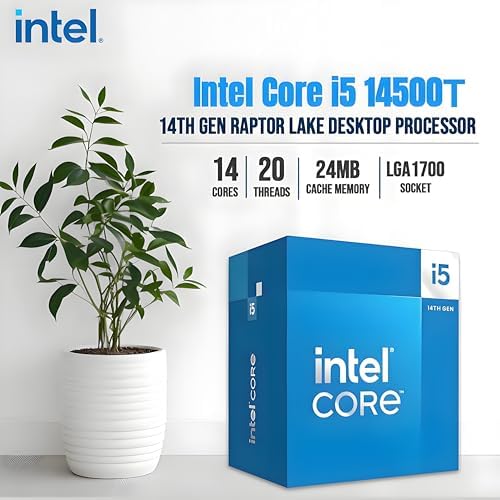
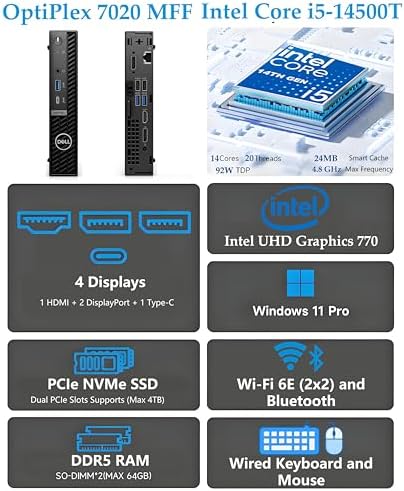
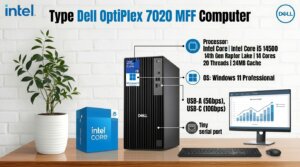
The OptiPlex 7020 MFF is part of Dell’s long-running OptiPlex business lineup, a series known for durability, enterprise support, and predictable performance rather than flashy design. This particular configuration is built around the 14th Gen Intel Core i5-14500T, a 14-core, 20-thread processor with a 24MB cache and clock speeds ranging from 1.60 GHz up to 4.60 GHz in Turbo mode. Dell markets this chip as outperforming the previous-generation Core i7-13700T in multi-core workloads, which is a notable claim for anyone comparing older office fleets to this refresh.
Backing up the processor is 16GB of DDR5 RAM, expandable up to 64GB, along with a 512GB PCIe NVMe M.2 SSD for fast boot times and application loading. Graphics are handled by the integrated Intel UHD Graphics 770, which supports resolutions up to 3840×2160 (4K) — enough for document work, spreadsheets, video calls, and general multitasking, though not intended for gaming or GPU-heavy creative work.
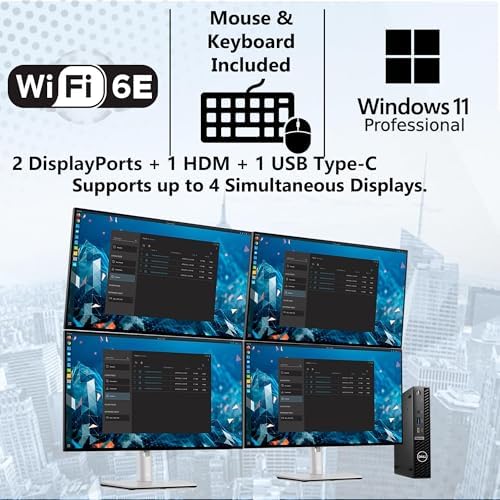
The unit ships with Windows 11 Pro pre-installed, along with a wired Dell keyboard and mouse, making it ready to deploy out of the box for office or home-office use.
Design and Form Factor
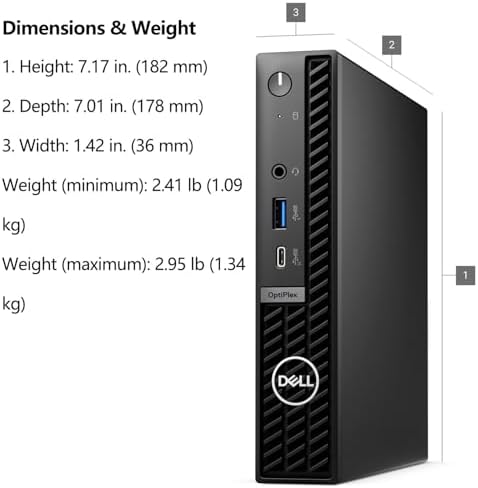
At just 1.42 x 7.01 x 7.17 inches and 2.41 pounds, the OptiPlex 7020 MFF is small enough to sit on a desk, tuck into a drawer, or mount to the back of a monitor using a VESA bracket — a popular setup in space-constrained offices and open floor plans. Despite the compact chassis, Dell says the system can drive up to four monitors simultaneously, which is well beyond what most mini PCs in this price range offer.
Connectivity
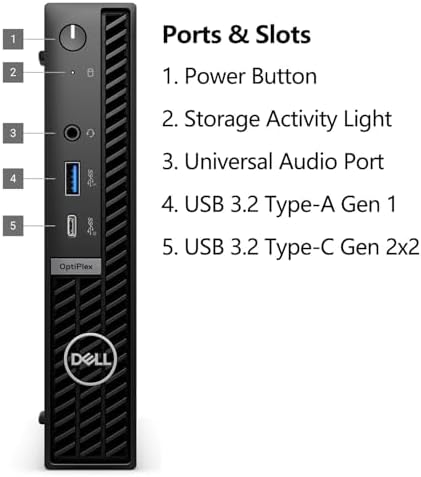
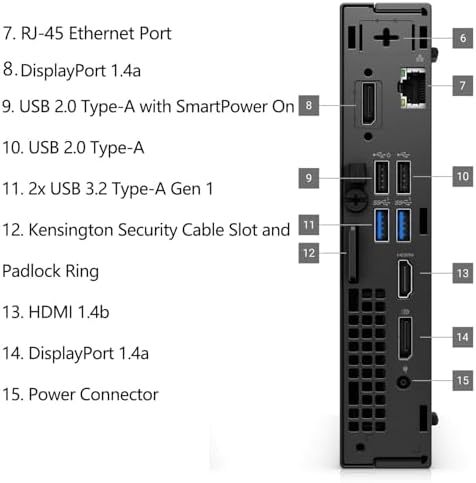
Port selection is generous for a system this size. On the front, users get a USB 3.2 Gen 1 Type-A port with PowerShare, a USB 3.2 Gen 2×2 Type-C port, and a universal audio jack. The rear panel adds an RJ-45 Ethernet port, two USB 2.0 Type-A ports, two additional USB 3.2 Type-A ports, two DisplayPort 1.4a outputs, one HDMI 1.4b port, and the power adapter connection.
Wireless connectivity is handled by an Intel Wi-Fi 6E AX211 card with Bluetooth support, which should provide faster, more stable throughput than older Wi-Fi 5 systems — a meaningful upgrade for video conferencing and cloud-based work of Dell OptiPlex 7020 MFF Computer.
Who This Computer Is For
The OptiPlex 7020 MFF is best suited for:
- Small business and corporate offices replacing aging desktops with a compact, multi-monitor-capable workstation
- Remote and hybrid workers in the U.S. who need a quiet, low-footprint machine for video calls, spreadsheets, and productivity software
- Home offices and students who want business-grade reliability without a full-size tower
- IT departments standardizing on Windows 11 Pro machines with enterprise manageability features
It is not designed for gaming or heavy video editing, since it relies on integrated graphics rather than a discrete GPU.
Pricing and Value
At $749.99, the OptiPlex 7020 MFF sits in the mid-range for business mini PCs. Given the inclusion of a current-generation 14-core processor, DDR5 memory, a PCIe NVMe SSD, Wi-Fi 6E, and a genuine Windows 11 Pro license, the price is reasonable for buyers who value Dell’s business support and build quality over the rock-bottom pricing of lesser-known mini PC brands for Dell OptiPlex 7020 MFF Computer.
Pros and Cons
Pros
- Powerful 14th Gen 14-core CPU delivers strong multitasking performance for a compact desktop
- DDR5 RAM and PCIe NVMe SSD provide noticeably fast boot and load times compared to older office PCs
- Extremely space-saving design that can be VESA-mounted behind a monitor
- Supports up to four external monitors, unusual for a machine this small
- Wi-Fi 6E and modern port selection, including USB-C and dual DisplayPort outputs
- Windows 11 Pro included, which suits business licensing and management needs
Cons
- Integrated graphics only — not suitable for gaming or GPU-intensive creative work
- Most USB ports are on the rear panel, which can be inconvenient for frequently swapped peripherals
- Included keyboard and mouse are wired, with no bundled wireless option
- Limited color option (typically white/silver), which may not match darker desk setups
- Not user-serviceable for major upgrades the way a full-size tower would be
Final Verdict
The Dell OptiPlex 7020 MFF is a strong pick for U.S. buyers who want dependable, business-grade performance in the smallest possible footprint. Its combination of a 14-core processor, DDR5 memory, fast SSD storage, and multi-monitor support makes it well suited to office deployments, hybrid workers, and home professionals who don’t need discrete graphics. Buyers looking for a gaming rig or a machine built for heavy creative workloads should look elsewhere, but for everyday productivity, this OptiPlex delivers solid value at its price point of Dell OptiPlex 7020 MFF Computer.
Leonardo –
Awesome product!
I love everything about this computer!
One person found this helpful
RuralCA –
Works well, no problems
It was hard to find a Dell all-in-one with these specs (and with Windows 11 Pro installed) with a decent price, immediate availability and quick shipping. The only one I could find was white/silver. Would have preferred black because keyboard and mouse are white (show dirt/grime quickly). Also, the keyboard and mouse require a usb port and would have preferred bluetooth keyboard and mouse. It’s a little awkward to not have a USB port on the front or side of the computer (they are all in the back). This replaced an XPS all-in-one tablet (battery powered), so I went ahead and got a Tripp Lite UPS so the machine doesn’t crash with power outages (we have a lot of them). The machine’s performance so far has been fast and reliable, with great wifi speeds with my high-end router.
2 people found this helpful
keithangelo –
Satisfied
Based on performance & all that is included in the package, so far, I am very satisfied. Since this is my 1st Dell, the test of time will be determine if a 5th star is appropriate.
One person found this helpful