
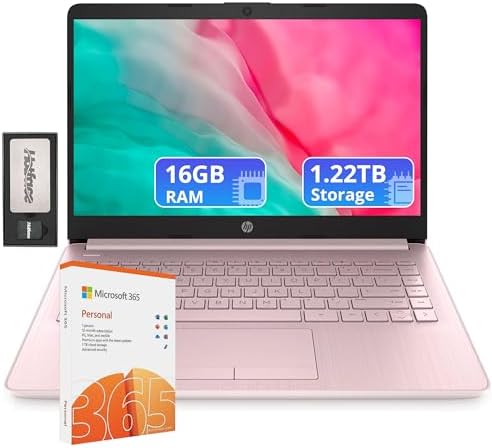


HP Flagship 14inch Laptop with 1 Year Office 365 | 16GB RAM | 1.22TB Storage (64GB eMMC)
You’re searching for a laptop that is budget-friendly but won’t skimp on performance? The HP Flagship 14inch Laptop is designed to be the affordable ally, offering a year of Office 365 plus a hefty 1.22 TB of overall storage in a lightweight, portable design. However, with a name like “Flagship” and a price tag to match, it’s worth taking a closer look to see if this laptop will actually offer you value or if it’s just a clever marketing campaign.
What Exactly Is the HP Flagship 14inch Laptop?
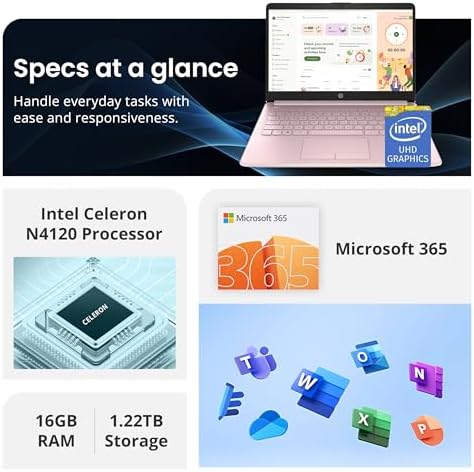
This is an unofficial configuration, not an official HP model, and typically offered by third-party retailers, for example, “HP Flagship 14” HD Laptop.” It’s based on the HP Stream 14 platform, which is the entry-level laptop platform. The ‘Flagship’ in its name is this particular upgraded configuration, including the following:
-
An increase from standard 4GB to 16GB RAM (which is quite a nice upgrade)
-
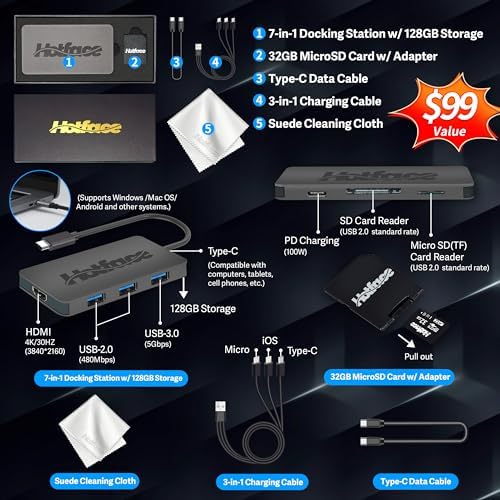
Total Storage: 1.22TB (including 64GB eMMC + 160GB docking station SSD + 1TB cloud storage)
-
A 1-year Office 365 subscription is included.
-
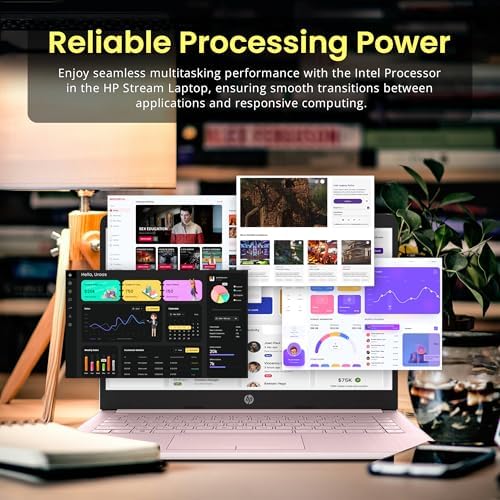
Intel Celeron N4120 Quad Core Processor
Key Features & Benefits
1. Generous Storage Bundle (1.22TB Total)
The exclusive 1.22TB total storage space bundle includes the following additional features: The big selling point is the massive 1.22TB of total storage. Here’s the breakdown: Built-in flash storage for the operating system and key applications, 64GB eMMC. The 160GB docking station comes with an external SSD hard drive. A 1TB cloud storage service that is part of the Office 365 subscription is provided. Online storage via the Office 365 subscription is provided through 1TB cloud storage. Benefit: There will be ample room for documents, photos, and files. Cloud storage gives you the ability to store crucial files and access them from any place.
2. 1-Year Office 365 Subscription
The laptop includes a 1-year subscription to Office 365, which provides access to Word, Excel, PowerPoint, and other necessary productivity tools. Benefit: You can start working right out of the box without purchasing additional software. This is a huge value add to students or professionals depending on the Microsoft ecosystem.
3. 16GB RAM for Multitasking
The laptop has a RAM of 16GB, which is designed to run multiple apps without lagging. Pros: You can have multiple browser tabs open, edit documents, and listen to music simultaneously. This is a lot of memory for a first-time laptop.
4. Lightweight & Portable Design
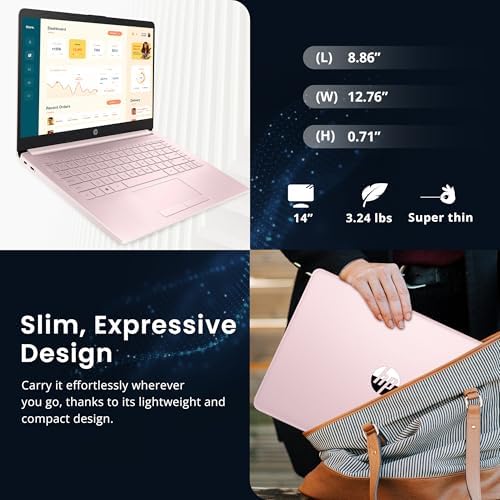
Weighing just 3.24 lbs (1.47 kg), the HP Stream 14 is easy to carry around. The 14-inch HD display is a middle ground between screen size and portability. Finish: Ideal for pupils traveling to school and experts working in coffee shops. Will not burden your backpack.
5. Fast Charging
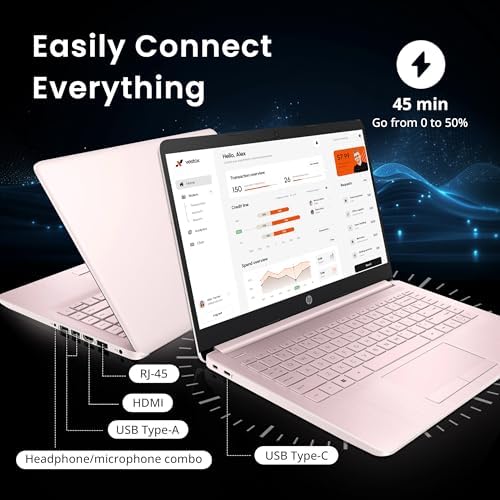
The laptop supports fast charging, allowing you to recharge to 50% in approximately 45 minutes. Benefit: If you need to be charged again during the day, you can charge between classes or before layovers without having to be plugged in for hours.
Real Use Cases: Who Is This Laptop For?
Use Case 1: The Budget-Conscious Student
Description: If you are a college student and require a laptop for note-taking, essay writing, and research, this scenario is for you. You have limited funds and don’t want a Chromebook. Solution: The HP Flagship 14inch Laptop provides a familiar Windows 11 experience and includes Office 365. It’s lighter than ever, and you can easily carry it from class to class, and it has 16 GB of RAM for multiple research tabs and documents. Result: A workable laptop computer for routine academic use at a reasonable price. One reviewer commented that “it’s excellent for school work.”
Use Case 2: The Home Office Worker
Why: Your job is from home, and you require another laptop for email and video calling plus document editing. You have a main work computer (aka desktop) and need a portable one to use occasionally. Solution: HP Flagship 14-inch The laptop is good at running Microsoft Office applications. The 720p HD webcam with noise removal is suitable for video calls. The quick charging allows you to recharge the battery in between appointments. Outcome: A cost-effective secondary device that allows you to remain productive without having to purchase a high-end machine.
Use Case 3: The Occasional User
Use Case: You’re looking for a laptop that you can use for basic browsing, checking email, and streaming videos. No heavy calculation activities or gaming. Solution: Basic web browsing and video streaming can be done with the Intel Celeron N4120 processor and 16GB of RAM. The bright, colorful design options (including pink and lavender) add a personal touch. Outcome: A budget-friendly, usable laptop that will serve your casual requirements without going over your budget.
Competitor Comparison: HP Flagship 14-inch vs. Top Budget Rivals
| Feature / Model | HP Flagship 14-inch | Lenovo IdeaPad 1 | Acer Aspire Go 15 | ASUS Vivobook 14 |
|---|---|---|---|---|
| Processor | Intel Celeron N4120 (4-core) | Intel Celeron N4020 / N100 | Intel / AMD options | Intel Core / Snapdragon |
| RAM | 16GB | 4GB / 8GB | 8GB / 16GB | 8GB / 16GB |
| Storage | 64GB eMMC + 160GB ext. + 1TB cloud | 64GB eMMC / 256GB SSD | 128GB / 256GB SSD | 256GB / 512GB SSD |
| Display | 14″ HD (1366×768) | 14″ HD | 15.6″ HD | 14″ FHD+ (1920×1200) |
| Office 365 | 1 Year Included | Not included | Not included | Not included |
| Weight | ~3.24 lbs | ~3.3 lbs | ~3.7 lbs | ~3.1 lbs |
| Best For | Office suite users on a budget | Basic computing | Larger screen needs | Better display & performance |
| Price Range | ~$250 – $350 | ~$200 – $300 | ~$300 – $400 | ~$400 – $500 |
How It Stacks Up
-
Lenovo IdeaPad 1 vs. Lenovo IdeaPad 1: Both are entry-level laptops. The Office 365 subscription is also included with the HP, which has much more RAM (16GB vs. 4-8GB) and is better for multitasking and productivity.
-
The Acer is powered by a 15.6-inch screen, compared to the smaller screen on the VS, but it could lack Office 365. The HP is lighter and easier to carry around.
-
The ASUS is more expensive than the Vivo but features better FHD+ displays and higher-performance processors (10-core variants are available). The HP is the go-to if you’re on a tight budget.
Pros & Cons
Pros
-
Excellent value bundle: Office 365 and massive storage at a low price
-
Lightweight and portable: Easy to carry for students and travelers
-
Generous 16GB RAM: Handles multitasking better than most budget laptops
-
Fast charging: 50% charge in ~45 minutes
-
Multiple color options: Pink, lavender, silver, and more
-
Windows 11 included: Familiar operating system out of the box
Cons
-
Slow processor: The Intel Celeron N4120 is underpowered for demanding tasks
-
Poor build quality: Plastic construction feels cheap and fragile
-
Low-resolution display: HD (1366×768) is outdated compared to FHD competitors
-
Limited internal storage: 64GB eMMC fills up quickly with Windows updates
-
Windows 11 S Mode restrictions: Limited to Microsoft Store apps unless switched out
-
Mixed reliability reports: Some units fail within months
Frequently Asked Questions (FAQ)
1. Can you play games on the HP Flagship 14inch laptop? 3. Can the HP Flagship 14inch laptop be used for gaming?
No. The Intel Celeron N4120 processor and integrated UHD Graphics are not geared toward gaming. One reviewer described it as “slow-motion side-scrollers.” This laptop is designed for productivity, web browsing, and light media.
2. What is Windows 11 S Mode, and if it’s possible, how will I be able to disable it?
Windows 11 S Mode is a limited version that only lets Windows Store apps run. S Mode can be turned off for free by accessing the Windows 11 Settings, System, and Activation and choosing “Switch to Windows 11 Home.” This enables you to install any programs on it, including Google Chrome and other third-party programs. This is one-way switch, and you will not be able to return to S Mode.
3. What is the 1.22 TB storage for?
The storage is a combination of three components:
Integrated OS storage (64GB eMMC): Flash storage for operating system 160GB Docking Station: External drive docked with the computer’s case for data transfer. 1TB Cloud Storage: Office 365 subscription online storage.
Windows and programs are installed in the primary drive, the 64GB eMMC. External SSDs and cloud storage are for file storage. This setup is confusing for some users, as the built-in storage is rather small.
Final Verdict: Should You Buy the HP Flagship 14inch Laptop?
The HP Flagship 14inch Laptop represents the classic “you get what you pay for. Essentially, it’s a low-level HP Stream 14 with richer memory and ample storage and software.
Buy it if:
You need a basic Windows laptop for work or school but have a limited budget. You mostly work in the Microsoft Office Suite and in web-based applications. You appreciate the complimentary Office 365 subscription along with cloud storage. A light portable machine is needed for light jobs
Skip it if:
Smooth performance is required for multitasking or demanding applications. You’re looking for high resolution for media viewing You’re looking for a durable, long-lasting device If you think you’re short on cash, you can find a good laptop for $400-$500, such as the ASUS Vivobook 14.
The “flagship” designation is only a marketing tag, and this is a budget laptop to the core. However, this is a genuinely useful product for its target market, students, casual users, and budget-conscious customers. Simply expect the results when you go in and expect the build quality.
Availability of this configuration is dependent on the retailer. Look at Amazon and other major sites for the most up-to-date prices and availability.
Asher Rhoades –
Great laptop for Great price
I bought this for my girlfriend and she really likes it, the screen quality is good, it’s fast for the most part and has brightness adjust. The battery life is awesome, can last a few hours unplugged from power. It’s easy to use too. The sound quality is good too 5 Star recommend!
2 people found this helpful
zenia –
recommended
Excellent laptop, fast, with plenty of memory, and very practical for work and study. Highly recommended!
Texasred007 –
Screen is not very vivid for streaming video.
Not a bad little computer. It would be a great first computer for a kid or young person headed off to college. I wanted something with a sharper screen and a little bigger. It worked great, just not what I wanted. I returned it and got a refund and purchased one I love! Happy with the return service.
3 people found this helpful
Amazon Customer –
*Deceptive Advertising*
Why did you pick this product vs others?: 1. It appears someone has previously signed into this device. During setup, it displayed a masked email, which should not happen on a brand-new laptop, which is how this was advertised.2. This model only has 4 GB of RAM, even though the listing claimed 16 GB. The included accessories—a microSD card and docking station with extra storage—do not increase the laptop’s system RAM. I spent a great deal of time researching a new laptop. I just needed something simple but dependable, and this one seemed to fit. I’m very disappointed in what seems to be deceptive advertising.
19 people found this helpful
Vernon Provencal –
Works fine for me.
Great for basic use of writing, email, etc. Lightweight & inexpensive.
Jennifer McCain –
PC locked up after a week and had to hard reset
Computer is nice at face value. Good size, great monitor. The main complaint I have is that after a week, the laptop was “stuck” in charge mode and I had to go searching on the internet to see how to fix it). I was finally able to get the system to do a hard reset (there was a problem with the BIOS which should not happen with such a new computer). The hard reset DID take care of the issue. If it doesn’t happen again, I may come back and change my review. Also, just an FYI, the keys are not backlit so if you can’t touch type, you’ll need to have a light nearby to see what you are typing.
5 people found this helpful
Tl –
Lightweight
Cute and light! Functional and affordable
DanielaDaniela –
Amo este compu
I loved the colorIt is beautiful, fast everyone. Their programs. The camera works great. This one. Spectacular nose 👌See. Heated him. Hard. The load does it
One person found this helpful
russell reeder –
got exactly what i requested
just what i ordered
Graciela V. –
Se dañó a los 2 meses
The media could not be loaded.
Casi a los 2 meses se apagó la pantalla y no responde, estaba realizando un trabajo y se quedó en modo ibernacion. Esperé un par de horas y se reinició normal parece ser una falla de este equipo desde allí ningún problema
One person found this helpful