
Best Mini Business Desktop PC With Windows 11 Pro USA – Lenovo ThinkCentre M70q Gen 5 Tiny desktop Review
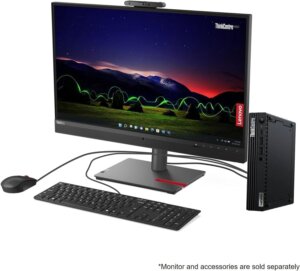
Lenovo ThinkCentre M70q Gen 5: Enterprise Power in a 1-Liter Box
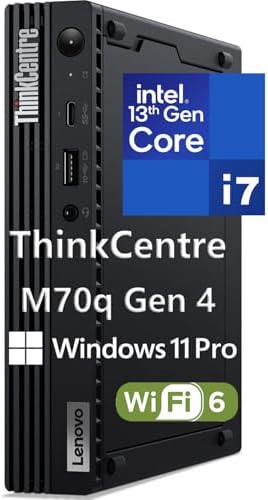
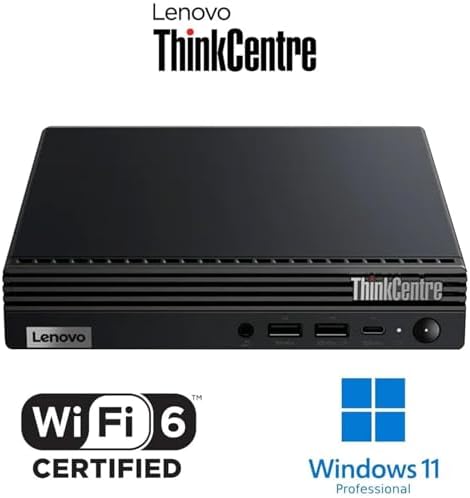
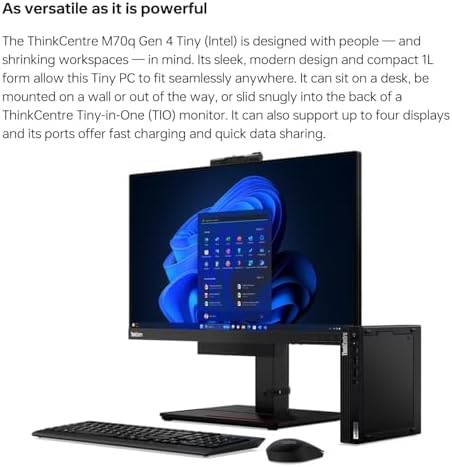
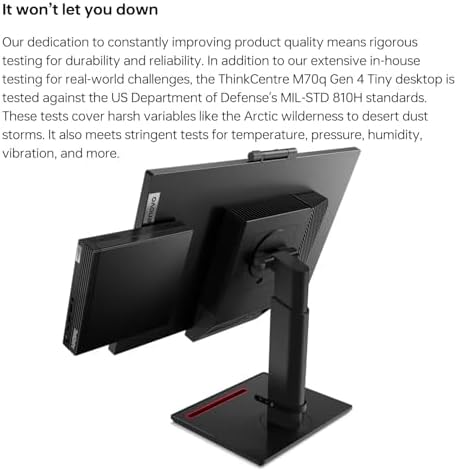
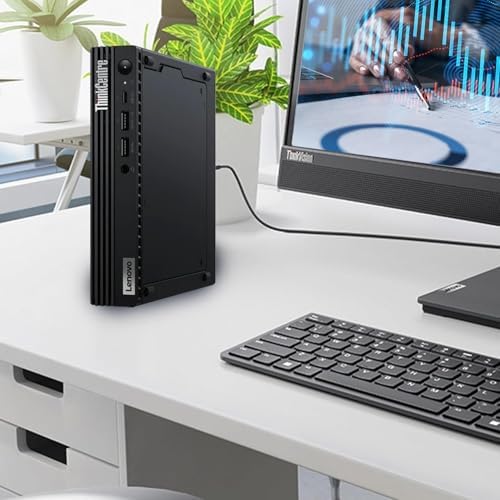
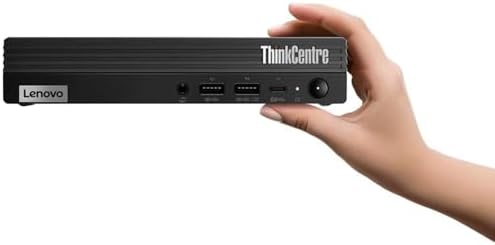
The ThinkCentre M70q Gen 5 is Lenovo’s latest iteration of its iconic tiny desktop. Weighing just 2.76 lbs and measuring a mere 7 x 7 x 1.4 inches, this 1-liter PC is designed to vanish into any workspace, mounting behind a monitor or under a desk. Despite its size, it packs serious business-class performance.
Key Specifications (as reviewed)
-
Processor: 14th Gen Intel Core i5-14400T (10 cores: 6 Performance + 4 Efficiency, up to 4.5 GHz)
-
Memory: 32GB DDR5 RAM (supports up to 64GB)
-
Storage: 1TB PCIe NVMe M.2 SSD
-
Graphics: Integrated Intel UHD Graphics 730
-
Operating System: Windows 11 Pro
-
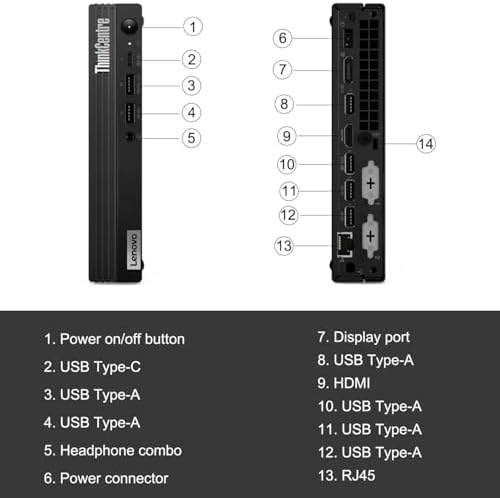
Ports: 5x USB 3.0 Type-A, 1x USB 2.0, 1x USB-C, HDMI, DisplayPort, RJ45 Ethernet
-
Wireless: WiFi 6 + Bluetooth 5.3
-
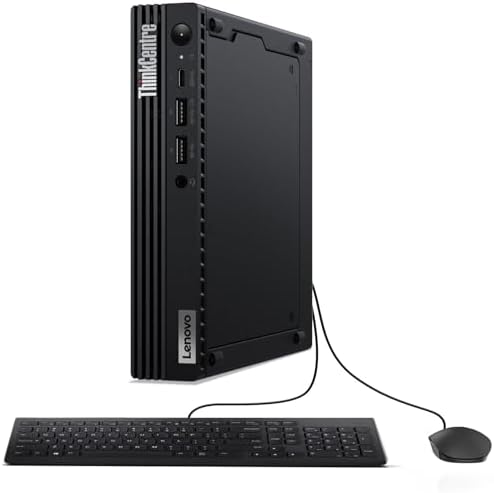
Included: USB keyboard and mouse
-
Warranty: 3-year onsite service
Why It’s a Top Contender
Best Mini Business Desktop PC
-
Exceptional Build Quality: The M70q features a sleek, durable metal chassis typical of Lenovo’s premium ThinkCentre line. It’s designed for 24/7 operation in demanding office environments.
-
Modern Connectivity: With WiFi 6, Bluetooth 5.3, and multiple video outputs (HDMI + DisplayPort), it supports dual 4K monitors out of the box—ideal for multitasking.
-
Expandability: Unlike many ultra-compact PCs, the M70q allows easy access to upgrade RAM and storage, making it a more future-proof investment.
-
Security Features: Includes a Discrete TPM 2.0 chip for hardware-level encryption and secure boot, essential for handling sensitive business data.
-
Eco-Certified: ENERGY STAR 8.0 and EPEAT Silver rated, making it a greener choice for businesses tracking sustainability metrics.
The Showdown: Lenovo Best Mini Business Desktop PC vs. Dell Pro Micro
When looking for the best mini business desktop PC, the Lenovo M70q’s closest competitor is the newly released Dell Pro Micro (QCM1250). Both target the same business user with similar specs. Here is a direct comparison.
| Feature / Model | Lenovo ThinkCentre M70q Gen 5 (Our Pick) | Dell Pro Micro QCM1250 |
|---|---|---|
| Price (as configured) | $1,169.99 (32GB RAM, 1TB SSD) | ~$1,033.75 (base config) to higher |
| Processor | Intel Core i5-14400T (10 cores / 16 threads) | Intel Core i5-14500T (14 cores, similar performance) |
| Memory | 32GB DDR5 (up to 64GB) | 16GB DDR5 standard (configurable) |
| Storage | 1TB PCIe SSD | 256GB SSD standard (configurable) |
| Graphics | Intel UHD Graphics 730 | Intel UHD Graphics |
| Video Outputs | HDMI + DisplayPort (dual monitors) | HDMI 2.1 + DisplayPort 1.4a (slightly newer standard) |
| Wireless | WiFi 6 + Bluetooth 5.3 | Optional (basic config may lack wireless) |
| Form Factor | 1.4″ thin, 2.76 lbs | 1.41″ thin, 2.56-3.09 lbs |
| Warranty | 3-year onsite | 1-year basic (upgradeable) |
| Best For | Out-of-box value, better standard specs | Modular configs, newer ports |
How to Choose Best Mini Business Desktop PC
-
Choose Lenovo M70q Gen 5 if: You want better out-of-box value. For the price, the Lenovo includes double the RAM (32GB vs. 16GB) and quadruple the storage (1TB vs. 256GB) compared to Dell’s base business configuration. The included 3-year onsite warranty is also superior.
-
Choose Dell Pro Micro if: You need a fully customizable build from the factory or prefer Dell’s support ecosystem. Dell offers a wider range of processors (including Intel Core Ultra with NPU for AI tasks) and modular port options (optional HDMI/DP/VGA modules).
Alternative Competitors in the Mini PC Space
The best mini business desktop PC market has expanded. Here are other notable options.
Feature / Model Geekom A9 Max Asus NUC 15 Pro+ HP ProDesk 400 G9 SFF Price ~$899 (sale) 600–800 ~$650 Processor AMD Ryzen AI 9 HX 370 (12 cores) Intel Core Ultra 9 285H Intel Core i5-14500 Best For Performance / dollar Thunderbolt 4 & Wi-Fi 7 Traditional small form factor Pros Radeon 890M GPU, USB4, metal build Enterprise management (vPro), 3-year warranty Tool-less chassis, easy upgrades Cons Limited brand recognition Higher base price Larger than 1-liter mini PCs -
Geekom A9 Max is an excellent alternative if raw performance is your priority. It earned an Editors’ Choice award from PCMag for its Mac mini-like design and potent Ryzen processor.
-
Asus NUC 15 Pro+ is the spiritual successor to Intel’s legendary NUC line. It is purpose-built for business with Thunderbolt 4, Wi-Fi 7, and a 3-year warranty.
Pros & Cons of the Best Mini Business Desktop PC
Pros Cons Incredibly compact – 1-liter size saves valuable desk space No optical drive – External drive required for CDs/DVDs Business-grade reliability – Built for 24/7 operation Integrated graphics only – Not suitable for CAD, gaming, or 3D rendering Excellent specs for the price – 32GB DDR5 + 1TB SSD No memory card reader – Need external adapter for SD cards 3-year onsite warranty – Superior to many competitors Average processor performance – The “T” series CPU is power-optimized, not the fastest i5 available Easy to service – Tool-less access to internal components Multiple monitor setup limited – Can only drive two displays without additional hardware Windows 11 Pro included – Essential business features like BitLocker and Remote Desktop Lacks Thunderbolt – Missing high-speed port for docking stations Ample ports – 5 USB-A, USB-C, HDMI, DP, and Ethernet No Wi-Fi 7 – Uses WiFi 6 (still fast, but not the latest standard) What to Look for in a Business Mini Desktop
Best Mini Business Desktop PC
Before you buy any mini PC for your business, consider these critical factors:
-
Performance Tier: For basic office tasks (email, web, Office 365), an Intel Core i5 is more than sufficient. Choose Core i7 or Ryzen 7 for heavy data analysis, virtualization, or light creative work.
-
Memory (RAM): 16GB is the new minimum for business productivity, especially with multiple browser tabs and Teams/Slack running. The Lenovo’s 32GB configuration provides ample headroom for the next several years.
-
Storage: Always opt for an NVMe SSD over SATA. The Lenovo’s 1TB PCIe drive ensures fast boot times and application loadin of Best Mini Business Desktop PC.
-
Warranty & Support: Business desktops should have at least a 3-year warranty. The Lenovo’s 3-year onsite service is far superior to 1-year depot (ship-away) support.
-
Mounting Options: Look for VESA mount compatibility. The ability to attach the mini PC to the back of a monitor creates a clean, cable-free desk setup.
-
Operating System: Ensure the PC includes a professional edition of Windows (Pro, not Home) for features like BitLocker encryption, Remote Desktop, and domain join capabilities.
Crucial FAQs
1. Is the Lenovo ThinkCentre M70q Gen 5 suitable for video editing or gaming?
No. It uses integrated Intel UHD Graphics 730, which lacks dedicated video memory. While it can handle light photo editing and streaming video, it will struggle with 4K video editing or modern games. For those tasks, look for a mini PC with a discrete GPU or an external GPU enclosure.2. Can I add more storage or RAM after purchase?
Yes. The M70q is designed for easy upgrades. It has two DDR5 SODIMM slots (supports up to 64GB) and two M.2 SSD slots. Lenovo’s tool-less chassis design allows access without special tools.3. Does this mini PC work with three monitors?
The Best Mini Business Desktop PC has both HDMI and DisplayPort outputs, which support two external monitors simultaneously. To connect a third display, you would need a USB-to-HDMI adapter, though performance may vary.The Final Verdict
The Lenovo ThinkCentre M70q Gen 5 is an outstanding choice for the best mini business desktop PC title. It combines the space-saving elegance of a tiny 1-liter chassis with enterprise-grade components, a generous specification (32GB RAM / 1TB SSD), and the security of a 3-year onsite warranty.
-
Buy this if: You need a reliable, compact business desktop for everyday productivity (email, Office, web apps, light data work) and want excellent value with long-term warranty protection.
-
Skip this if: Your work requires dedicated graphics for creative tasks, you need Thunderbolt connectivity, or your budget is under $800.
For a balance of performance, size, and business-ready features at a reasonable price point, the Lenovo ThinkCentre Best Mini Business Desktop PC is hard to beat. Check the latest pricing and configurations on the official Lenovo Amazon store.
-
-
-
Forrest Megargel –
GPU under powered (not really, see update)
I really want to like this little computer. It checks almost all the boxes of what I want, however, I use it mostly for CAD work and it just isn’t up to the task. My work is continually freezing and pan and zooms are choppy. I have ordered a P1000 gpu to replace the P620 that the computer comes with. Hopefully this will help the problem; if not, I’ll be looking for a new machine.Update 6-18-21: This machine is just plain slow! It is constantly lagging. I can hardly perform any function without it freezing for 20 seconds. I have a 10 year old windows 7 machine that performs much better, which I will be using from now on.
5 people found this helpful
GFY –
Powerhouse in Tiny Case!
It was fine to upgrade machine in office and couldn’t be happier with this purchase.It is no joke, referring to how much space you will save with this unit. I have tucked it under an already low standing monitor stand, and still have room to plug or unplug accessories, USB devices, etc.This machine has all the power and features needed from a modern day PC, but packed in to a super efficient and tiny case.This will be on my radar for future purchases, and absolutely will highly recommend this product.
One person found this helpful
J. Stoker –
Solid desktop PC good for tight places
This desktop PC is reliable and works well right out of the box. It fits nicely in a tight place and has served my purposes quite well.
Amazon Customer –
Perfect for small Business
This computer meets all my requirements. This is being used in a small business environment with minimal space available space for the work station.
One person found this helpful
Rocky Mountain Husker –
Perfect business pc
I use tons of these for my company.. ,,, they work well and Provide plenty of power for my staff to do everything they need to do
Craig Freeman –
Get this if you need a nw desktop computer
From a full size form factor (24″ tall 26″ deep by 8 inches wide) my 800 watt, with five fans running full blast gaming computer, was getting close to needing an upgrade. I got the Lenovo P330 as a temp work computer, but it has totally replaced my old machine. Its barely 7-1/2″ by 7″ by 1-1/2″ , is almost dead silent most of the time, (the fan does come on with intense graphics, but only for a short time) and draws under 165 watts. It has run everything I’ve thrown onto the SSD with ease to include a popular flight sim and intensive photo processing program.