
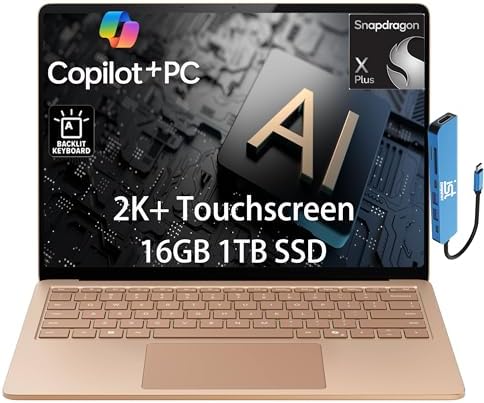
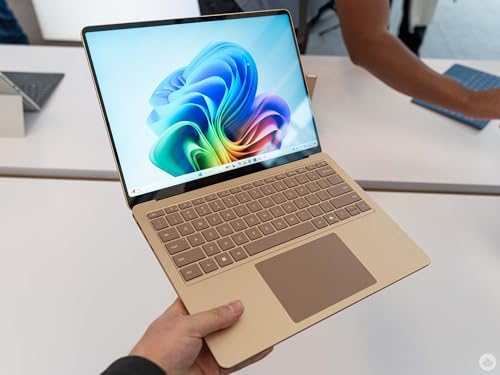
Microsoft Surface Laptop 7 AI Copilot+ PCs for Business (13.8″ 2K+ Touchscreen)
The laptop market is in a pivotal moment. The Windows-Mac rivalry has been based on a clear spectrum for years, with Windows being versatile and Mac being efficient and battery-friendly. The new Microsoft Surface Laptop 7 AI Copilot+ PC has been designed to do just that. It’s Microsoft’s flagship device in its new Copilot+ project, which looks to bring the best of both worlds: everything Windows and battery life and AI power previously only found in the arms of Apple silicon. Does it come through? This guide is designed to explain all you need to know.
What is the AI Copilot+ PC by Microsoft Surface Laptop 7?
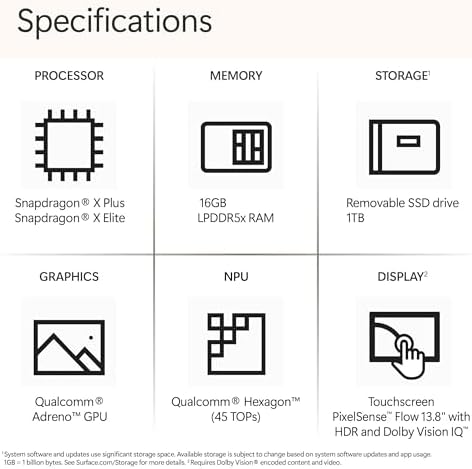
The Surface Laptop 7 is the high-end version of Microsoft’s Surface line, the 7th generation of which is in production. The device is based on Qualcomm’s Qualcomm Snapdragon X Plus ARM chipset, unlike the previous ones, which had Intel chips. This change is what makes it a “Copilot+ PC.” Copilot+ PC devices are a new class of Windows gadgets that might be capable of operating more sophisticated AI capabilities without having to depend on a web-based service. The Snapdragon X Plus has a dedicated 45 trillion operations per second (TOPS) Neural Processing Unit (NPU). This makes it possible to offer a range of smart capabilities without slowing down the main processor or uploading your data to the cloud.
Key Features & Benefits
The Power of Copilot+ AI. The Power of Copilot+ AI
The standout aspect is the addition of AI capabilities on the device. The new NPU is optimized to provide optimal performance for exclusive Copilot+ functions such as real-time translation with Live Captions, background blur, and eye contact in video calls with Windows Studio Effects, or even creative features in applications like Paint. These features function locally and are much quicker and more private than cloud-based options. The new Copilot key on the keyboard unlocks Microsoft’s AI assistant, which can help speed up daily tasks.
Exceptional Battery Life
This is a prominent feature. Up to 20 hours of local video playback and 13 hours of active web use are what Microsoft states. Those numbers have been proven by real-world usage, and some reviewers have reported that this laptop managed to last for 15 hours and 44 minutes during their web surfing test, compared to the MacBook Air M3. ITPro said that the battery life was “stunning,” while KitGuru said that it was “amazing.” You don’t need to worry about taking the charger when you travel to work or a long flight or even on a weekend trip.
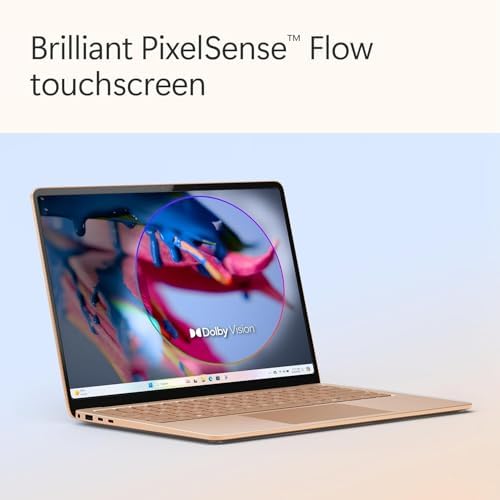
An impressive 13.8″ PixelSense flow display! 5. An impressive 13.8″ PixelSense flow display!
A 13.8″ touchscreen with a 2K+ (2304×1536) resolution and a modern 3:2 aspect ratio. A 120Hz dynamic refresh rate ensures smoother scrolling, and deep contrast and vibrant colors are brought to life with HDR support. It has been praised by reviewers as “stunning,” “breathtaking,” and “best-in-class.” The larger (3:2) display is great for productivity, with more vertical space for documents and web pages.
Premium, Ultra-Portable Design
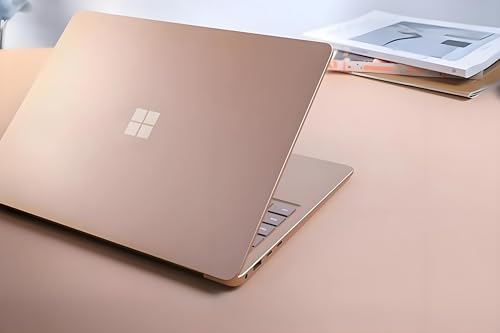
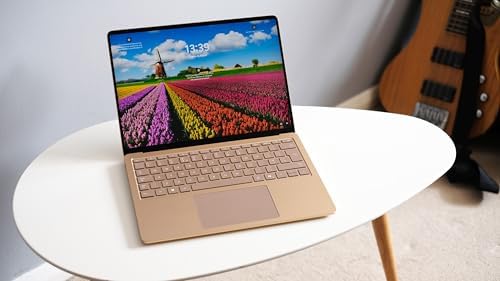
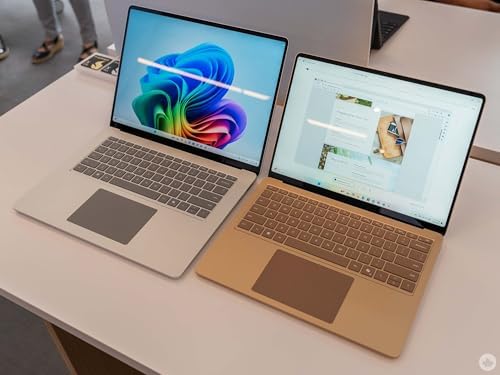
At 0.69 inches, the Surface Laptop 7 is very thin and roughly 2.96 lbs; it’s very portable. The chassis is constructed entirely from aluminum and looks and feels high-end. The keyboard is touted as “class-leading” and offers a great typing experience, while the haptic trackpad is said to be smooth and precise. It’s a laptop that looks and feels as good as it performs.
Powerful Performance & Connectivity
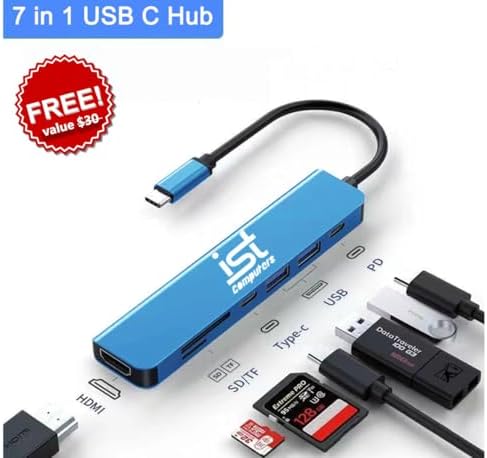
Backed by the Snapdragon X Plus processor, 16GB of LPDDR5x RAM, and 1TB of SSD storage, the device offers swift and powerful performance for everyday work. There are two USB4 ports (for up to two external 4K displays), a USB-A port, a 3.5mm audio jack, and a Surface Connect port on the laptop. It also supports the latest Wi-Fi 7 to provide extremely fast and low-latency wireless connectivity.
Real Use Cases
Use Case 1 – The Road Warrior Consultant.
A management consultant that travels between client sites 3-4 days a week. They want a light laptop that can fit on their desk, come with a supply of complex spreadsheets and presentation software, and have enough battery life to carry them through a full day of client meetings without the need to plug it into the wall. The Surface Laptop 7’s 20-hour battery life and low weight of 2.96 lb are ideal for traveling. The 1080p IR camera with Windows Studio Effects ensures they look professional on video calls, even in a noisy hotel room.
Use Case 2: The AI-Powered Creator
A content creator for social media who works on the go. They must edit photos, caption video interviews, and write captions in a timely fashion. The Copilot+ AI capabilities are a game-changer here. Live captions can transcribe interviews in real time, and the NPU speeds up photo-editing functions in Lightroom and other apps. The gorgeous 120Hz screen is great for visual work, and the 1TB solid state drive should be enough to store all their media files.
Use Case 3 – Hybrid Worker
An individual that works in both the home office and the corporate office. They must have a device that’s able to do video calls and heavy multitasking and can even handle the rare time they’re in front of an audience. The Surface Laptop 7 does well in this area. The Windows Studio Effects maintain their sharpness on camera; they can open dozens of tabs and applications on the powerful processor without any trouble, and the 3:2 display gives them the vertical space they need to work with large documents and spreadsheets.
⚔️ Competitor Comparison
| Feature / Model | Microsoft Surface Laptop 7 | Apple MacBook Air 13″ (M4) | Dell XPS 13 (9345) |
|---|---|---|---|
| Best For | Premium Windows experience with AI & battery life | Ecosystem integration & peak efficiency | Ultra-portable premium Windows PC |
| Processor | Snapdragon X Plus (10-core) | Apple M4 (8-core) | Snapdragon X Elite |
| Display | 13.8″ 2K+ (2304×1536), 120Hz | 13.6″ Liquid Retina (2560×1664) | 13.4″ 3K OLED |
| RAM / Storage | 16GB / 1TB | 16GB / 512GB | 16GB / 512GB |
| Battery Life | ~20 hours (video) | ~15-18 hours | ~15 hours |
| Weight | 2.96 lbs | 2.7 lbs | 2.6 lbs |
| Key Feature | Copilot+ AI, best-in-class keyboard & trackpad | Superior raw performance, massive app ecosystem | Fanless, OLED display, ultra-thin design |
| Price (Est.) | ~$1,299+ | ~$1,099+ | ~$1,299+ |
How It Stacks Up
-
vs. Apple MacBook Air M4: MacBook Air is the king of efficiency and offers an established software ecosystem. The Surface Laptop 7, on the other hand, has an improved display with a 120 Hz refresh rate compared to the 60 Hz refresh rate of the Surface Laptop 5, a more flexible touch screen, and an improved experience with the webcam thanks to Windows Studio Effects. ITPro said the Surface is “the definitive Snapdragon business laptop” and “the poster boy of Windows on ARM.
-
2016 Dell XPS 13 (9345): Both are high-end Windows-on-ARM laptops. The Dell XPS 13 features a beautiful OLED screen and is fanless. But the Surface Laptop 7 is generally a more complete package, with the best keyboard, trackpad, and Copilot+ experience. Gagadget declared the Surface Laptop 7 to be the “Best Overall” Copilot+ laptop.
Pros & Cons
Pros
-
Exceptional Battery Life: Up to 20 hours, beating the MacBook Air.
-
Stunning 120Hz Display: The PixelSense Flow screen is bright, sharp, and smooth.
-
Premium, Ultra-Portable Design: Weighs just 2.96 lbs with a premium aluminum build.
-
Best-in-Class Keyboard & Trackpad: Comfortable typing and precise navigation.
-
Powerful Copilot+ AI Features: On-device AI enhances productivity and creativity.
-
Great Port Selection: Includes USB4, USB-A, and a microSD card slot.
Cons
-
ARM Compatibility Concerns: Some older or specialized x86 software may not run or may run slower.
-
Limited I/O: Only two USB-C ports, which may require a dongle for some users.
-
Non-Upgradeable RAM: The RAM is soldered and cannot be upgraded after purchase.
-
Premium Price: The high-end configuration is a significant investment.
-
Chassis Edges: Some users find the edges slightly uncomfortable after prolonged use.
Frequently Asked Questions (FAQ)
1. Yes, all my software will run on the Surface Laptop 7.
This Surface Laptop 7 will be powered by Windows 11 on ARM. Many popular applications, such as Microsoft Office, Adobe Creative Cloud, and Google Chrome, have ARM versions or run perfectly on Microsoft’s Prism emulation layer. However, you may not have a compatible version of some older, niche, or specialized x86 software, especially some business applications or games, that may not work or may function slower. When purchasing a new computer, always check to see if the critical programs you use will work on it.
2. How many hours is the battery good for?
Active web usage will get you 10-14 hours of battery life and up to 20 hours of local video playback. In tests, it has lasted over 15 hours in a continuous web-surfing test. This beats any previous Surface models and has one of the longest battery lives found in any laptop.
3. Should the Surface Laptop 7 be used for business?
Yes. The “for Business” variant includes features such as advanced security capabilities and management tools that are critical for businesses. Some business models are also available for Intel processors; however, some of them may be more compatible with software that runs on older machines. Designed for professionals who spend most of their time in the cloud and are running the latest, ARM-based software, the Snapdragon model is the ideal choice.
Final Verdict: Should You Buy the Microsoft Surface Laptop 7 AI Copilot+ PC?
So, does the Microsoft Surface Laptop 7 AI Copilot+ PC make sense? Final verdict: Is the Microsoft Surface Laptop 7 AI Copilot+ PC worth your money? The Surface Laptop 7 AI Copilot+ PC has been a game-changer. This is the best reason Microsoft can ever give for opting for a laptop running Windows instead of a MacBook. It’s a game-changer due to its remarkable AI capabilities, high-quality design, long battery life, and captivating display.
Buy it if:
-
You want a premium Windows laptop with all-day battery life.
-
You are ready for the future of AI-powered computing.
-
You value a best-in-class keyboard, trackpad, and display.
-
Your workflow is primarily cloud-based and uses modern, ARM-compatible software.
Skip it if:
-
You rely on specialized legacy software that hasn’t been updated for ARM.
-
You are on a tight budget.
-
You need to upgrade your RAM or storage after purchase.
Note: Availability and pricing vary by retailer. Check current listings on Amazon and the Microsoft Store for the latest information.

Nichelle –
Exactly what I needed!!!
This surface 7 is exactly what I was looking for. I’ve used a surface 5 with a contracted project, but wanted something faster with a longer battery life to use with my corporate stuff. After reading some of the other reviews regarding the compatibility between older software and this newer system, I got a little concerned that the surface 7 wasn’t the way to go. But, it has more than exceeded my expectations and then some. I had to search and download some of the older drivers in order to use my laser printers, but I have not had one single issue with any other piece of software.
Amazon Customer –
Great system but has new technology
Great system, unfortunately Microsoft changed the processor on all the newer models. many of the “legacy” apps are incompatible with that new technology. if you are starting from scratch, you have a better chance of making this work, if you have apps you use that are older, there is a good chance they won’t work. something to think about.
7 people found this helpful
Mohammad A. –
Condition
First thing about the seller: When listing the delivery, which was supposed to be the following day, the laptop top didn’t show up three days later. Plus, paying this amount, the condition was B-. I would expect at least A. The laptop was not configured, and I had to do all the BIOS updates and the config menu. Overall, it’s OK. The seller should be more focused on the service.
One person found this helpful