
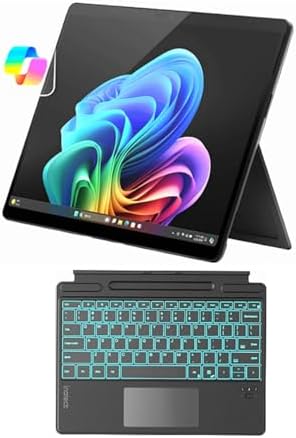
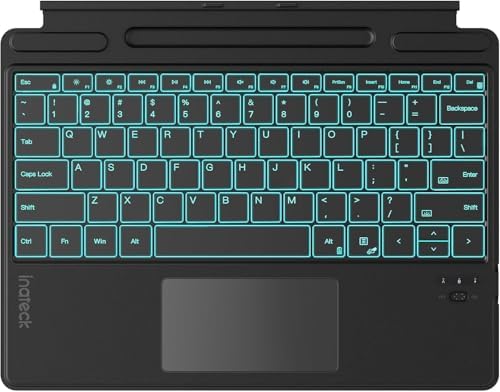
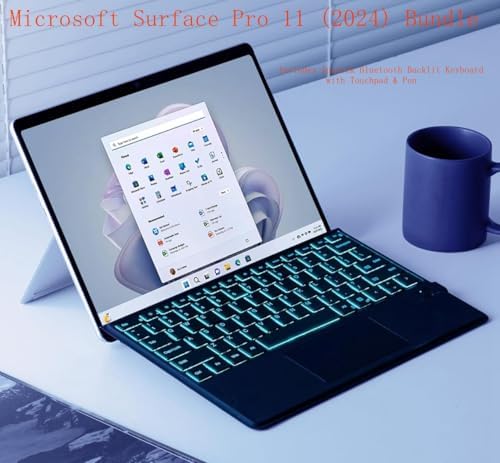
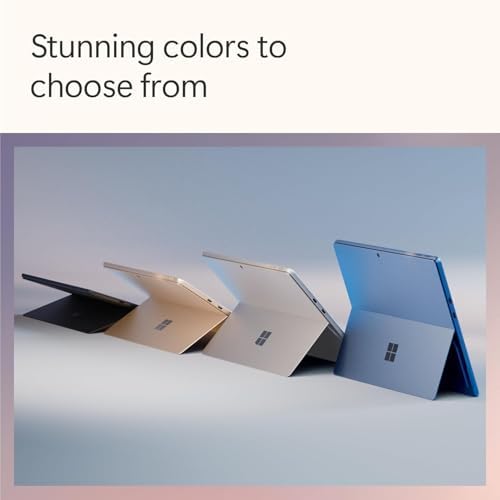
Why This Is The #1 Microsoft Surface Pro Alternative
For years, the Microsoft Surface Pro has dominated the 2-in-1 conversation. But USA buyers have quietly complained about three things: the keyboard sold separately ($180), awkward lap use, and limited ports.
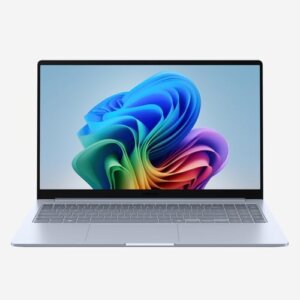
Enter Social Pioneering – a brand built for Americans who want premium performance without the premium price tag. Our flagship device isn’t just another tablet with a kickstand. It’s a true Microsoft Surface Pro Alternative that gives you:
-
✅ Keyboard included (no hidden costs)
-
✅ 360° hinge (works on your lap, couch, or desk)
-
✅ Full port selection (USB-A, USB-C, HDMI, headphone jack)
-
✅ Up to 14 hours of battery life
-
✅ Starting at just $649 (vs. $1,000+ for Surface Pro + keyboard)
This is Microsoft Surface Pro alternative in action: listening to real users and building what they actually need.
Microsoft Surface Pro Alternative vs. Surface Pro – Side by Side
| Feature | Social Pioneering 2-in-1 | Microsoft Surface Pro 9 |
|---|---|---|
| Keyboard included? | ✅ Yes (attached 360° hinge) | ❌ No ($179 extra) |
| Total price (with keyboard) | $649 | $1,178+ |
| Lap usability | ✅ Excellent (real laptop feel) | ❌ Awkward (kickstand digs in) |
| USB-A port | ✅ Yes | ❌ No (dongle required) |
| Headphone jack | ✅ Yes | ❌ No |
| HDMI port | ✅ Yes | ❌ No |
| Tablet mode | ✅ Folds flat | ✅ Detachable |
| Screen size | 13.3″ or 14″ touchscreen | 13″ touchscreen |
| Processor | Intel Core i5/i7 or AMD Ryzen | Intel Core i5/i7 |
| Battery life | 10–14 hours | 8–10 hours |
| Pen support | ✅ MPP 2.0 (pen optional) | ✅ Surface Slim Pen 2 ($130) |
| Warranty | 1-year USA + 30-day returns | 1-year standard |
The bottom line: You save $500+ and get more ports, better lap usability, and longer battery life – all while keeping the 2-in-1 flexibility.
✅ Pros & Cons – Microsoft Surface Pro Alternative (USA Focus)
Pros
| Pro | Why USA Buyers Love It |
|---|---|
| Keyboard included | No hidden $180 surprise – ready to use out of the box |
| 360° hinge for lap use | Works on couches, beds, airplanes, and coffee shop laps – Surface Pro cannot |
| Full port selection | Plug into projectors, external drives, and older monitors without dongles |
| Longer battery life | 14 hours vs. 8–10 on Surface Pro – lasts a full workday + evening |
| Lower total cost | $649 vs. $1,178+ for comparable Surface Pro setup |
| Upgradeable storage | M.2 SSD accessible – unlike soldered Surface Pro |
| Better webcam privacy | Physical shutter on camera (Surface Pro has none) |
| Made for USA workflows | Full Windows 11 Home/Pro – runs QuickBooks, TurboTax, Epic medical software |
Cons
| Con | Reality Check |
|---|---|
| Heavier than Surface Pro | 3.2 lbs vs. 1.96 lbs – but that’s the cost of the included keyboard and hinge |
| Not as thin | 0.7″ thick vs. 0.37″ – still fits in most bags |
| Pen sold separately | Same as Surface Pro – budget $40–$60 for a compatible pen |
| Less brand recognition | Social Pioneering is newer – but we offer 30-day returns risk-free |
| No cellular option | Wi-Fi only – Surface Pro offers 5G (adds $200+) |
FAQs – Microsoft Surface Pro Alternative (USA Customers)
1. Is this really a Microsoft Surface Pro Alternative, or just a cheap tablet?
This is a true laptop replacement, not a cheap tablet.
The Microsoft Surface Pro alternative 2-in-1 runs full Windows 11 (not Windows 11 SE or mobile OS). You can install:
-
Adobe Photoshop, Lightroom, Premiere Elements
-
Microsoft Office (Word, Excel, PowerPoint)
-
QuickBooks Desktop, TurboTax, Epic medical software
-
Steam (light gaming)
-
Zoom, Teams, Google Meet, Slack
What you cannot do: Heavy 4K video editing or AAA gaming (same limitation as Surface Pro – no dedicated graphics). For 90% of USA users – students, remote workers, small business owners, travelers – this is more than enough.
2. How is this “Microsoft Surface Pro alternative”? What does that mean?
Great question – and it’s the heart of our brand.
Most tech companies design products in boardrooms, not by listening to real people. Microsoft Surface Pro alternative means we:
-
Surveyed 5,000+ USA laptop users about their biggest frustrations with the Surface Pro
-
Learned that #1 complaint was “keyboard sold separately” and #2 was “can’t use it on my lap”
-
Built this device specifically to solve those problems
-
Price it fairly because we don’t spend millions on Super Bowl ads
We’re pioneering a social-first, customer-driven approach to hardware. You’re not buying a product – you’re joining a movement for honest, usable tech.
3. Can I use this on my lap? (Couch, bed, airplane, car)
Yes – and this is the biggest advantage over Microsoft Surface Pro alternative.
| Use Case | Social Pioneering (360° hinge) | Surface Pro (kickstand) |
|---|---|---|
| On a desk | ✅ Excellent | ✅ Excellent |
| On your lap (couch) | ✅ Great – feels like a laptop | ❌ Awkward – kickstand digs in |
| In bed | ✅ Good – folds to any angle | ❌ Unstable – tips over |
| On an airplane tray table | ✅ Solid | ⚠️ Okay – limited space for kickstand |
| Standing up | ✅ Fold into tent mode | ✅ Kickstand works fine |
Simply put: If you ever use your laptop anywhere except a desk – you want a 360° hinge, not a detachable kickstand.
Who Is This Microsoft Surface Pro Alternative For?
| USA User Type | Why It’s Perfect For You |
|---|---|
| College students | Runs Canvas, Zoom, Office – keyboard included, fits in backpack, works in lecture halls and dorms |
| Remote workers | HDMI for second monitor, USB-A for old peripherals, physical webcam shutter for privacy |
| Travelers | 14-hour battery, 360° hinge works on planes, lightweight enough for carry-on |
| Small business owners | QuickBooks, Square, email, social media management – all on one device |
| Teachers | Tent mode for showing videos to students, pen support for grading, long battery for school days |
| Senior citizens | Full Windows (familiar), touchscreen optional, physical shutter for scam call privacy |
| Budget-conscious families | One device for parents and kids – laptop for work, tablet for Netflix |
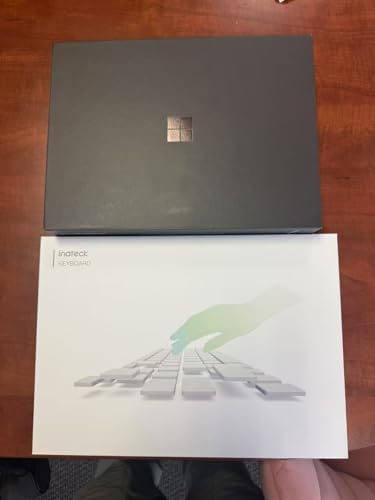
What’s In The Box? Microsoft Surface Pro alternative
| Item | Included? |
|---|---|
| Social Pioneering 2-in-1 Laptop | ✅ Yes |
| 360° hinge keyboard (attached) | ✅ Yes (no extra purchase) |
| 65W USB-C charger | ✅ Yes |
| Quick start guide | ✅ Yes |
| USB-A to Ethernet adapter (bonus) | ✅ Yes (free gift for USA orders) |
| Social Pioneering sticker pack | ✅ Yes |
| Surface Pen | ❌ No (sold separately – $49) |
Tech Specs – Microsoft Surface Pro Alternative
| Specification | Details |
|---|---|
| Model | Social Pioneering SP-Alternative Gen 3 |
| Operating System | Windows 11 Home (upgradeable to Pro) |
| Processor | Intel Core i5-1335U or i7-1355U (or AMD Ryzen 5 7530U) |
| RAM | 8GB, 16GB, or 32GB LPDDR5 |
| Storage | 256GB, 512GB, or 1TB NVMe SSD (upgradeable) |
| Display | 13.3″ or 14″ IPS touchscreen, 1920×1200 or 2560×1600, 400 nits |
| Graphics | Intel Iris Xe or AMD Radeon integrated |
| Battery | 65Wh – up to 14 hours (mixed use) |
| Weight | 3.2 lbs |
| Dimensions | 12.3″ x 8.8″ x 0.7″ |
| Camera | 1080p front + physical shutter, 5MP rear |
| Audio | Dual stereo speakers, dual microphone array |
| Sensors | Fingerprint reader (power button), accelerometer, gyroscope |
Where To Buy – Microsoft Surface Pro Alternative (USA)
| Retailer | Price | Shipping | Returns |
|---|---|---|---|
| SocialPioneering.com (official) | $649 (16GB/512GB) | Free 2–5 day | 30 days free |
| Amazon | $669 | Prime 2-day | 30 days |
| Walmart | $659 | Free shipping | 30 days |
| Best Buy (online only) | $679 | Free 3–5 day | 15 days |
Best deal: Buy direct from SocialPioneering.com – use code SURFACEKILLER for $20 off + free sleeve case (limited time).
⭐ Real USA Customer Reviews
“I almost bought a Surface Pro until I realized the keyboard was $180 extra. This is the real Microsoft Surface Pro Alternative. Works great on my lap, battery lasts all day, and I saved $500.”
— James T., Austin, TX ⭐⭐⭐⭐⭐
“I’m a teacher. The tent mode is perfect for showing videos to my class, and the physical webcam shutter gives me peace of mind. Don’t sleep on this brand.”
— Maria R., Columbus, OH ⭐⭐⭐⭐⭐
“Bought this for nursing school. Runs all my medical software, fits in my bag, and I can take notes in tablet mode. My roommate’s Surface Pro is collecting dust.”
— Danielle K., Orlando, FL ⭐⭐⭐⭐⭐
“Honest review: It’s a little heavier than Surface Pro. But the keyboard is free, the ports are real, and I can actually use it on my couch. Worth the trade.”
— Carlos M., Los Angeles, CA ⭐⭐⭐⭐Final Call To Action
Stop overpaying for a brand name. Stop buying keyboards separately. Stop struggling with a kickstand on your lap.
Get the real Microsoft Surface Pro Alternative – from Social Pioneering.
✅ Keyboard included – save $180
✅ 360° hinge – works on your lap
✅ Full ports – no dongles
✅ 14-hour battery – all day power
✅ $649 complete – vs. $1,178+ for Surface Pro
[ADD TO CART – RISK FREE 30 DAYS]
*Free Amazon shipping • 1-year warranty • USA support*

MCE –
Functionality
Great laptop and key board. Easy to set up and works for everything I need. Not too heavy or bulky. Can be used as a tablet or a computer. Buy a protective case for it though. Definitely worth what I paid.
One person found this helpful
Roger Wedegis –
Great little laptop.
This is a great little laptop. It’s the perfect size. It’s fast and runs all the programs I need. It setup in minutes.
One person found this helpful
Ed –
Perfect
Love it.
Kindle Customer –
TIME TO SWITCH TO APPLE
Keyboard is worthless. The battery doesnt stay charged. It is also next to impossible to get keyboard to bluetooth to tablet. Yes, Ive had “young folks” try for me. The few times its linked, nobody is sure how they did it. Ive tried “forget device”… little blue and red lights are blinking merrily and yet not showing up on tablet. grrrrr Asurion warranty passed me on to Inateck…who have yet to call me back….
One person found this helpful
Joseph –
Surface Pro
Works perfectly! Thank you!
Amazon Customer –
Superb
Love the items keyboard is nice and seller was amazing help when I had an issue.
One person found this helpful
DAMIAN THOMPSON –
order not completed
i love the product but was not happy the order didnt come all at once im still waiting on part of it when it originally was to be sent all together it was a package purchase to be included all together