
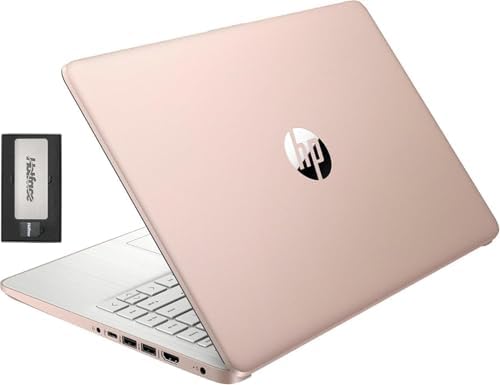


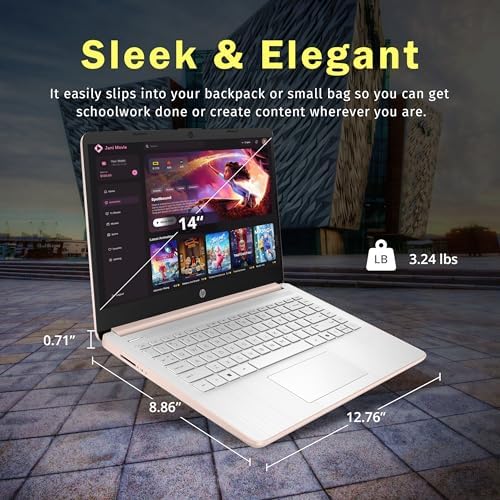

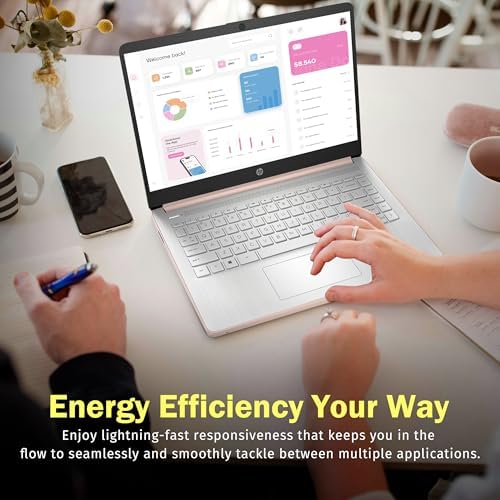
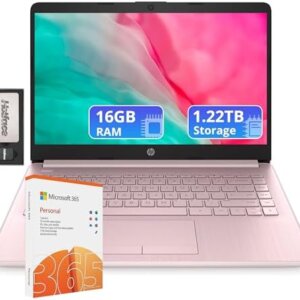
HP Stream HD Bright View Laptop 14″, Intel Celeron N150, 16GB RAM, 288GB Storage


What is the HP Stream HD BrightView laptop?
This HP Stream HD BrightView laptop is a low-end version designed for basic computing. This is included in HP’s budget-friendly Stream series, and it is often bundled by OEMs with other upgrades, including ample storage and memory options over HP’s standard spec. This model is targeted directly at users who have workflows that are mostly done in the cloud and through the browser.
Key Features & Benefits
1. 16GB DDR4 RAM
The most impressive feature is the 16GB of RAM. This is not a common amount of memory in a HP Stream HD Bright View Laptop under $400 and is essential for running multiple programs at the same time.
The advantage: With a dozen or more open browser windows, music streaming, and working through a document, there are no dreaded slowdowns like with the less expensive 4GB or 8GB machines. This is “more than 8GB of DDR5” for multitasking, one reviewer said.
2. Intel N150 Processor
The HP Stream HD Bright View Laptop core is the Intel N150 processor, a new four-core chip that’s a replacement for Intel’s older Celeron line of processors, which dates back to 2025.
Pros: Dependable and responsive for web, office, and streaming video. It’s not going to blow you away, but it will do its job well, and with battery life and performance in mind. But some reviews have commented that the N150 may become a limiting factor for anything more than basic use.
3. 288GB Total Storage
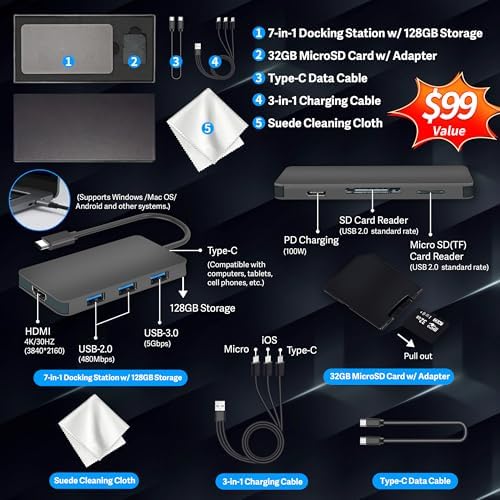
The storage comes as a package of 128GB UFS (a faster variant of flash storage) internal and a 160GB docking station that is part of the package.
Advantage: There will be plenty of room for applications, multimedia, and files. The bonus docking station and SD card expand connectivity and add even more storage capacity.
4. 14″ HD BrightView Display
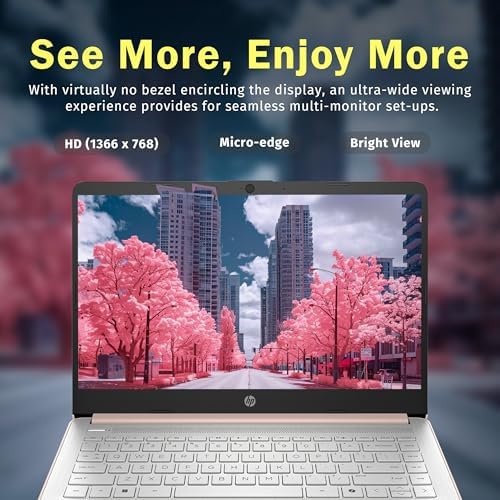
The 14″ screen is bright, HD, and has a 1366 x 768 resolution.
Pros: It’s not Full HD, but it’s quite decent. The anti-glare coating helps minimize reflections to make it easier to use in different lighting situations.
5. 1-Year Office 365 Included
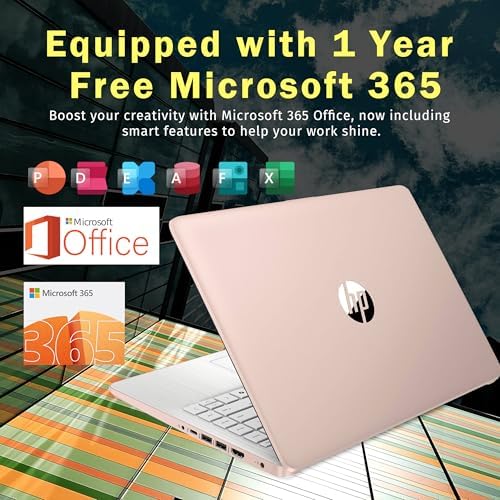
The HP Stream HD Bright View Laptop comes with 1 year of Office 365 to access the essential office applications, including Word, Excel, and PowerPoint.
Benefit: This is a huge value add, and you can get productive right away, without having to buy additional software. In addition to internal storage, Office 365 also offers 1TB of cloud storage in OneDrive.
Real Use Cases
Use Case 1: The Budget-Conscious Student
Use Case 1: When you have a budget to consider. Problem Statement: A college student needs a HP Stream HD Bright View Laptop for his college lectures, while taking notes, writing essays and researching. Budget is one of the important factors to take into account.
Solution: This HP Stream can manage these things quite easily. The 16GB RAM is ideal for running multiple research web pages and documents, and its compact design means it can be easily transported from class to class. All work is accessible and backed up with the included Office 365 and cloud storage. One reviewer commented it would be a “good fit for students, some lighter work, and casual users.
Use Case 2: The Secondary Home/Work Machine
Problem: A user wants a lightweight HP Stream HD Bright View Laptop to use for general use, to browse the web, and to make video calls from home but does not want to use a high-performance machine as their main machine.
Solution: The HP Stream’s quick charging and good battery life allow for convenient short sessions. Clear video chat with family and colleagues with the 720p HD webcam with noise cancellation.
Use Case 3: The Cloud-First Office Worker
Use case: An online professional who uses cloud services such as Google Workspace or Microsoft 365 online throughout their entire workflow.
Solution: In this case, the HP Stream is a good option. While this processor is not the fastest thing to do heavy-duty work on, its consumption is measured, it uses very little power, and it offers good battery life, so it’s a great machine to use all day without being plugged in

Competitor Comparison of HP Stream HD Bright View Laptop
| Feature / Model | HP Stream 14″ | Acer Aspire Go 15 | Lenovo IdeaPad 1 | ASUS VivoBook Go 15 |
|---|---|---|---|---|
| Best For | Budget, Office Suite, Cloud Work | Multitasking, Reliability | Typing, Student Storage | Portability, Fast Charging |
| Processor | Intel N150 (4-core) | AMD Ryzen 3 / Intel i3-N355 | Intel Celeron N4500 | Intel N150 |
| RAM | 16GB DDR4 | 8GB LPDDR5 | 12GB | 8GB |
| Storage | 288GB (128GB UFS + 160GB Docking Set) | 128GB / 256GB SSD | 250GB+ SSD | 128GB SSD |
| Display | 14″ HD (1366×768) | 15.6″ FHD (1920×1080) | 15.6″ HD | 15.6″ FHD |
| Price Range | ~$300 – $370 | ~$300 – $400 | ~$350 – $450 | ~$350 |
| Winner | Value & Office Bundle | Multitasking & Display | Typing & Storage | Portability & Display |
Students and budget users will find the HP Stream HD BrightView Laptop advantageous due to its 16GB RAM and Office 365 included. The ASUS VivoBook Go 15 has a much sharper Full HD display, but the Lenovo IdeaPad 1 also has a larger storage capacity and a much better keyboard.. The ASUS VivoBook Go 15 has a much sharper Full HD display, but the Lenovo IdeaPad 1 also has a larger storage capacity and a much better keyboard.

Pros & Cons
Pros (HP Stream HD Bright View Laptop)
-
Great RAM: 16GB of RAM is top-notch at this price range for multitasking.
-
Office 365 subscription, docking station and SD card come as a great additional value
-
Portable: Lightweight and slim, making it easy to carry around.
-
Good Battery Life: The low power processor can provide great battery life for all day use
-
Fast Charging: can be charged 50% in approximately 45 minutes..
Cons (HP Stream HD Bright View Laptop)
-
The Intel N150 is a major constraint on anything more than simple operations and is underpowered for heavy multi-tasking.
-
Low-Resolution Display: The HD display of 1366 x 768 is not as high-resolution as the Full HD displays used by rivals.
-
Windows 11 S Mode: This mode features the OS as being initially locked to Microsoft Store apps, which can be problematic to switch out of, but is also free and permanent.
-
Build Quality: The plastic body and build quality feel somewhat cheaper and less durable than other more expensive devices.

(FAQ) HP Stream HD Bright View Laptop
1. Windows 11 S mode is a simplified version of Windows 11, and should I keep it on?
Windows 11 S Mode is a simplified version of the operating system that is optimized for security and performance. It can only be used to install and download apps from the Microsoft Store. This means that you are unable to download apps such as Google Chrome or Adobe Acrobat from the web. This will further help to secure your computer against viruses and spyware but can be quite restrictive at times. Switching out of S Mode is free and can be done permanently by searching “Switch out of S Mode” in the settings. Keep in mind, there is no turning back
2. Yes, the HP Stream HD BrightView laptop is suitable for gaming.
Sadly, this HP Stream HD Bright View Laptop isn’t built for gaming. It comes with a processor using the Intel N150 architecture that is blessed with low energy usage and embedded Intel UHD Graphics. These components are not strong enough to play contemporary games. It is best for web browsing, office work, and video streaming. As another such review points out, it’s “not designed for gaming” or “heavy multitasking.
3. What is the reason for the lower than advertised internal storage?
The advertised 288GB storage is a package deal of 128GB built-in eMMC (or UFS) storage and an external 160GB docking station set with extra storage. The internal storage is 128GB and this is where the programs and operating system will be stored. This is standard, to ensure the base price of the HP Stream HD Bright View Laptop is kept low with the external storage as a bonus. It is said that the internal storage space could get easily filled up with Windows updates and files, so it’s important to be aware of this setup.

So, is the HP Stream HD BrightView laptop worth it?
The HP Stream HD BrightView Laptop is a typical entry-level HP Stream HD Bright View Laptop with top-notch value for certain users. For students and anyone who works mostly in the cloud and in a browser, this 16GB of RAM and 1-year subscription to Office 365 is a really great value. But its mediocre processor and resolution will not satisfy all players looking for further specs or quality.
Buy it if: HP Stream HD Bright View Laptop
You are an on-budget student with a requirement for a HP Stream HD Bright View Laptop for schoolwork and Office applications. Most of your work is done online, and you reside in the cloud. You should be able to take the other HP stream HD bright view laptop with you, which is light and easy to carry. The extras and software included are appreciated.
Don’t skip if: HP Stream HD Bright View Laptop
Smooth performance is required for heavy software/multitasking. To enjoy movies and TV shows, you will need a high-resolution display that’s vibrant with bright colors. You’re looking for a high-quality, long-lasting product. For those wanting to purchase a budget HP Stream laptop for their upcoming plans for the next six years, this HP Stream is one of the few best choices available.

KatC –
Great for college
My twin boys both ordered this laptop for college. So far they have stated its fast, holds charge for a long time, charges quickly when battery is low and light weight so easy to take to class w them. They’ve been using the docking station to connect their tvs to the laptop to use as an extra monitor. They’ve said there’s no delay and it is quick when transitioning from tab to tab, the graphics are great and movies/games have amazing color and crisp pictures and sound is also good. Overall great quality and works well for college so far. Happy w the purchase!
6 people found this helpful
Paola m GarciaPaola m Garcia –
10 de 10
This HP laptop features a sleek and modern design with a metallic finish that gives it a professional look. It is lightweight and easy to carry, making it ideal for students, professionals, or home use. Depending on the model, it can provide balanced performance processors, solid battery life, and a sharp display for work, study, or entertainment.
2 people found this helpful
MelloPiMelloPi –
Reset PC, Switch out of S Mode, Do Not Install McAfee
Windows S Mode and McAfee are glitchy performance killers and restrictive applications. Switching out of Win 11 S mode should be a straight forward process but it just does not work as it should, along with McAfee installed, whether you want it or not. McAfee acts like a worm virus, intrusively imbedding itself deep into system architecture instead of being a gate keeper like other anti-virus apps. Windows S Mode dose not allow you to install and run any app that is not Microsoft verified and found on the Microsoft Store. In S Mode, you cannot install and run any browser other than MS Edge or Bing. There is an app within the MS Store to switch out of S mode but it will not work because, I suspect, of the bloated software that launches when you first turn on and set up this laptop. Switching out of S Mode is permanent. All the advise and direction I found to get this switch to work had failed. Lots of frustrated people out there with the same issue. I finally got MS Support on the phone and they told me this is a very common problem with this product and the only way to resolve it was to reset the PC. A total reset, wiping the OS and all files you may have added. No big deal as this is a new PC and I did not transfer anything from my old PC. After the PC was reset, I was able to switch out of S mode so that I now have Win 11 Home instead of Win 11S Home. At the same time, a McAfee install popup was automatically prompted so I could select Do Not Install. This was all a bit of a pain but other than that, this laptop is not so bad. The display colors are not as vibrant as I hoped but with a resolution of only 1365 x 768, I should have expected that. However, the graphics display very well on a connected higher resolution monitor and it handles steaming video from Amazon Prime Video beautifully. I hope this information can help someone avoid the frustration of dealing with what was intentionally sold as a very restrictive operating environment. Getting rid of S Mode and McAfee gives you back unrestricted use of your laptop.One more annoying detail is that, by default, this operating environment is set to save everything to the MS cloud. The default storage of Document, Downloads, Pictures, etcetera, are all MS cloud folders which is where every file is stored unless you go through a few more clicks to store the files on your local laptop drive. By default, initially you cannot even boot up this laptop without entering your MS PIN to log onto your laptop, and thereby logging into your MS account at the same time. I found this a bit presumptuous that MS thought this was a good idea. Perhaps good for their own marketing efforts though, as some bot scans your files for things you do in order to tailor marketing ad pushes to you personally, but I digress. If you do not want Big Brother holding on to all your personal, professional, private, or other data, then you need to go in to system settings and turn off the MS log in PIN. Doing so allows you to boot up your laptop to your local drive account only. You can always log in and log out of your MS account if and when you choose at any time. Of course, you can even turn off your own laptop log in password so it just simply turns on. without a password. Your choice, as it should be.
383 people found this helpful
Gregory Dahl –
Very Impressive Laptop at a Very Low Cost!
I am more than pleased with this gift for my wife. I have learned that more expensive items are not necessarily better. This particular machine come with the latest Microsoft Windows Home 24H2 S MODE. The operating system has shadows of HP influences and does not actually require separate downloading of time-consuming HP Factory Drivers. Windows Update takes care of the Genuine Microsoft and HP product based on the specifications of the model number. My wife does not require a gaming machine or an expensive AI alternative. This is a very high-quality/inexpensive laptop with all the built-in features for a great computing experience!
28 people found this helpful
Liam –
Defective on day one of setup; edit: returned
Mine just came in yesterday and I have started the process of setting it up today (only 2 days); I’ve downloaded Google Chrome and a reputable subscription based VPN app (S mode was deactivated for the purpose of downloading Chrome). After downloading those two, I set up 2 administrator users and one standard user. In the process of setting up the other administrator user: the laptop crashed and the screen turned black. I’ve tried hard resetting and am leaving it to charge overnight. My intended use was for education for when I’m not at home (I have a desktop and obviously no one is going to bring a whole tower to every class they go to) so I wasn’t planning to use anything fancy — word and chrome.In terms of performance before it crashed:1) CPU was at 100% and was still slow when opening up apps (I wasn’t far from my main mesh router and my actual desktop works fine so can’t be internet problem)2) It made me do a recovery startup when I first unpackaged and logged into my microsoft acccount and the startup took about 20 minutes3) Breeze it up — it felt warm on the bottom after an hourThinking about returning it if the laptop still doesn’t turn on (I’ve tried 2 different outlets in 2 different rooms — [wall plug] and [my extender that has anker charger and an air purifier plugged in]) tmr afternoon).Edit: I’m returning it and getting a refund; had it plugged in for a couple of days now and have been attempting to turn it on daily — no success; laptop still does not turn on
96 people found this helpful
Jessica –
HP Stream 14″ HD BrightView Laptop
HP Stream 14″ HD BrightView Laptop, 288GB Storage. WiFi, Web Cam.Easy to use . Works great. Good sound and display quality. Durable. Bright screen. Thin light design. Easy to take in the go. Charges fast
8 people found this helpful
Ethan –
Great computer
Bought this for my high school daughter. It works great. Keeps a good charge. She is able to do all of her school work on it. I like the size. It fits into travel bags easily.
4 people found this helpful
LJ –
I wouldn’t recommend
Laptop has some issues. There are some keys that don’t always work and I’ve barely used the thing so this shouldn’t be happening! The battery was junk from day one. Ive taken special care to charge only when needed and not leave plugged in all the time but the battery is dead all the time. It needs constant charging. It’s definitely not something you can take with you somewhere on a full battery and expect to be able to use it without plugging it in. I’m very disappointed .
2 people found this helpful
Cheryl –
Solid Performance, Touchpad Needs Work”
This is a great device overall — fast, reliable, and works well for my needs. However, the touchpad does not function properly, so I’ve been using an external mouse instead. It’s not a dealbreaker since I had one on hand, but worth noting for anyone considering this laptop.
Sam Siler –
Great computer for the price
Great computer for the price. I bought it for school because of the long battery life. Initially I was skeptical but it ended up being a great investment. I even tend to use it more often than my gaming laptop because I don’t have to worry about the charge or the hassle to carry it around! It’s very compact and light additionally. It’s not a strong computer and I wouldn’t play video games on it or anything that requires heavy graphics usage but over all it’s a good little laptop
6 people found this helpful