


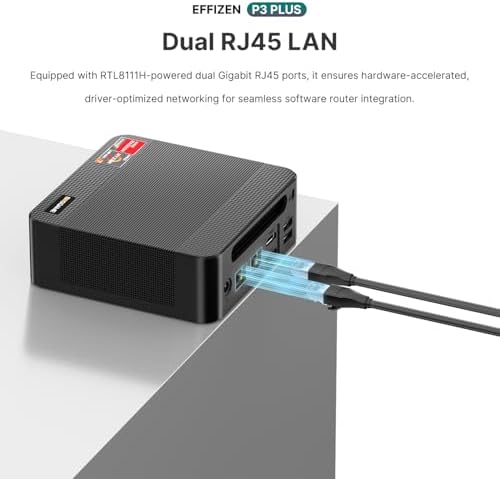
BOSGAME P3 Mini Gaming PC AMD Ryzen 7 7840HS | 32GB DDR5 RAM | 1TB
BOSGAME P3 Mini Gaming PC Review: Is the Ryzen 7 7840HS Mini Desktop Worth $399?
Compact, AMD-powered, and priced under $400—but does the BOSGAME P3 actually deliver on its gaming promises? Here’s a full breakdown of the specs, real-world performance, and who this little machine is actually built for.
The Short Version
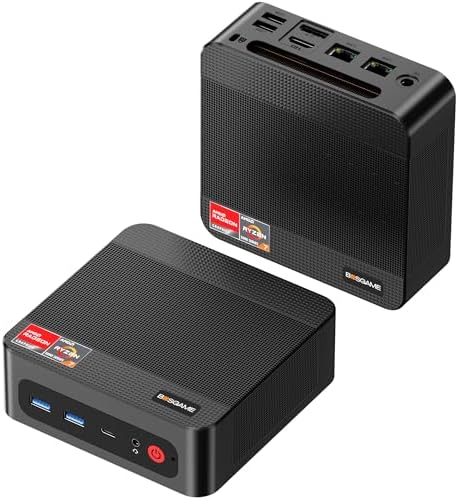
The BOSGAME P3 packs a genuinely modern laptop-class processor—the AMD Ryzen 7 7840HS—into a desktop the size of a paperback book. There’s no dedicated graphics card, so this isn’t a machine for chasing 4K ultra settings. What it is good at is 1080p gaming, everyday productivity, light content work, and squeezing surprising amounts of performance out of a tiny, quiet, low-power box. At roughly $400, it undercuts most gaming laptops with similar CPU horsepower.
What’s Inside
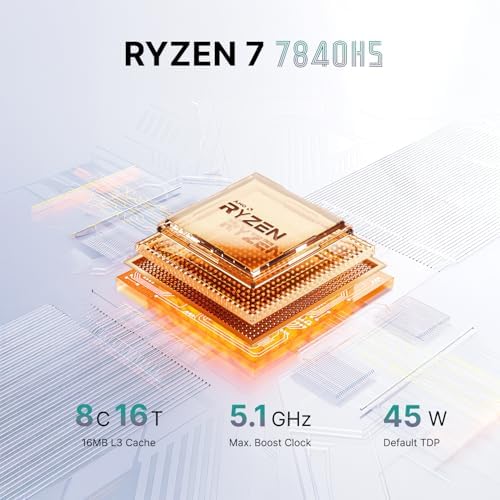
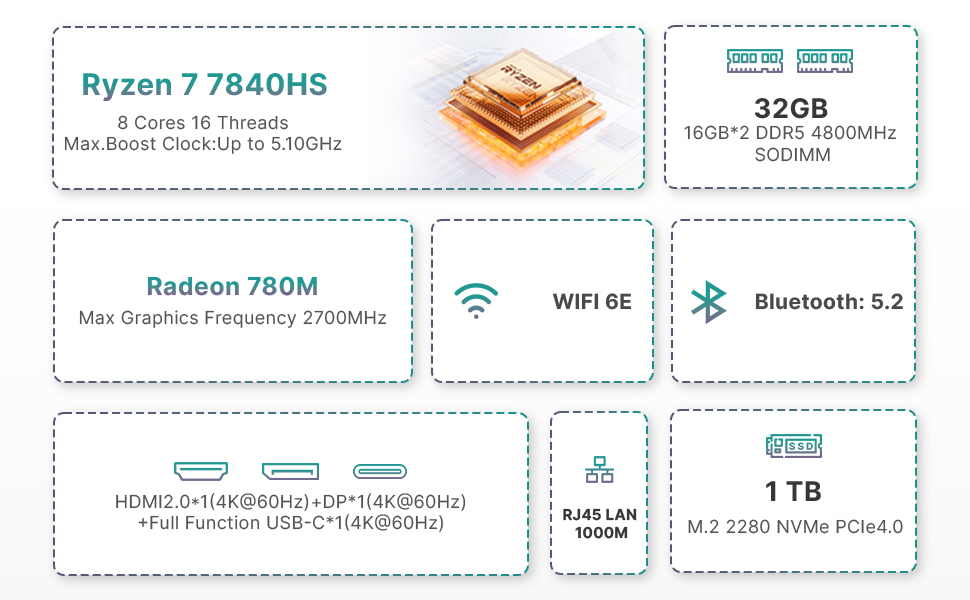
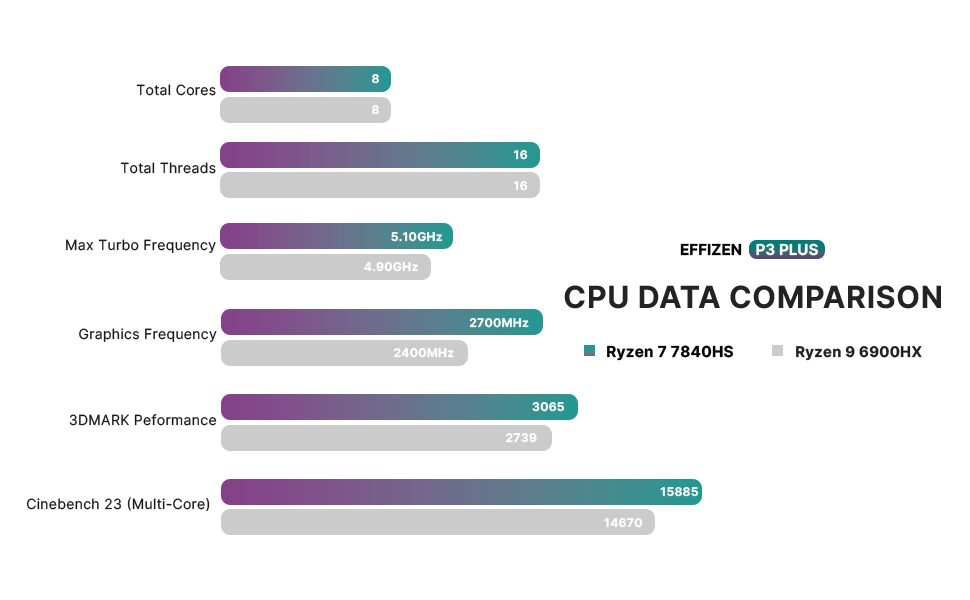
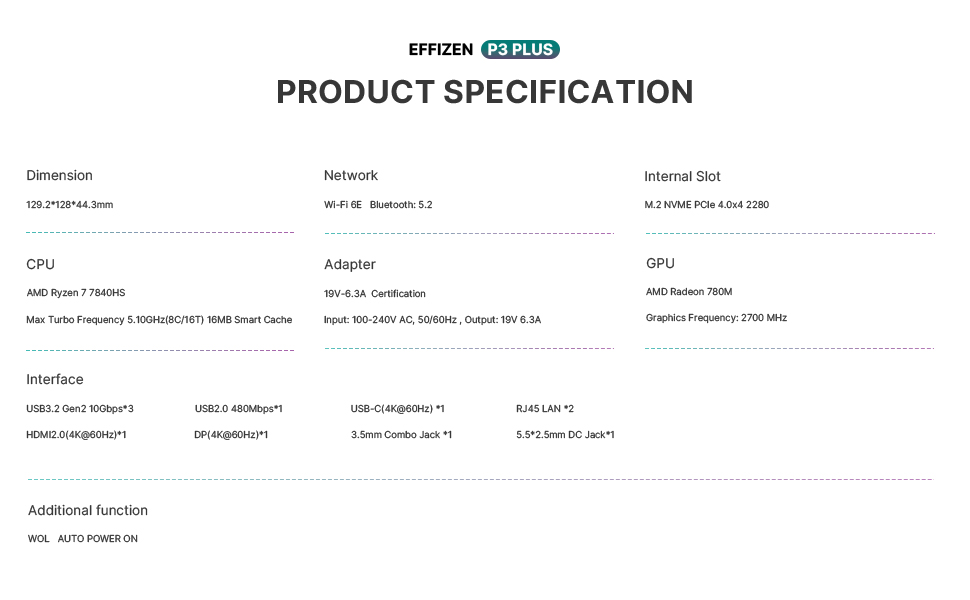
At the center of the P3 is the Ryzen 7 7840HS, an 8-core, 16-thread chip built on AMD’s 4nm Zen 4 architecture, capable of boosting up to 5.1 GHz. It’s paired with the Radeon 780M integrated GPU—an RDNA 3 design with 12 compute units—which is currently one of the strongest integrated graphics solutions on the market and even supports hardware ray tracing, a feature previously reserved for dedicated graphics cards.
Around that core hardware, BOSGAME builds out a well-rounded package:
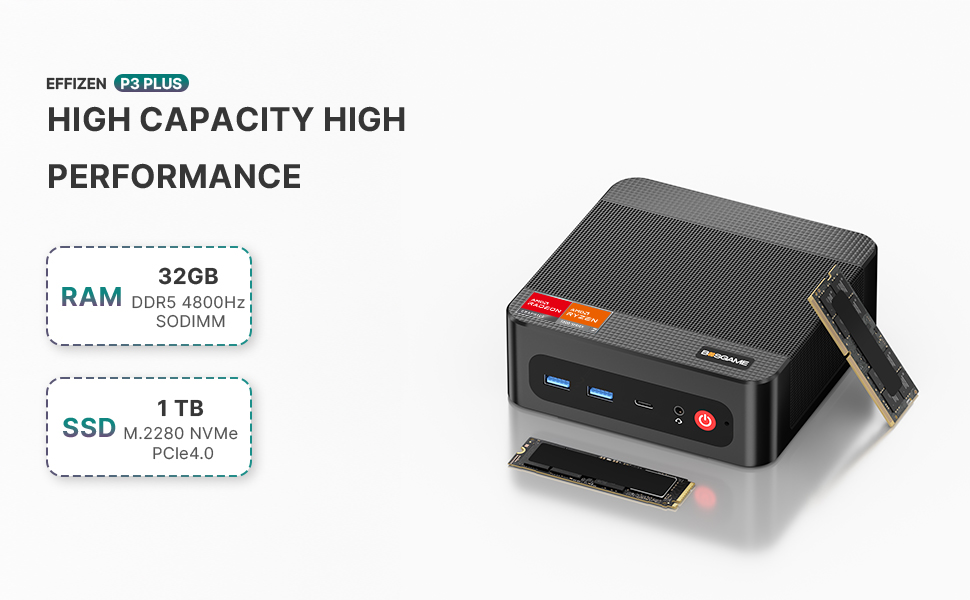
- 32GB of DDR5 memory running in dual-channel, which is plenty for gaming, browser-heavy multitasking, or running a couple of virtual machines
- 1TB PCIe 4.0 NVMe SSD, with an empty 2.5-inch SATA bay if you want to add more storage later
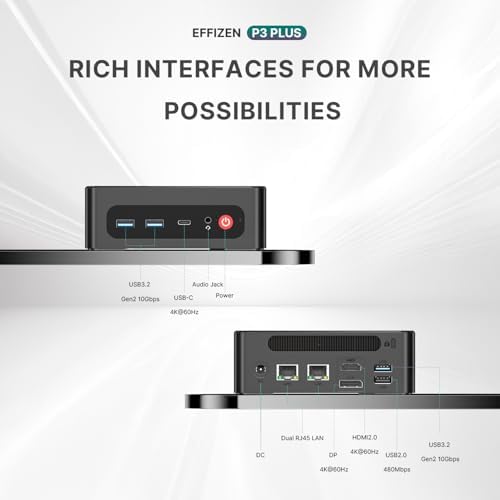
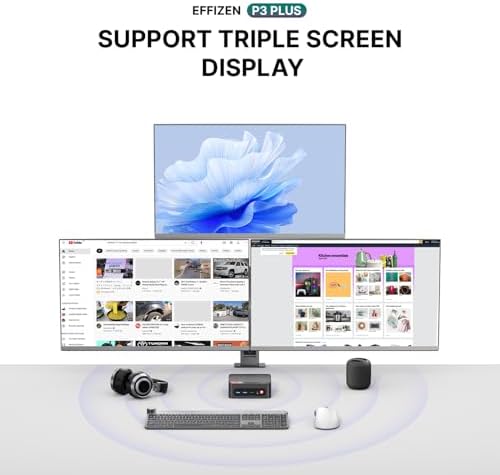
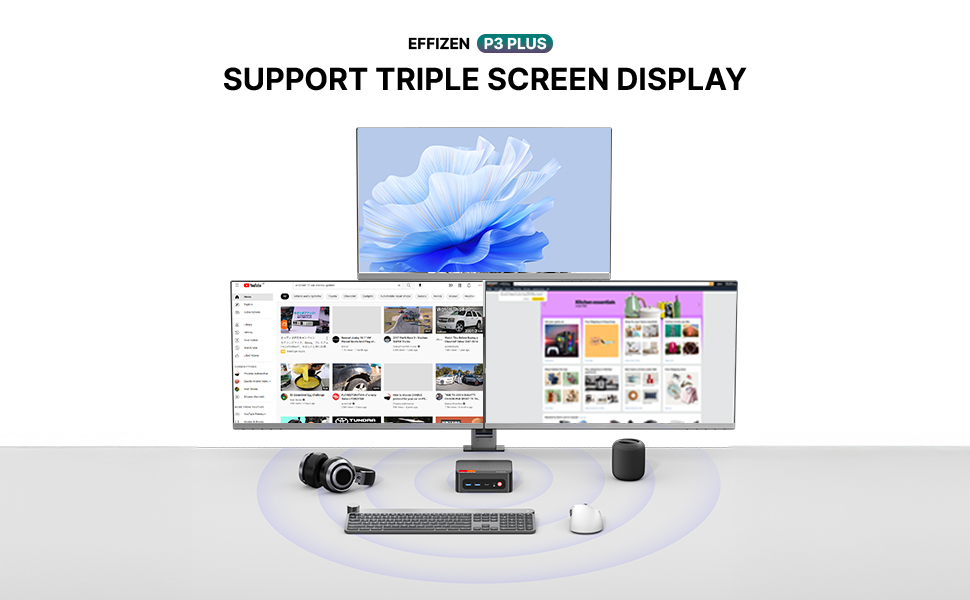
- Triple display output across two HDMI ports and a USB-C port with DisplayPort Alt Mode, so you can realistically run three monitors from a box smaller than a hardcover novel
- WiFi 6E and Bluetooth 5.3 for fast, low-latency wireless connectivity
- Windows 11 Pro, pre-installed and licensed—no extra OS cost tacked on
One spec worth flagging before you buy: some retail listings show this configuration with soldered memory, while others list SODIMM slots that support upgrades up to 64GB. If future upgradability matters to you, check the exact listing rather than assuming.
How It Actually Performs
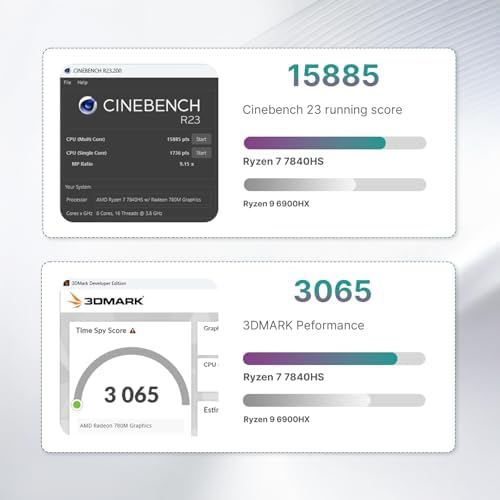
Because the P3 relies entirely on integrated graphics, its gaming performance sits roughly in line with a budget discrete card—think GTX 1650 Super or RX 6400 territory. That translates to genuinely playable 1080p performance in most modern titles:
- Esports and older titles (Valorant, CS2, League of Legends, GTA V) run comfortably above 90 FPS at 1080p
- Newer, more demanding games (Cyberpunk 2077, Starfield, Elden Ring) are playable in the 40–65 FPS range at lower settings, often with AMD’s FSR upscaling turned on to smooth things out
- VR is functional but not flashy—headsets like the Quest 2/3 can run titles such as Half-Life: Alyx at reasonable frame rates, though heavier VR titles will need settings turned down
For anything outside gaming—web browsing, office work, streaming video, light photo or video editing, running a home server or a couple of VMs—the 8-core CPU and 32GB of RAM handle daily multitasking without breaking a sweat.
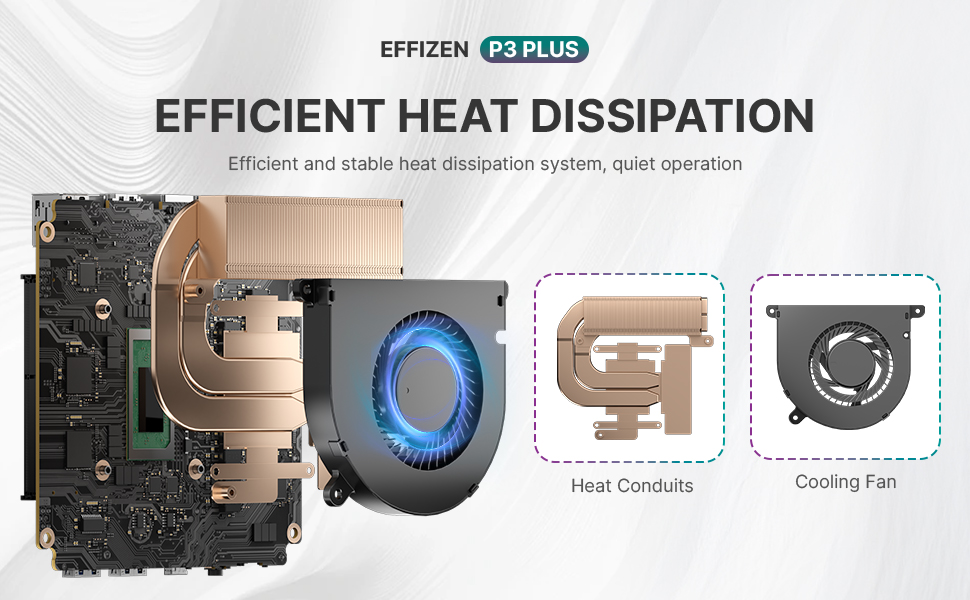
Thermally, the dual-fan cooling setup with a vapor chamber keeps the system from throttling under sustained load, though the fan is audible (in the mid-40dB range) once you’re pushing it hard. At idle, it’s close to silent.
Build and Footprint
The whole unit measures about 5.7 x 5.7 x 2.4 inches and weighs a little over two pounds—small enough to sit behind a monitor using the included VESA mount or to toss in a bag if you’re bringing your “desktop” to a friend’s place. For anyone trying to reclaim desk space without giving up real computing power, that footprint is arguably the P3’s biggest selling point.
Where It Falls Short
No mini PC in this price range is without trade-offs, and the P3 has a few worth knowing before purchase:
- No discrete GPU—this is fundamentally a 1080p gaming machine, not a 1440p or 4K one
- Only four USB-A ports—a hub is a near-certainty if you run a full desktop peripheral setup (keyboard, mouse, headset, capture card, etc.)
- No Thunderbolt—the USB-C port handles display output and data, but not the higher bandwidth Thunderbolt standard
- RAM configuration varies by listing—worth double-checking before buying if upgradability is a priority
Who Should Actually Buy This
The P3 makes the most sense for:
- Gamers who mainly play esports titles or are fine dialing back settings on AAA games for a 1080p experience
- Anyone replacing a full-size desktop tower purely to save space, without needing top-tier GPU performance
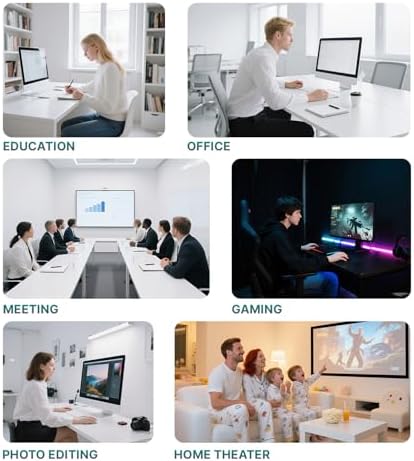
- Students, home-lab tinkerers, or light content creators who want a capable, quiet, portable machine
- Home theater setups where a small box driving a 4K TV matters more than raw gaming muscle
It’s a poor fit if your priority is 1440p or 4K gaming at high settings, or if you’re set on future GPU upgrades—since there’s no discrete graphics slot to speak of.
Bottom Line
For around $400, the BOSGAME P3 delivers a genuinely modern 8-core AMD processor, 32GB of fast memory, and a terabyte of PCIe 4.0 storage in a case smaller than most game consoles. It won’t replace a gaming rig with a discrete GPU, but for 1080p gaming, everyday computing, and anyone who values a small, quiet footprint over raw graphical horsepower, it’s one of the more compelling mini PCs at this price point.
This article is based on publicly available product specifications. Individual unit configurations (RAM type, exact clock speeds) can vary by retailer listing—always verify current specs before purchasing.
Pros & Cons
Pros
- Ryzen 7 7840HS gives genuinely modern, laptop-flagship-level CPU performance (8 cores/16 threads, up to 5.1GHz)
- Radeon 780M integrated GPU supports 1080p gaming at solid frame rates, plus hardware ray tracing — rare for integrated graphics
- 32GB DDR5 RAM is generous for multitasking, light content work, or running VMs
- 1TB PCIe 4.0 NVMe SSD is fast, with an empty SATA bay for extra storage
- Triple 4K display support (2x HDMI + USB-C)
- WiFi 6E and Bluetooth 5.3 — current-gen wireless standards
- Windows 11 Pro included, no added licensing cost
- Tiny footprint (5.7 x 5.7 x 2.4 in), VESA-mountable, quiet at idle
- Aggressive price (~$400) for the CPU/RAM/storage bundle
Cons
- No discrete GPU — capped at 1080p gaming, not a 1440p/4K rig
- Only 4 USB-A ports; a hub is likely needed for a full peripheral setup
- No Thunderbolt (USB-C is DisplayPort Alt Mode only)
- RAM configuration (soldered vs. upgradeable SODIMM) varies by listing — worth confirming before buying
- Fan gets audible (~42–45dB) under sustained gaming load
- No SD card reader
- External power brick (typical for mini PCs, but a minor inconvenience)
- At least one reported unit had overheating/failure issues, per user reviews — worth weighing against the mostly positive 4.4/5 rating

Michael Duff –
Unbelievable Power in a Tiny Package!
I needed a new “mini” computer for living room and I decided to take a chance on this E2 Mini PC, and I am absolutely blown away. This little machine is a powerhouse.Performance & Speed:Right out of the box, this PC is snappy and responsive. The combination of the Ryzen 5 3550H processor and 16GB of RAM handles everything I throw at it without a single stutter. I can have multiple browser tabs open, be on a video call, and run office software all at the same time, and it doesn’t miss a beat. The 512GB NVMe SSD is incredibly fast—boot-up takes just a few seconds, and programs launch almost instantly. It’s a huge upgrade from my old desktop.Setup & Features:The setup was as simple as plugging it in. What really sold me was the triple display support. I have a portable monitor connected through the USB-C port, and it works flawlessly. It has completely transformed my productivity. The Gigabit Ethernet port provides a stable, fast internet connection, which is essential for my work.Design:The compact size is the best part. It’s so small that I have it mounted to the back of my portable monitor, leaving my end table completely clear. It’s silent, sleek, and stays surprisingly cool even under load.Overall:This mini PC has exceeded every expectation. It’s the perfect solution for anyone needing a powerful and reliable computer for office, business, or school work without sacrificing desk space. If you’re looking for a compact desktop that delivers serious performance, look no further. Highly recommended
3 people found this helpful
kalyana kumar –
BOSGAME PC
The build quality is quite good and is very compact.It comes with Windows 11 Pro.Very easy to setup. It’s connected to a 32 inch monitor, with no issues. The graphics is very good.Programs load quickly.I just purchased another 5 of these PCs’ for work.Highly recommend them.
3 people found this helpful
mike rmike r –
So far, impressed
I purchased this after doing extensive research on updating my outdated gaming rig. Prices have skyrocketed at this time, and this mini pc was budget friendly. High end cpu, decent amount of ram, windows 11, small form factor…. and with some modifications, e-gpu capable. After purchasing an oculink internal card, cable, and gpu/power supply mount…. i was able to connect an outdated rtx 2070 super (more than capable) video card to this mini PC. Gaming on a budget. I still don’t have ALL the bugs worked out, but after turning off bitlocker, it was much easier to troubleshoot issues. Doubled fps on mid range games, smoothed out stutter, and basically made my face games more enjoyable with most of the eye candy.I love this little machine. Hopefully it lasts… temps get a little high, but nothing that will fry it. Just trying to prove a point, you don’t have to spend thousands if you aren’t afraid of a little work.Keep it up Bosgame, I’m a fan! And if you’re looking for testers, give me a shout!
14 people found this helpful
Mohamad A. –
Small and quiet
Very nice little PC, no complaints after 3 weeks of use. This is not as extensive a review as some others have done but for me, an average user, it seems to do the job very nicely. I had to add a USB hub to it because of insufficient USB ports but that was a minor issue. I don’t hear the fan noise at all so that is good. Setup took a bit, but no surprises. Its not blazing fast, but much faster than my old i5 PC. Overall, I recommend.
Alan Weinstein –
Great choice for desktop power
Until recently I didn’t realize mini-pcs were a thing. However, they make perfect sense! In replacing my old Windows 10 desktop, I knew that I didn’t want a laptop because I have two large monitors and don’t travel with my personal computer. Desktops are still big and clunky with unexpectedly high costs. The mini PC fits perfectly into the middle. It has the power and hardware specs of a desktop without the higher price tag.This particular one which I purchased has been flawless so far. Out of the box it goes through the Windows 11 setup process and matches the specs that I ordered. It is fast, quiet and everything I needed with an upgraded computer. Importantly, it is also everything I did NOT need. This does not ship with a keyboard or mouse, which is perfect because I did not want either. My biggest concern purchasing was the video connections. All the mini pcs advertise the same 3 monitor connectivity, but in order to support that you need 3 different cables. My two monitors were both using display port (DP), and now I’m using one DP and one HDMI. About half the time the HDMI connected monitor will work in the monitor’s auto detect setting and switch seamlessly between this mini pc and my work laptop which is still using two DP. The other half of the time I have to go into the monitor settings and switch the input to HDMI. Thankfully, I only switch between computers about once per day, but if it becomes too annoying I will get an HDMI to DP adapter.One knock against the system is that I originally tried to put a SDD hard drive from my previous computer into this mini pc, but I could not remove the plastic fan component to get at the slot. The booklet indicates removal is possible and the slot exists, but I didn’t want to break it so I stopped trying. Instead I used Windows Disk Management to create a partition and manually copied the files I needed.If you’re looking to upgrade and have the same type of setup as me, you won’t be disappointed with this powerful little machine.
One person found this helpful
NemoNemo –
Did not work at all *fire hazard* return is a hassle. Not worth the time.
They are did not function so I cannot say anything about performance other than it is Wi-Fi five whenever upgraded was supposed to be Wi-Fi six. Which may have came to the issue that I dealt with when I plugged in the PC there was no load up screen nothing was turned on The mini piece. He got very hot smelling of wire and hot melting metal or something so I would say that memory connectivity isn’t going to work with your gaming compatibility and software is unknown due to it, not loading begin with. This has been such a ways of time money and hassle wast worth what I’ve been put through or the house it could have burned down if I was asleep. I would’ve enjoyed to try the gaming compatibility. But with no connectivity, it’s hard to do.. who really knows what the memory capacity is for gaming capacity.Gaming- no- would not turn on. Smelling of hot or burning metal or wire after about 15-20 mins
One person found this helpful
Kylan Daugherty –
Surprisingly powerful for a Mini!
So first off yes, this is a mini PC so it has limitations. BUT, it is surprisingly capable.It can effortlessly do all the usual PC things, running various programs and browsers and streaming etc. Comes with Win11 which is solid now.The surprising part was how good it was for gaming. Now look, this won’t be running AAA titles, but it runs a surprising number of games. I even ran a few MMOs, including Star Trek Online and Star Wars The Old Republic with no problems. Yes, you do have to adjust graphics settings but it is powerful enough to still look pretty good.You CAN also upgrade it’s RAM, which I did, taking it up to 32gb. This little guy is a secondary PC that was originally meant for streaming and such, but it’s so capable I use it about every day. (I have an actual gaming PC so I when I say it is surprisingly good, I mean it.)Thing is pretty fast, which is nice. Wifi connection works great as expected. I genuinely love this Lil guy.
2 people found this helpful
phytorx –
Fantastic from the start
Great item. Set up was a breeze (need access to internet to get updates) and works perfectly. Crazy fast for my uses; photo editing, data upload and download. The crazy small form factor still amazes me, considering my work with computers started with punch cards. Even my Ryzen 5 machine looks like an edifice compared to this unit. I’m getting another one because my machine won’t support Windows 11.
Goleta –
Small but Powerful !
I bought a BOSGAME E2 Mini PC, Ryzen 5 3550H, 16GB RAM, 512GB SD, 10 days ago. and it’s been a fantastic replacement for my old desktop. It’s compact, freeing up space, yet powerful enough to run Windows 11 for home AV system, handling beautiful 4K streaming videos and supporting photo-editing work and some other tasks. Plenty of ports for connectivity – wired/wireless LAN, Bluetooth, 3 4K video ports. I’m very satisfied and highly recommend it.
Jasyn –
It actually does decent
You get what you pay for. It’s small and not very powerful. It struggles on OBS and Streamlabs kept crashing. But for lighter tasks, it does good. I have no issues with YouTube and other streaming services. It’s not as fast as a gaming pc, obviously, but it does the job if the job isn’t heavy. I don’t regret buying this.