
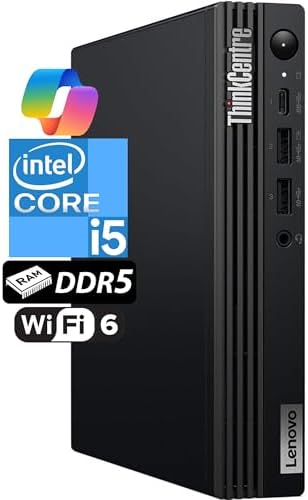
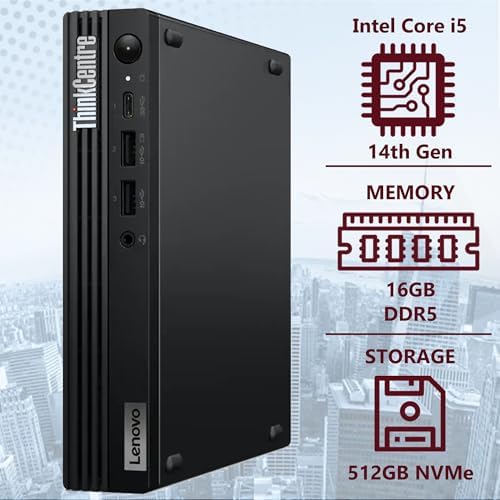
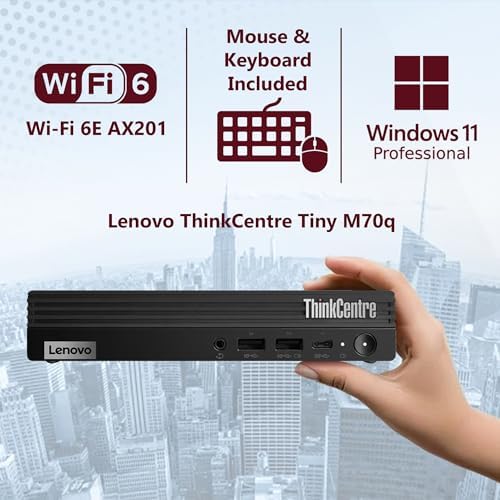
Lenovo ThinkCentre Tiny M70q Gen 5 Intel 10-Core i5-14400T (Beat i7-13700T), 16GB DDR5 RAM
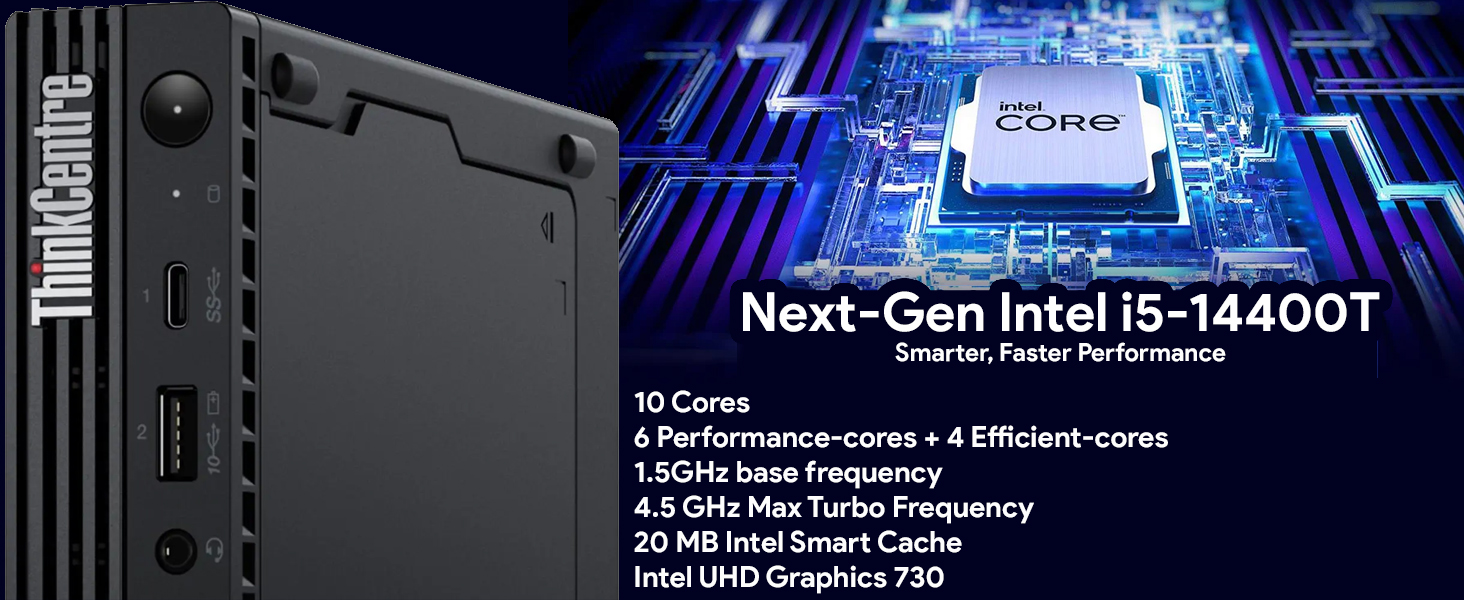

Lenovo ThinkCentre Tiny M70q Gen 5: A Compact Powerhouse for U.S. Business Desks
When a business needs more than entry-level performance but still wants a desktop that disappears behind a monitor, the Lenovo ThinkCentre Tiny M70q Gen 5 is one of the strongest options on the market. It carries forward Lenovo’s well-established “Tiny” 1-liter chassis line while stepping up the internals with 14th Gen Intel processors, DDR5 memory, and enterprise-grade security—positioning it as a genuine workstation alternative rather than just a space-saving PC.
Overview
The M70q Gen 5 packs workstation-level components into a chassis of roughly 4.2 liters or less, small enough to sit unobtrusively on a desk or mount directly to the back of a monitor. Depending on configuration, it’s available with Intel Core i5 or i7 processors from the 14th generation lineup—including options like the 10-core i5-14400T and the 20-core i7-14700T—paired with DDR5 memory (8GB to 32GB depending on build) and fast M.2 NVMe SSD storage from 256GB up to 1TB or more. It ships standard with Windows 11 Pro and includes Intel vPro platform support on higher configurations for advanced manageability and hardware-level security.
Independent testing has found the M70q Gen 5 well suited not just to routine office work but to more demanding tasks like data analysis, software development, and multi-application workflows—a step up from Lenovo’s lower-tier Neo Tiny models.
Key Specifications
- Processor: Intel Core i5 or i7, 14th Gen (options include i5-14400T and i7-14700T, up to 20 cores)
- Graphics: Integrated Intel UHD Graphics (730 or 770 depending on CPU)
- Memory: 8GB to 32GB DDR5 depending on configuration
- Storage: 256GB to 1TB+ M.2 NVMe SSD
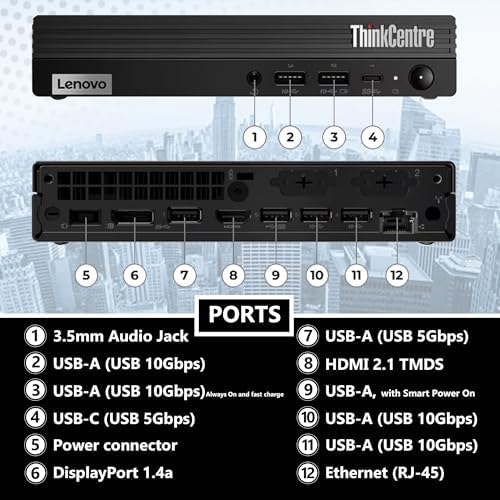
- Display support: Dual 4K monitor output via HDMI and DisplayPort
- Connectivity: Wi-Fi 6E, Bluetooth 5.3, Gigabit Ethernet (RJ-45), USB-C, and USB-A ports
- Security/Management: Intel vPro platform on select configurations for enhanced manageability and hardware-based security
- OS: Windows 11 Pro
- Dimensions: Approximately 7.1 in. wide x 1.4 in. high x 8.5 in. deep
- Durability: MIL-STD-810H testing on the chassis for shock, vibration, and environmental resistance
- Warranty: Up to 3-year options available
Who It’s Best For
The M70q Gen 5 is built for businesses that need real performance in a small footprint—software development, data analysis, dual-monitor office work, and shared or deployed workstation fleets where manageability matters. Its Intel vPro support on higher-end configurations makes it a strong fit for IT departments that need to remotely manage, secure, and maintain machines across an organization. It also suits home offices and hybrid workers who want dependable performance without a tower taking over the desk.
Buyers who mainly need a browser-and-email machine may find it more capable (and pricier) than necessary—Lenovo’s Neo Tiny line covers that lighter use case at a lower cost. This model is better matched to users who will actually use the extra CPU, memory, and security headroom.
Pros
- Genuine workstation-class performance in a roughly 1-liter chassis, thanks to 14th Gen Intel CPUs with up to 20 cores.
- DDR5 memory and fast NVMe storage for noticeably snappier multitasking than older DDR4-based tiny desktops.
- Enterprise security and manageability via Intel vPro on higher configurations—valuable for IT-managed fleets.
- MIL-STD-810H durability testing, giving it more resilience than many compact rivals.
- Flexible configuration range, from lighter i5 builds to heavier-duty i7/32GB/1TB setups.
- Space-saving, VESA-mountable design that frees up desk space entirely when mounted behind a monitor.
Cons
- Pricier than Lenovo’s entry-level Tiny models—you’re paying for baseline capability and business features, not bargain pricing.
- Integrated graphics only, so it’s still not suited to gaming or GPU-heavy creative work.
- Base configurations (8GB RAM/256GB SSD) feel underpowered relative to the platform’s real potential and may need upgrading soon after purchase.
- Limited internal expansion compared to a full tower, as with any ultra-compact chassis.
- Airflow and placement matter more at this performance tier—vents need to stay clear to avoid thermal throttling under sustained load.
Frequently Asked Questions
Is the ThinkCentre M70q Gen 5 good for software development or data analysis? Yes—with a higher-tier i7 configuration and 32GB of DDR5 RAM, it’s been tested as capable of handling demanding multitasking, data analysis, and development workloads, not just basic office tasks.
How is it different from the Lenovo Neo 50q Gen 4? The M70q Gen 5 uses newer 14th Gen processors and DDR5 memory, plus Intel vPro on select builds, making it the more powerful and more business/enterprise-focused option. The Neo 50q Gen 4 is positioned as a lighter, more affordable alternative for basic office tasks.
Can it drive two 4K monitors? Yes, dual 4K output is supported via its HDMI and DisplayPort connections.
Does it support remote IT management? On configurations with Intel vPro, yes—it includes hardware-level security and manageability features designed for centrally managed business fleets.

C Santiago –
Great space saver, must be better on the warrranty.
Very fast and easy setup. Great value for the money but should have at least 3 year warranty and not 1. Size is great as well as it’s Wi-Fi connectivity. Very powerful and quiet.
4 people found this helpful
Scott L –
Easy set up
Great product and compact.
One person found this helpful
S. Bounds –
No Problems
I LOVE IT, Easy to setup!
Gregory Miller –
Happy!!! … But …
I like everything about it. My only complaint would be that it is a little noisy … wasn’t expecting that.
3 people found this helpful
Dr. Luis Cummings Jr –
Fast delivery
Very good
2 people found this helpful
Liza Yun –
Very Fast
Good for personal use
3 people found this helpful
Kevin –
Recommended for everyone this seller
I recently bought 9 Lenovo and they’ve been working flawlessly!
3 people found this helpful
JPD –
Great for the space conscious person/organization.
These units are very compact and with a minor ram upgrade they work very well as part of a POS system.
2 people found this helpful
Amazon Customer –
Small and powerful!
Was recommended by my tech guy; so far they have been great!
2 people found this helpful
Melecio –
It has a good processor
It easy to install and easy to setup
One person found this helpful