
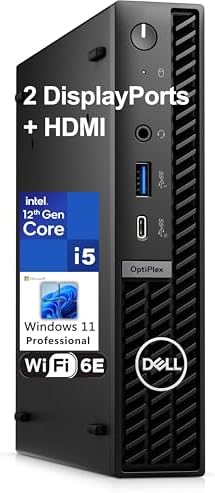
Dell MFF Business Mini Desktop Computer USA Tested in the Best OptiPlex 7020 & 7000 Micro Form Factor
Dell OptiPlex 7020/7000 Micro Business Mini Desktop Computer Review
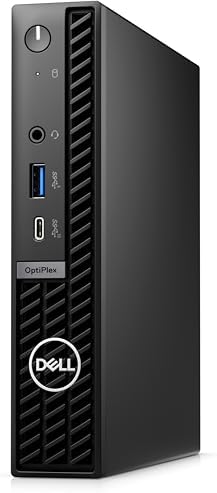
Not every office needs a workstation tower under the desk — most just need something fast, quiet, and reliable that gets out of the way. The Dell OptiPlex 7020/7000 Micro Form Factor (MFF) Business Mini Desktop is built for exactly that job: real business performance packed into a chassis roughly the size of a large sandwich.
What’s Inside
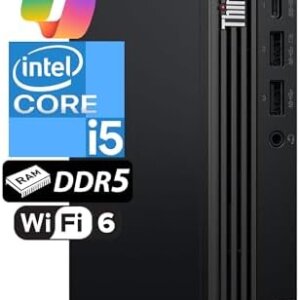
This configuration runs on an Intel Hexa-Core i5-12500T processor paired with 32GB of DDR5 RAM and a 1TB PCIe NVMe SSD. That’s a well-balanced setup for everyday Business Mini Desktop computing — six cores handle multitasking across office apps, browser tabs, and video calls comfortably, while 32GB of RAM gives plenty of headroom for running several programs at once without slowdown. The PCIe SSD means the system boots and loads applications noticeably faster than machines still relying on SATA drives or older hard disks.
Graphics are handled by integrated Intel UHD graphics — more than sufficient for office work, spreadsheets, and multi-monitor productivity, though not intended for gaming or GPU-intensive creative work.
Compact, Business-Grade Build
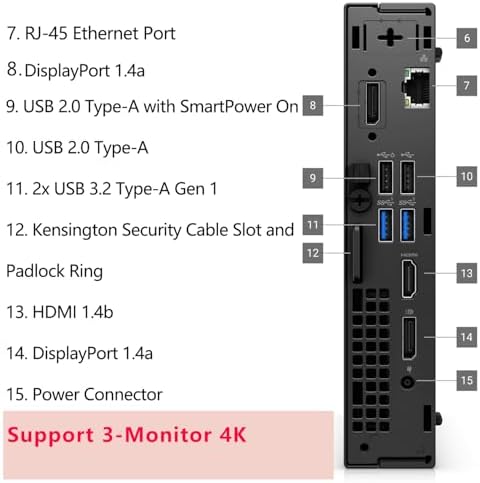
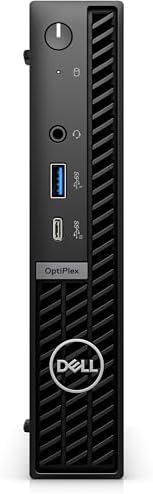
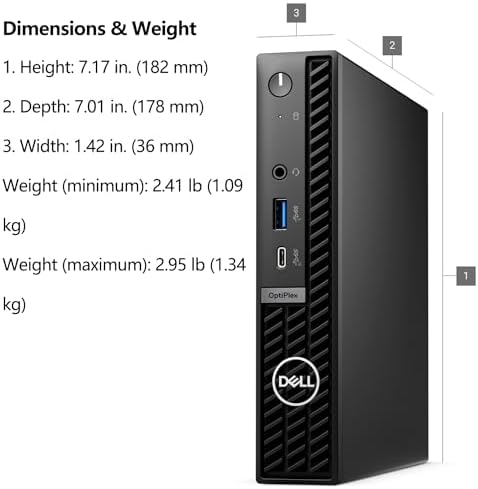
The OptiPlex Micro chassis is one of Dell’s smallest Business Mini Desktop Computer designs, small enough to sit behind a monitor on a VESA mount, tuck under a desk, or slide into a bag for hybrid work. Despite the tiny footprint, it carries Dell’s usual business-grade features: TPM 2.0 for hardware-based encryption, a chassis-intrusion switch, and a Kensington lock slot for physical security — details that matter for offices handling sensitive client or patient data.
It ships with Windows 11 Pro rather than Home, unlocking features many businesses depend on: BitLocker encryption, Remote Desktop hosting, and group-policy management for IT administrators overseeing multiple machines.
Connectivity
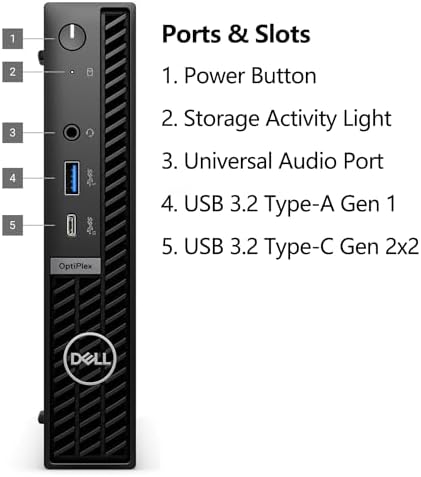
The system includes WiFi 6E for access to the newer, less congested 6GHz wireless band, along with Bluetooth for wireless peripherals and Gigabit Ethernet for a stable wired connection. With six USB ports, HDMI, and DisplayPort outputs on board, it covers keyboards, mice, printers, and external monitors without needing extra dongles or hubs. A keyboard and mouse are included in the box of Business Mini Desktop Computer.
Who It Suits
- General office staff who need dependable performance for productivity software and video calls
- Hybrid and remote workers who want a small, easy-to-transport desktop
- Small businesses setting up multiple identical workstations or point-of-sale terminals
- IT teams that value the manageability and security features of Windows 11 Pro and TPM 2.0
Where It’s Not the Right Fit
Integrated graphics rule this out for gaming, video editing, or CAD-heavy work — anyone with those needs should look at a discrete-graphics desktop instead. The external power adapter, standard for machines this size, means one more cable and brick to route compared with a tower’s internal power supply. And while 32GB of RAM covers most Business Mini Desktop Computer workloads comfortably, teams running many simultaneous virtual machines or very large data sets may eventually want to look at a higher-memory configuration.
Pros and Cons
Pros
- Balanced everyday performance: hexa-core i5, 32GB DDR5 RAM, 1TB PCIe SSD
- Fast boot and app-load times thanks to the NVMe SSD
- Ultra-compact chassis — VESA mountable, fits behind a monitor or under a desk
- Business Mini Desktop Computer-grade security: TPM 2.0, chassis-intrusion switch, Kensington lock slot
- Windows 11 Pro included (BitLocker, Remote Desktop, group-policy support)
- WiFi 6E, Bluetooth, and Gigabit Ethernet for flexible connectivity
- Keyboard and mouse included
- Quiet operation suited to shared office spaces
Cons
- Integrated graphics only — not suitable for gaming or GPU-intensive work
- External power adapter rather than an internal power supply
- 32GB RAM may be limiting for heavy virtualization or large-scale data work
- Limited internal upgrade room compared to a full tower desktop
- Source listing has major conflicting spec details (much of the body copy describes a different, higher-end i7/64GB/2TB configuration), so it’s worth confirming exact specs before buying
The Bottom Line
The Dell OptiPlex 7020/7000 Micro Business Mini Desktop Computer (i5-12500T, 32GB DDR5, 1TB SSD) is a solid, no-nonsense pick for offices that want dependable performance and enterprise security features without dedicating desk space to a tower. It’s quiet, fast for everyday business tasks, and easy to mount out of sight — a practical upgrade for general office work, hybrid setups, or small-business deployments.
Current price and availability can change — check the retailer listing for the latest details before buying The Business Mini Desktop Computer.

REMorgan –
The form factor makes it perfect for any kind of installation! Speedy and dead silent!
Excellent machine!
Joel Quance –
Unit is not operating properly
Updated running ok
Tamara BrooksTamara Brooks –
Bad graphics card??? Who knows, I can’t get answers from anyone…
HORRIBLE EXPERIENCE! I wish I could give negative stars! ZERO customer service/assistance through seller or online support. Initially everything worked as it should but after 2-3 weeks, problems began to surface and the return window is now closed. First it was the audio and then the displays. I use dual monitors and both “glitch” freeze simultaneously, locking everything down. The only way to resolve the issue is to power down and reboot everything. Due to the number of times I’m having to reboot, I’m losing hours of work time. I have checked for hardware/software updates, ran diagnostics, replaced both monitors and all connecting cables (as suggested) with no improvement. By process of elimination I seem to have a bad Intel graphics card. I wish there was a way to contact the seller or Amazon support directly but since the return/replacement window is closed there are no helpful options. Every avenue sends me in a ridiculous circle of automated troubleshooting Q&As and product support that offers absolutely no assistance only to be sent back to square one. Photos show “glitch” occurring with both Spectre and Samsung displays.
One person found this helpful
Lidiya A. Bridges –
Quick little computer
Great so far.Worked right out of the box.Easy to set up.Very fast, and silent.Running two monitors with no problem.Only issue was with the paging file setup.It was calculated wrong by whoever set it up.Very easy fix though.Great for basic computing and office / remote work.
Ct –
Dell Computer
It’s all good
P Steel –
Optiplex 7010 are great workhorses computers in a small box.
These are great little workhorses for our plant floor machine centers.
Judith Edwards –
Excellent Customer Service
Great company to work with. I had an issue with the computer, the advisors at Tech Plus Pro responded to me immediately. It is not whether or not there is an isssue, its how the issue is resolved.Thank you.
One person found this helpful
Amazon Customer –
Working Great!
Working great!
Olive –
great little machine
Dell optiplex computers are built like tanks and last forever. They are business grade, not cheaper built stuff sold at big box stores. highly recommended for any general office/computing use.
Christopher Paul –
Where’ve You Been?
A worthy investment.