

GEEKOM Mini PC AX8 Max, Dual 2.5G LAN, AMD Ryzen 7 8745HS (Up to 4.9 GHz, 3 Modes)


Mini PCs used to mean compromise—modest processors, limited ports, and networking that couldn’t keep up with serious workloads. The GEEKOM Mini PC AX8 Max pushes back on that with an AMD Ryzen 7 processor, 32GB of DDR5 memory, dual 2.5G Ethernet, and USB4 connectivity, all inside a chassis under a pound and a half. At $528.99, it’s aimed at U.S. buyers who want desktop-class performance and networking flexibility without a full-size tower—from home offices to homelab servers.
Overview
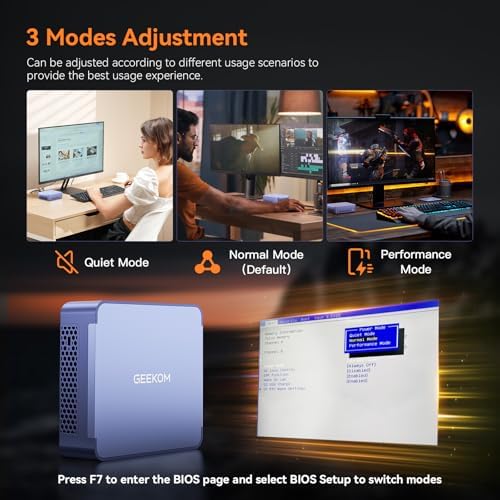
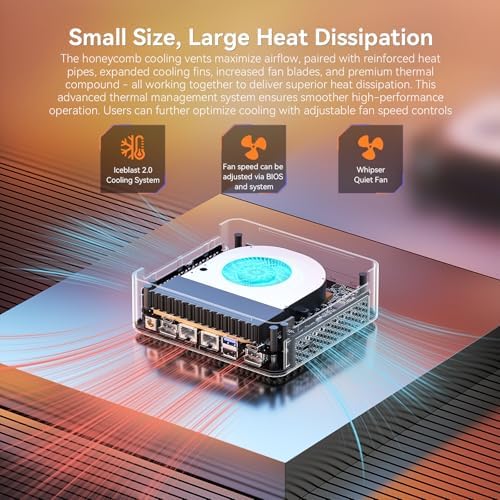
The AX8 Max is built around the AMD Ryzen 7 8745HS, a Zen 4 processor with clock speeds up to 4.9GHz and integrated Radeon 780M graphics. A standout feature is its three switchable performance modes—Silent (35W), Balanced (45W), and Performance (54W)—which let users trade raw speed for quieter, cooler operation depending on the task, without needing to reboot Windows.
The reviewed configuration includes 32GB of DDR5-5600 RAM and a 1TB PCIe 4.0 NVMe SSD, though the system supports up to 96GB of RAM across two SO-DIMM slots and dual M.2 2280 PCIe 4.0 x4 slots for additional storage. The bottom panel is tool-less, so RAM and SSD upgrades don’t require any special equipment or void the warranty.
It ships with Windows 11 Pro pre-installed (with official Linux and Ubuntu support as well), a VESA mounting bracket, an HDMI cable, and a power adapter, backed by a 3-year warranty and U.S.-based technical support.
Design and Build
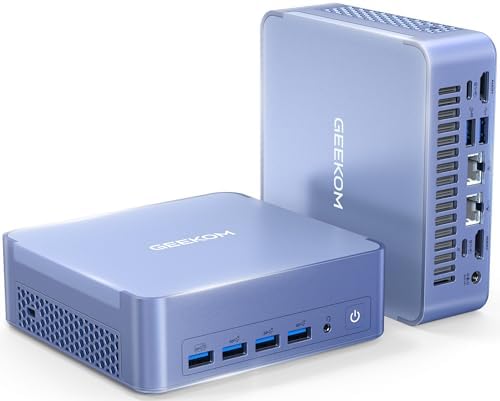
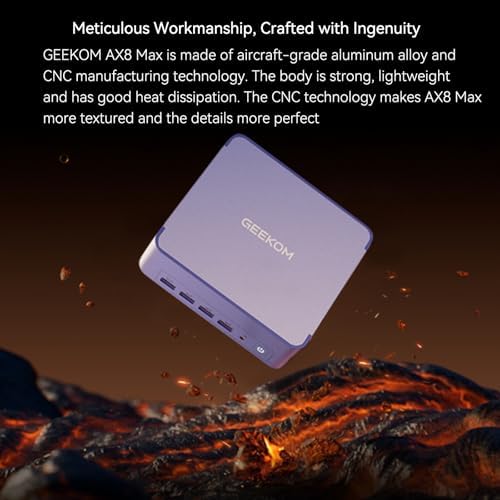
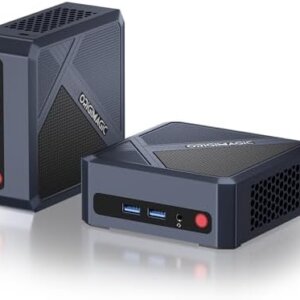
At roughly 5.4 x 5.1 x 1.7 inches and about 5.2 pounds shipped, the AX8 Max uses an aluminum alloy chassis that multiple buyers describe as premium in both feel and packaging. It includes a VESA mount for attaching behind a monitor, making it easy to reclaim desk space in a home office or small business setup.
Connectivity
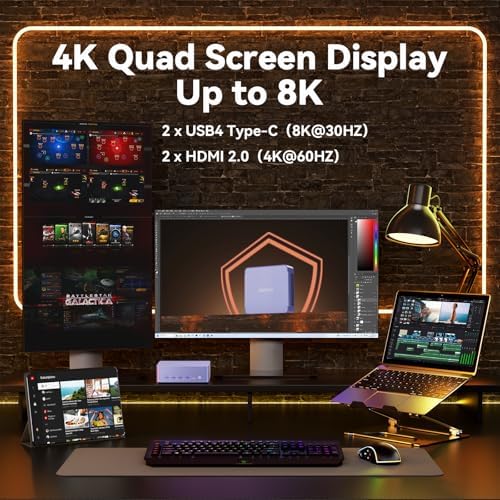
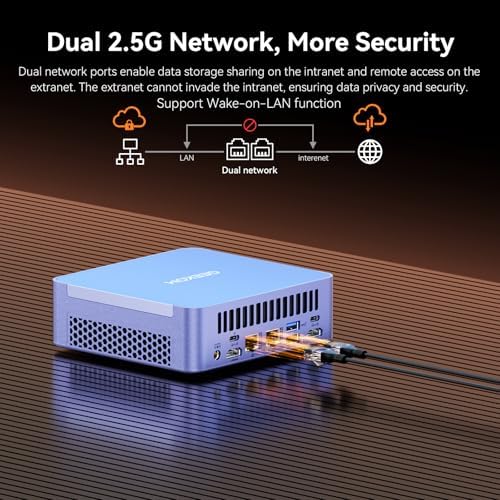
This is where the AX8 Max distinguishes itself from typical mini PCs. It includes dual 2.5G Ethernet LAN ports—a feature usually reserved for networking hardware or workstation-class machines—which makes it a popular pick among home-lab users setting up routers, firewalls, or network-attached storage with link aggregation. Beyond networking, the system offers 2x USB4 ports with Power Delivery, additional USB 3.2 and USB 2.0 ports, dual HDMI 2.1 outputs, Wi-Fi 6E, and Bluetooth 5.3. Combined, the ports support up to three independent displays, including 8K at 60Hz on supported connections.
Real-World Feedback
Customer reviews are strongly positive, with an average rating well above most mini PCs in this price range. Buyers consistently mention quiet fan noise, cool operation even under sustained use, fast boot times, and smooth multitasking across office software, browser-heavy workloads, light video editing, and even casual gaming. Several reviewers specifically praised the packaging quality, the absence of pre-installed bloatware, and GEEKOM’s 3-year warranty as a deciding factor over competing brands. A few buyers noted minor issues—one had trouble getting a KVM switch to work, and another wished for a USB-C port on the front rather than only the rear—but no significant reliability complaints stood out across the review set.
Who This Mini PC Is For
The GEEKOM AX8 Max is a strong fit for:
- Home office and small business users who want a quiet, compact desktop that can still run demanding productivity software
- Homelab and IT enthusiasts building routers, firewalls, or NAS setups that benefit from dual 2.5G Ethernet
- Content creators doing light-to-moderate video editing or photo work, thanks to the Ryzen 7 CPU and Radeon 780M graphics
- Remote workers who need a VESA-mountable, space-saving machine for a multi-monitor setup
- Students and casual gamers who want a small, affordable system that can still handle modern titles at modest settings
It’s not built for AAA gaming at high settings or GPU-intensive 3D rendering, since it relies on integrated graphics rather than a discrete GPU.
Pricing and Value
At $528.99, the AX8 Max undercuts many business-branded mini PCs while offering comparable or better specs—a current-generation Ryzen 7 CPU, DDR5 memory, PCIe 4.0 storage, and networking hardware not commonly found at this price. Combined with a 3-year warranty, it represents strong value for buyers who want both performance and long-term support.
Pros and Cons
Pros
- AMD Ryzen 7 8745HS with 3 switchable performance modes, balancing power and near-silent operation
- Dual 2.5G Ethernet ports, ideal for homelab routing, NAS, or business networking
- 32GB DDR5 RAM and 1TB PCIe 4.0 SSD, both user-upgradeable via a tool-less panel
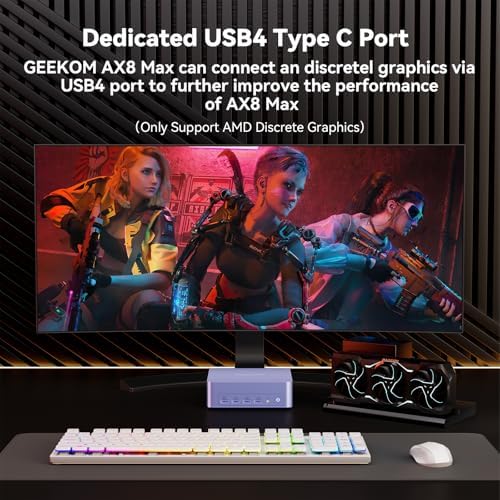
- USB4 connectivity with Power Delivery, supporting fast external storage and eGPU expansion
- Supports up to three displays, including 8K output on supported ports
- 3-year warranty with U.S.-based support, well above the industry standard for mini PCs
- Consistently praised for quiet, cool operation and a bloatware-free Windows 11 Pro install
Cons
- Integrated graphics only—not suited for AAA gaming or heavy 3D rendering workloads
- Most ports are on the rear or bottom, which some buyers found inconvenient for frequently swapped peripherals
- No front USB-C port, a limitation noted by at least one long-term user
- Occasional peripheral compatibility issues, such as one reported KVM switch conflict
- Small footprint means limited internal expansion beyond the two M.2 slots and two RAM slots
Final Verdict
The GEEKOM Mini PC AX8 Max stands out in a crowded mini PC market by combining a genuinely capable AMD Ryzen 7 processor with networking hardware and upgrade flexibility rarely seen at this price. It’s an easy recommendation for U.S. home offices, homelab builders, and small businesses that want a quiet, compact, and future-proof desktop—and its strong customer feedback and 3-year warranty reinforce that value. Buyers who need serious gaming or GPU-accelerated performance should look toward a discrete-graphics system instead.


Ann HAnn H –
Powerful Mini Computer
I’m thoroughly impressed with the quality and performance of this mini PC. It’s solidly built, delivers outstanding speed, and offers more connectivity options than the full-sized desktop it replaced – all at a price that makes it an exceptional value. I especially appreciate its whisper-quiet operation, excellent Wi-Fi performance and the peace of mind that comes with a 3-year warranty. Setup was effortless, and its compact size takes up almost no desk space. The inclusion of Windows 11 Pro, free from unnecessary bloatware, was a welcome bonus. I’m absolutely thrilled with my purchase.
5 people found this helpful
Brian NewmanBrian Newman –
Fast, Easy Setup for a Powerful Mini PC
I’ve been using the GEEKOM AX8 Max Mini PC for a few weeks now, and it’s one of the best purchases I’ve made this year. The setup was smooth and fast. I had it up and running in minutes, and it immediately felt like a serious upgrade. The performance is snappy, and it handles multitasking with zero lag. It’s perfect for what I need in both work and content creation.What stands out is how compact and quiet it is, yet it never feels underpowered. I’ve used it for light video editing, running multiple displays, and even pushing out AI workloads in test environments. The ports are well thought out, the design is premium, and it doesn’t come loaded with bloat. It also stays cool under pressure, which matters when you’re pushing it for hours.Between the Ryzen 7 processor, 32GB of DDR5 RAM, and 1TB SSD, there’s a lot of value here. You’re getting desktop-level horsepower in a small, efficient footprint. If you’re looking for a versatile machine that just works without any hassle, this is a solid choice.
5 people found this helpful
ashishashish –
Great little PC with big power
This is an excellent computer at a great price. My laptop just stopped working, and I needed a replacement when I ran across this item. I love the size and form factor of the device, and it come with great specs. It has a 1 TB hard drive and 32 GB of RAM, which is great. The performance is flawless and fast. I haven’t used this feature yet, but it has 2 ethernet ports that you can use to double bandwidth (though I can’t really comment because I haven’t used it yet. The little PC is superfast and I’m never left waiting for anything to load, which has been a huge timesaver. I don’t do much in the way of video editing or video gaming, but I am certain that this would be up to the task (even though I can’t comment on that since I haven’t used it. It works well in my multiple monitor setup, and since getting it I’ve been thinking about updating my monitors for better images. For the price and features, I don’t think you’ll find a better value.
2 people found this helpful
HiCap –
Love the size!
I had a large desktop and decided to replace it with my laptop to save space and have less clutter. All worked out well and I did save a lot of space and use less AC power.Then I discovered the Mini PC’s, they looked too good to be true. So, after reviewing them all I ordered the GEEKOM Mini PC AX8 Max. It has all the features I wanted at a good price point. I liked the idea that if I was not happy with it, I could return it for a full refund. The 3-year warranty is great to have. You can tell it is quality built.I have had it for 2 weeks now, very easy to set up and all my programs work fine with it. I just leave it at the normal speed mode, it is very fast and quite. It uses very little AC power, around 65 to 75 watts in normal use.Very happy with it, I would highly recommend it.
7 people found this helpful
Danie S –
Recommended, great mini PC!
I know simple things about computers. I asked a computer knowledgeable friend to find me a nice upgrade computer for me to game on. The main condition was, I have to have a mini sized unit because I do not have any room whatever to put a tower. My previous mini is good, still is, but my games like Sims and Fortnite were not doing so well anymore on it with the recent updates. My friend said GEEKOM was one of the top recommended PCs on his most trusted PC website for all things computer.This little PC is indeed FABULOUS! The graphics are clear and smooth. The fan.. don’t even hear it! So quiet! It is so cool to the touch, no overheating. Game updates that took half hour or more, update in minutes. Loading into games, done so in a snap of a finger. Plenty of USB ports for plug ins. Plenty of storage for large games and then some. Easy to use. No connection issues. Have had this little guy for a month now and it is doing everything I need and is probably even more than I need, but there is room to grow! I purchased this during Prime Days, so the prime day deal price was the clencher for getting this one with the more RAM and faster processer for the same price as their other option with half those options.
Doslobo –
Lots of power packed in a small package.
I purchased this mini pc to minimize the clutter of having a large PC on my desk. With so many vendors what separated Geekom was their 3 yr warranty and from my understanding they been around. I also opted for the 3 year Asurion replacement for around $65 as a safe guard.So far the mini pc is running just like a regular computer. Its amazing how much power is pack into this little box. The pc is fast and quiet. It handle my home office apps nicely. The boot time is super fast. The display is look pretty good.The only issue I had, it getting a KVM to work with this computer. So I gave it a 4 star because time will tell. So far I like this Geekom mini pc.
EricEric –
Great Little PC Has Plenty of Power
This is a review of the GEEKOM Mini PC AX8 Max with a AMD Ryzen 7 8745HS, Radeon 780M, 32GB RAM 1TB SSD, Win11 Pro. I’ve owned dozens of PCs back to the original IBM PC so I am writing this review with some experience. I had a name brand tower system for too many years that couldn’t be upgraded and put me in the market for a mini desktop system looking to save both space and power consumption. I looked at every mini-PC manufacturer that I could find factoring in design, specifications, price and user reviews. After this exhaustive search I narrowed down to two Geekom models (the A8X Max and the A6 which was a bit cheaper). One big factor was Geekom’s 3 year warranty on the system. When the A8X Max model went on sale, I jumped on the opportunity.When the system arrived, it was packaged like a premium product. The box had a lid that opened with the system seated inside protected by the packaging with all the accessories being stashed in a drawer below (see photo). The system was very easy to connect in a few minutes and was up and running. The system has a grayish-blue high quality aluminum case. There is a single button on the front that you can configure to power on/off or sleep the system along with four USB ports. In the rear, the unit has two more USB ports, two USB-C ports. Two HDMI ports, two ethernet ports.After a Microsoft Windows 11 Pro set-up and getting all the updates, I was up and running. I use this system primary for MS Office, browser and email although I do some video editing and CAD so I wanted to make sure I had enough power. This system provides more than enough capacity for those applications. The system has been cool to the touch after being on for hours and literally makes no noise. Another plus is that Geekdom does not pre-load the system with bloatware that other companies like to do so you get a nice clean system.After about a month of use, I am very pleased with this system, and have zero complaints. I would have no hesitation recommending this system to anyone looking for a higher-than-average specifications desktop computer at a great price.
8 people found this helpful
Brooke lambBrooke lamb –
All around great for students, work, and creative projects!
I’ve been using this mini PC and I’m honestly impressed with its performance and reliability. It’s compact enough to fit anywhere but powerful enough to handle everything I need it for.I use it daily for school and work—running Canva for design projects, Canvas for assignments, and multiple browser tabs at once with no slowdowns. It runs Minecraft smoothly, even with a few mods, and stays cool and quiet the whole time. The setup was simple right out of the box. It boots up quickly and handles multitasking like a champ. I’ve used it for light photo editing, streaming, and even video calls without any hiccups.If you’re a student, creative, or casual gamer looking for something small, quiet, and dependable, this is a fantastic option—especially for the price.
2 people found this helpful
Les BLes B –
Great pick to handle all my desktop computing
I’m very pleased with my upgrade to this Geekom mini PC. I was using a Geekom MiniAir 11 but would run into slowdowns when I had a number of browser tabs open. So, I started a search for a new PC that would have a much better CPU without causing me any heating issues. I landed on this Geekom Mini PC AX8 Max with 32GB of RAM and a Ryzen 7 8745HS CPU after carefully reviewing a number of options. Some have better specs but reading comments about them concerned me. Also, my history with Geekom has been positive and I was happy to find another mini PC from the same company.So after using it now for two months here are my observations:The PC arrived very well packaged. I was very impressed with the packaging, even having a drawer to hold some of the items.The CPU and RAM are indeed making a huge difference. I haven’t even begun to tax this system with my normal work load (I use a lot of browsers tabs, office suite and a few other productivity apps). I don’t game with this so can’t talk to how good it would be for a gamer.I do not use the built-in LAN but run this over my Wi-Fi. Connectivity has been good.I’m happy with the installation of Windows 11 Pro. I’ve previously upgraded my other household laptops to Pro so was happy that this came already installed.The fan doesn’t run very often and when it does it’s not very loud. Very happy with this as it was one of my criteria to have a quieter PC.The number of USB ports is huge. My wish list would have had a USB C port on the front face but otherwise I’m happy with it. One port at 2.0 is plenty to hook up my wired keyboard and the rest are available for additional accessories. I haven’t even come close to using them all. I only have a single monitor but I might in the future add a second, nice to have that extra port.I did upgrade from 1TB to a 4TB SSD myself and found the process very easy to do. Total time was probably less than 10 minutes excluding migrating the OS. I already had an external SSD case to facilitate that migration. I did this soon after I started setup so that there would be little data to migrate. Anyway, I can’t talk to the speed of the original SSD as I haven’t been using it. For most users 1TB is plenty.I doubt I will expand the RAM beyond 32GB but it is nice to know I can take it all the way up to 96GB if I need to. I worry a lot less about having numerous browser tabs open.The PC has been running very well so I can’t talk about any problems with Customer Service. However, I did receive a introductory email shortly after receiving it that I thought was nice touch.The blue color is pleasing but for me not very important as I have it attached behind my monitor using a VESA mount. One minor picky on this computer is that the main ports are on the bottom making it difficult to access them for any frequent external accessory connections. I’ve attached a USB hub at the bottom for any additional USB C accessories that I want to connect.Again, I’ve been very pleased with this purchase and would recommend it to anyone looking for a home or small business desktop.
One person found this helpful
Tim Hughes –
A8-Max. Outstanding performance at a very reasonable price.
Was looking for a mini PC with more than 2 USB ports for our small office. This little guy gives me 6 standard USB A ports and 2 USB C ports! Both USB C ports are video friendly so using the 2 HDMI ports you can run 4 monitors! Very easy to set up and already has Windows 11 Pro installed. No bloatware installed (except for Microsoft’s).The Ryzen 7 8745HS processor gets the job done for our admin staff although I doubt the graphics would be good for serious gamers. 32GB of memory is the sweet spot. No lagging and everyday applications such as Outlook, Word, Excel and Adobe start fast and run smooth. It is also VESA mount compatible so you can stick it on the back of your VESA mount monitor or mount it on the underside of your desk to save space.I have purchased 2 of these now and have them on my list if another computer is needed. The first has been in service now for over a month with reported issues from the user. The second was deployed last week.