



Dell Inspiron 5430 All in One Desktop Review: A Budget-Friendly That Covers the Basics Well

Not everyone needs a top-tier machine—sometimes what you actually want is a computer that turns on fast, looks clean on a desk, and doesn’t demand a learning curve. The Dell Inspiron 5430 All in One Desktop is built for exactly that audience. At under $800, it’s positioned as an entry-to-mid-range home and office desktop, and after digging into its specs and real owner feedback, here’s an honest breakdown of what you’re actually getting.
The Hardware, Plainly Stated
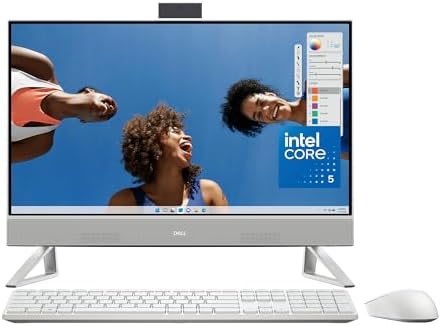
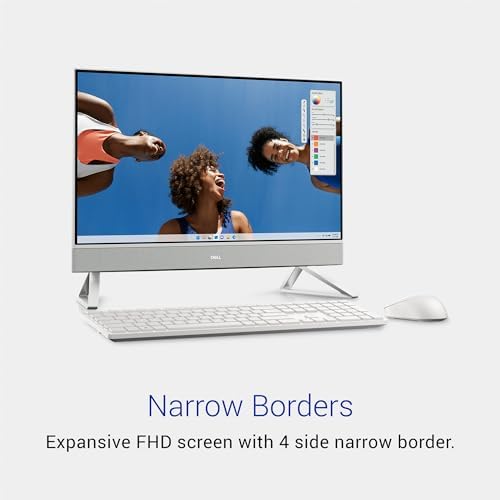
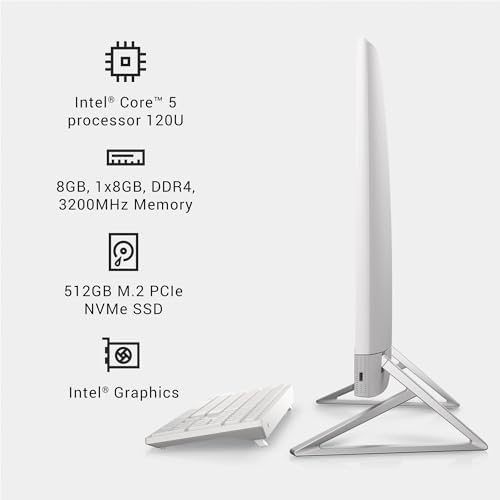
The 5430 pairs a 23.8-inch Full HD (1920×1080) display with an Intel Core 5-120U processor, 8GB of DDR4 RAM, and a 512GB SSD. Graphics are handled by Intel’s integrated GPU—there’s no dedicated graphics card here, which tells you upfront this is a productivity and everyday-use machine rather than anything gaming-oriented.
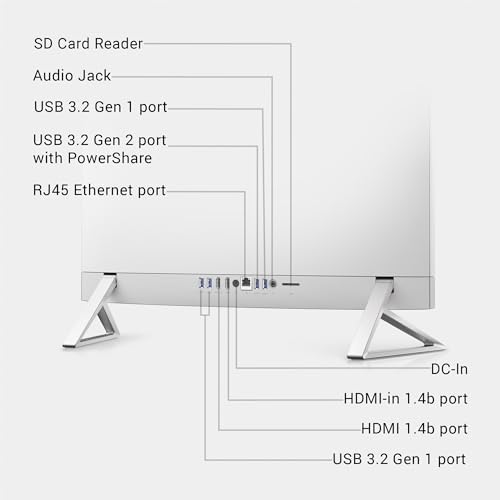
It ships with a wireless Dell keyboard and mouse, runs Windows 11 Home, and includes a decent port selection: HDMI output, USB 3.2 (both Gen 1 and Gen 2), Bluetooth, and Wi-Fi 6-class wireless. A memory card reader and built-in speakers round things out. One practical note worth flagging: the RAM sits at 8GB out of the box, but the board supports up to 32GB, and there’s a single free memory slot—so a future upgrade is possible without opening up a whole new machine.
What Owners Actually Like
Looking at real feedback from people who’ve used this desktop day to day, a few themes come up repeatedly:
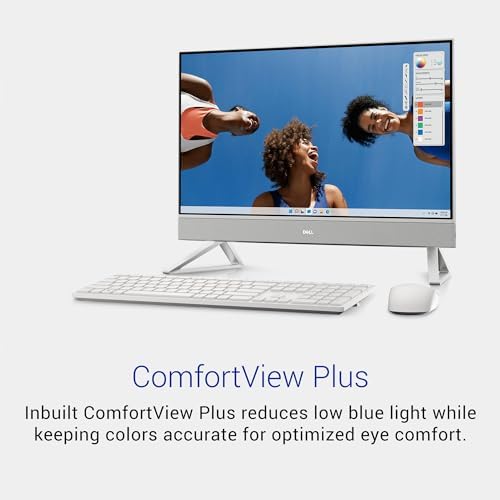
The screen impresses for the price. Multiple reviewers specifically called out how sharp and vibrant the 23.8-inch display looks, especially compared to older laptops or aging desktops they were replacing.
Setup is genuinely fast. This is an all-in-one, so there’s no tower to connect, no maze of cables—just power it on and go. Several buyers mentioned being up and running within minutes.
It handles everyday computing without complaint. Web browsing, video calls, document work, and light multitasking all run smoothly on the Core 5 chip. For anyone whose daily workload doesn’t go beyond office software and streaming, this is more than adequate.
Good webcam quality for calls. At least one long-time user singled out the built-in camera as solid for Zoom and Teams meetings—a detail that matters more than it used to, given how much work now happens over video.
Where Buyers Have Run Into Friction
No product is without trade-offs, and a few recurring complaints are worth knowing before you order:
- Some units arrived without the wireless keyboard’s USB dongle, leaving buyers stuck reaching out to Dell or Amazon support to sort it out.
- Pre-installed antivirus software (McAfee) and recurring Microsoft prompts annoyed a handful of users who wanted a cleaner out-of-box experience.
- 8GB of RAM is workable but modest—it’s enough for basic multitasking, but power users running many browser tabs alongside heavier apps may feel it strain sooner than they’d like.
- Integrated graphics only—fine for everyday visuals, but not a fit for gaming or serious creative software.
- All-in-one repairs are less flexible than a traditional tower, since the display and internals are one unit.
How It Stacks Up
Compared to a typical 24-inch all-in-one running an entry-level i3 or Ryzen 3 chip, the 5430’s Core 5 processor gives it a noticeable edge in everyday responsiveness while staying in a similar price bracket. Against a traditional desktop tower, you’re trading upgrade flexibility for simplicity—there’s no separate monitor to buy, no cable routing to plan, and setup takes minutes instead of an afternoon. And stacked next to larger 27-inch all-in-ones, the 5430 is the more budget-conscious, space-efficient option—you’re giving up some screen real estate and multitasking room in exchange for a notably lower price and a smaller footprint.
Who This Desktop Is Really For
The Inspiron 5430 makes the most sense for:
- Students who need a reliable machine for coursework, research, and video calls
- Home users replacing an aging laptop or desktop for browsing, email, and streaming
- Small home offices or single-employee setups where budget matters more than raw power
- Anyone who values a fast, clutter-free setup over deep customization
It’s a weaker match for gamers, video editors, or anyone planning to run demanding creative software—the integrated graphics and 8GB RAM will show their limits quickly under that kind of load.
Pros and Cons
Pros
- Sharp 23.8″ Full HD display—vibrant, clear visuals that reviewers say outperform expectations for the price
- Fast, hassle-free setup—wireless keyboard and mouse included, no tower or cable maze
- Solid everyday performance—Intel Core 5-120U handles browsing, documents, and video calls smoothly
- Upgrade room built in—supports up to 32GB RAM with a free memory slot, even though it ships with 8GB
- Good webcam quality—well-suited for Zoom and Teams calls
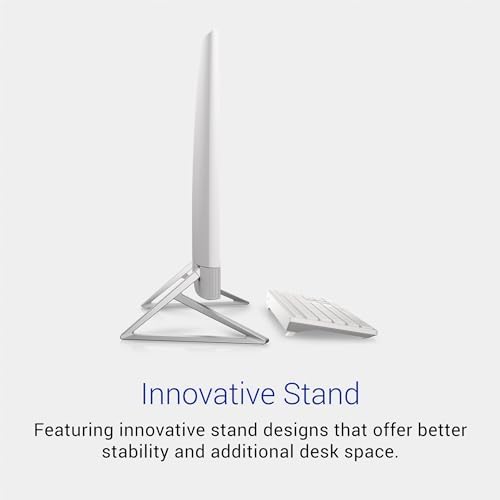
- Space-saving design—all-in-one form factor keeps desks clutter-free
- Reliable Dell build quality—backed by 1-year onsite hardware service
Cons
- 8GB RAM out of the box is modest—fine for basics, but heavy multitaskers may feel it strains
- Integrated graphics only—not built for gaming or creative software
- Some units missing the keyboard’s USB dongle—a handful of buyers had to sort this out with support
- Pre-installed McAfee and Microsoft pop-ups—annoying out-of-box software some users wanted gone
- Limited upgrade path overall—RAM is expandable, but GPU/CPU are fixed like most AIOs
- Repairs are less flexible—all-in-one design means servicing the whole unit for most issues
Final Take
The Dell Inspiron 5430 All in One Desktop does what it’s designed to do: deliver a clean, no-fuss desktop experience for everyday tasks at a price that doesn’t require much deliberation. It won’t win any performance benchmarks, and a couple of out-of-box quirks (the antivirus prompts, the occasional missing dongle) are worth going in aware of. But for straightforward home or office computing—email, browsing, video calls, documents—it’s a dependable, well-priced choice backed by Dell’s reputation for build quality.
This article is an independent product overview written for informational purposes and is not affiliated with Dell or any retailer.

Tamboura –
Dell is a great brand for computers
Have had it for about two weeks. I got to replace my Dell Inspiron laptop which needed repairing. This is a very cool computer. Super nice screen quality, super easy to setup and fast when browsing the internet.Dell has treated me great when it comes to computers.
2 people found this helpful
Great value! –
A quality product in every way
Good looking product. Easy to install, easy to use, and extremely good quality all the way through.
Amazon Customer –
A big step up.
Coming from an older laptop, I’m amazed with the speed of the “all in one”. Love the big screen too.
SylCutty –
Easy set up
The monitor has good eye level height. It is very compact taking minimal desk space. So far very responsive. It was a good buy for me.
5 people found this helpful
Amazon Customer –
Good product
We are very pleased with theDell computer. It’s ideal for home use . Good product with a good price.
w. kubin –
It came with McAfee antivirus that doesn’t go-away and annoying Microsoft product pop-ups.
I bought this computer because of its screen size and all-in-one computer. This is the second Dell I’ve bought, brand new – the first one was a 13-months old broken right of warranty expired. I was pestered by Dell to help and support me, so I just clicked off. The next day, the computer stopped working and there was a note from Dell saying the hard drive was broken, and they could help me fix it. This new one came with McAfee antivirus. I uninstalled it, but it kept popping up, along with other annoying Microsoft pop-ups. (I use Google Chrome browser)
4 people found this helpful
happygrandmag –
Great computer
Very happy with purchase with the help of our son who is a pro when it comes to computers.
Kim Kozbial-HessKim Kozbial-Hess –
No dongle included for wireless keyboard
No dongle for keyboard. Amazon says it’s Dell’s problem and Dell says it’s Amazon’s problem.Update: Amazon made it right. Thank you.
One person found this helpful
Big Hungry –
Not safe from lightning
Prone to lightning so remember to shut off pc even if plugged in to a safety outlet.
Jeffery Plummer –
Great camera, easy setup, office use ready
This is a great new computer for B2B purposes. It has a nice camera for Zoom and Teams calls. A second 8GB stick of memory was added before setup.