
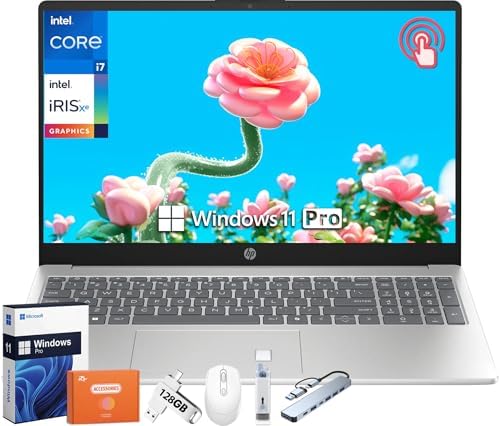
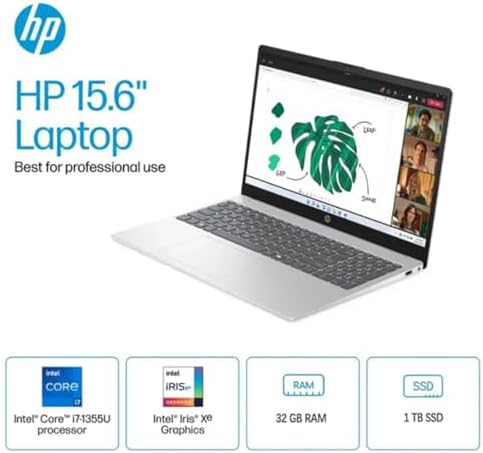
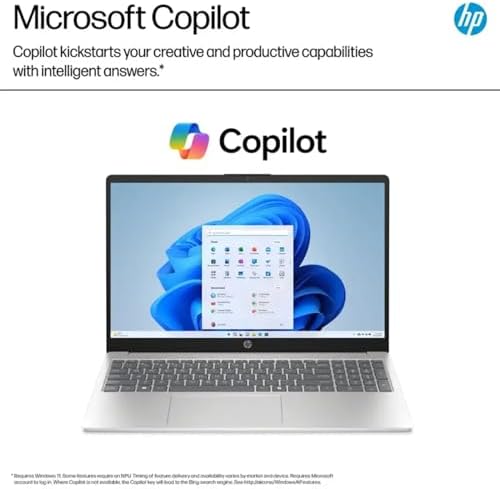
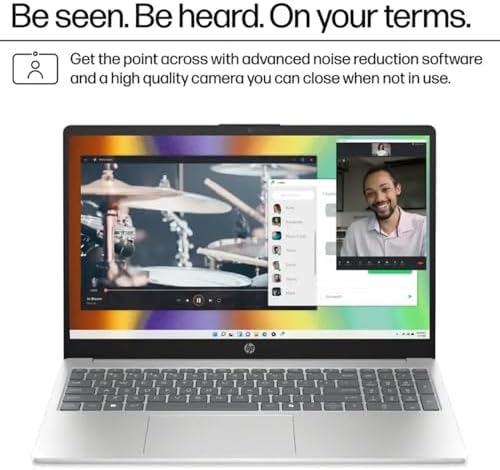
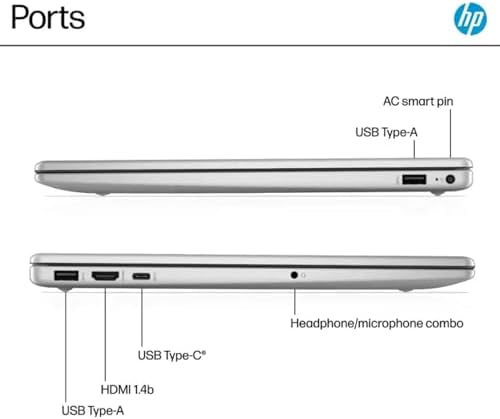
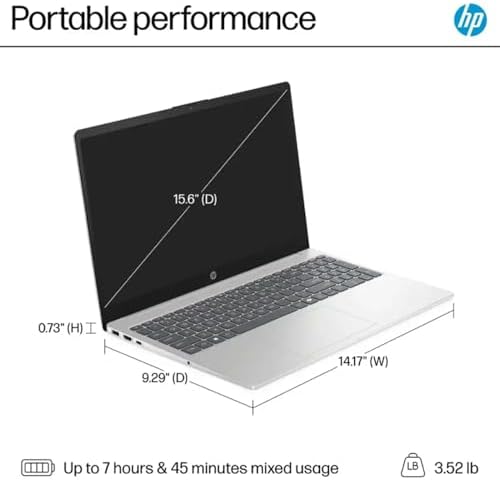
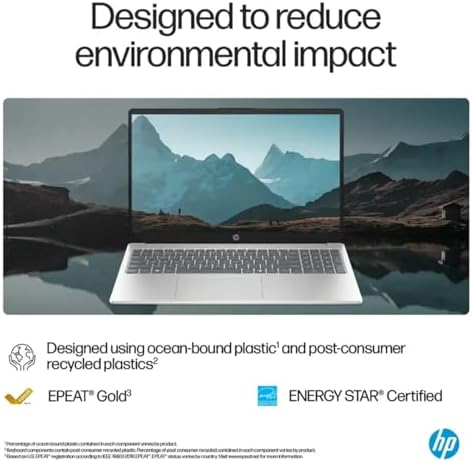
HP 15.6 Touchscreen Business Laptop (13th Gen i7) New
Equipped with the 13th Gen Intel i7 processor, this powerful and reliable laptop with a responsive Full HD touchscreen provides fast performance, smooth multitasking, and an intuitive user experience for any task you want to do on the go, whether for business or personal use, in the United States.
Powerful 13th Gen Intel i7 Performance
The HP 15.6″ Touchscreen Business Laptop is powered by the Intel 13th Gen i7 processor, which is optimized for high-performance computing tasks. The HP 15.6″ Touchscreen Business Laptop features the Intel 13th Gen i7 processor, which is designed to deliver high-quality computing performance. Whether you’re working in multiple applications simultaneously or running productivity software, this laptop is designed to deliver the performance you need without lag. For modern users, this laptop offers fast and effective performance, whether you’re running productivity software or multitasking between different applications.
15.6” Full HD Touchscreen Display
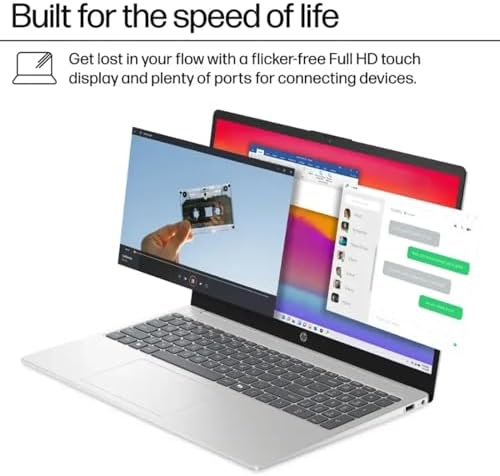
Experience a rich and interactive display with the 15.6″ Full HD touch screen. The 15.6-inch touchscreen laptop offers high-resolution visuals and touch-sensitive navigation for smooth, productive work and entertainment, whether you’re creating documents, surfing the web, or streaming.
Built for Business & Productivity
This HP laptop is a touchscreen business laptop that’s ideal for office work, virtual meetings, or remote work. The user-friendliness and the reliability of its performance make it a great choice for anyone seeking efficiency and convenience throughout the day.
Smooth Multitasking & Speed
The HP 15.6″ Touchscreen Business Laptop is equipped with robust processing power, enabling users to run several applications at the same time without any slowdown. Whether you’re handling spreadsheets, presentations, or browser tabs, you’ll experience seamless multitasking.
Lightweight & Portable Design
Go anywhere with the sleek and lightweight design. This business laptop USA users must have is so easy to carry that it can be useful for commuting, traveling, working from different locations, and more.
Long-Lasting Battery Life
Keep on going the whole day with effective battery life. With the HP 15.6 Touchscreen Business Laptop, users can optimize their devices for longer use, eliminating the need to charge them often during their busy schedules
Reliable & Secure Performance
HP’s reputation for quality guarantees durability and reliability. The business laptop that is a touchscreen is created with the needs of the professionals in mind who need protection and reliability within their daily tasks.
Perfect for Work, Study & Everyday Use
Whether you’re a business professional, student, or entrepreneur, this laptop adapts to your needs. A great option for productivity, education, and entertainment all in one powerful device.
Key Features:
- Intel 13th Gen i7 processor for quick performance. Intel 13th Gen i7 processor for quick performance. A 15.6” Full HD touchscreen display. Efficient multitasking in the office and classroom. Easy to carry and compact. Long battery life for everyday use. Perfect for office, business, and remote use. Why choose the HP 15.6″ Touchscreen Business Laptop?
- The HP 15.6″ Touchscreen Business Laptop is a trusted and efficient laptop for the modern user. With its powerful processor, responsive touchscreen, and business-focused features, it offers everything you need to stay productive and connected in today’s fast-paced world
Why Choose the HP 15.6″ Touchscreen Business Laptop?
The HP 15.6″ Touchscreen Business Laptop is a trusted and efficient laptop for the modern user. With its powerful processor, responsive touchscreen, and business-focused features, it offers everything you need to stay productive and connected in today’s fast-paced world.
Ideal For:
Businessmen and tele-workers Students and on-line learners. Workplace efficiency and managing multiple tasks. All computing and entertainment every day.
Pros – HP 15.6 Touchscreen Business Laptop
- Powerful 13th Gen Intel i7 Processor Manages multiple tasks, office applications, and productivity programs efficiently.
- Responsive 15.6” Touchscreen Display: A full HD screen with a touch function makes it easier to use and more efficient to work.
- Ideal for both business and remote work. Perfect for Business & Remote Work.
- Ideal for professionals who require reliability and efficiency.
- Smooth Multitasking Performance Multiple apps, tabs, and programs, no lag. Lightweight & Portable Design Easy to use while traveling, commuting, or working on the go.
- Long Battery Life Can run for long periods without a lot of charging. The quality of HP products is trusted. Of good quality and reliable for everyday use.
❌ Cons – HP 15.6 Touchscreen Business Laptop
- Not Ideal for Heavy Gaming Optimized for performance, not high-end graphics or gaming.
- Average Graphics Performance Advanced creative tasks might not be ideal for integrated graphics.
- The battery life may vary.
- High usage may lead to decreased battery capacity.
- Limited Upgrade Options Certain models might not be able to have the hardware upgraded.
- Touchscreens Can Use More Power.
- May have a marginal effect on battery life when compared with models that do not support touch operation.
❓ FAQs – HP 15.6 Touchscreen Business Laptop
1. Is the HP 15.6″ Touchscreen Business Laptop suitable for office use?
Yes, it’s made for business purposes and can manage documents, spreadsheets, and meetings effectively.
2. Is multitasking possible on this laptop?
It’s true, the Intel 13th Gen i7 processor can handle multitasking within several apps and browser tabs.
3. Will the touchscreen respond to the touch?
Yes, the 15.6” Full HD touchscreen is responsive and enhances productivity and ease of use.

KLOVE –
Great laptop
Love this it runs great, quality is good , runs at great speed I use it for work and home very durable battery life is average
Stacey –
HP Computer
I’ve used my new HP laptop for 7 days now. I chose this laptop because of its specifications and the cost ($147) was good. I needed a long overdue upgrade from Window 7 (which I loved), skipping Windows 10 and choosing Windows 11. Although I miss the ease of Windows 7, as there are more clicks in Windows 11, I will get used to it. The laptop itself is great. The keyboard touch is not condensed because it has a key pad so is very comfortable. No, the keys are not lit, which would have been a plus, but I’m okay with it. The touch pad works fine. It does not bounce around and the pointer does not go haywire. It does not come with the word processing or spreadsheet software, so I bought Office 2021 separately over Amazon and loaded it from online links. The process was very easy and I instantly got it on my laptop. The cost was $139 for a one-time, no subscription, software. I did not want a subscription to pay $99/yr for the software. The i5 processor is fast and the graphics are outstanding. Although the laptop will do gaming and stream, I didn’t buy it for that. I highly recommend.
12 people found this helpful
Nicholas Moffett –
Could be better for price, but isn’t bad.
(Be sure to check if this review is for the model you used. This listing contains many very different HP laptops. I got the model with 8 GB DDR4 RAM and 256 GB storage.)I’ve had this laptop for about a year now, and there have been no major issues besides ones that come from Windows itself or custom hardware upgrades (I upgraded the RAM and SSD, and had issues properly cloning the drive, but that was ultimately my fault). You’re getting the performance of a very nice ~$500 laptop, so make sure you get this while it’s on sale (which seems to be most of the time… $450 as of this review, $60 dollars less than I bought it at).For casual use:Great! The IPS screen looks great for videos and movies, and the CPU is more than capable enough to run Office tools and whatever other software you may need. It never really seems sluggish, and the battery has a reasonable amount of juice. The keycaps are a bit jiggly, and there’s no backlight for usage in the dark, and the power button is just…. really thin, but it’s otherwise fairly comfortable to use. No issues with the touchpad, although I wish they’d bring back separate click buttons… Good amount of ports, too.For gaming:Although I was expecting its performance to fall short, it’s honestly better than I expected. Minecraft, Roblox, and other various lightweight games run well. The great IPS screen makes gaming feasible as well. If I ever decide to game while I’m not at my PC, I have options. Don’t go expecting to play Fortnite or basically any other resource-intensive game on this, though.Technical stuff:This laptop came with 2 sticks of 4 GB DDR4 3200 MHz RAM, filling both slots available. I’m… really not sure why they did it this way instead of putting 1 stick of 8. That makes upgrading so much easier…It also came with a Kioxia 256 GB TLC (I assume based on their other listings) M.2 SSD with decent read/write speed. To replace those parts, you need to pry the rubber feet off the bottom to expose the screws holding the backplate on… that’s really the worst part of the process though.If you’re using it casually, you likely won’t need to upgrade the RAM or storage, but it’s getting cheaper and cheaper to do so by the day. I got a 16 GB RAM replacement (one stick; I put it alongside one of the 4 GB sticks for 20 GB total, I don’t care about dual channel) and 2 TB storage replacement for under $100 total.
8 people found this helpful
Jess E –
4 years later and still loving it!
I purchased in 2021, and it is still working very well! I am not an every day user, but it functions well for what I need it for. It is easy to navigate, and I haven’t had any glitches. The battery life is still very good. Very happy with this purchase!
luke52 –
Quality PC
I’ve only had this laptop a couple of days, but I really like it. I replaced an Acer and the construction of this unit if far superior. The Acer had only two small hinges for the screen about an inch wide. This HP has a continues hinge almost the entire length of the case. The hinge mounts broke off the Acer causing me to buy a completely new laptop. Just keep this in mind when purchasing a laptop. Ok a little update. I do like this laptop a lot. I read reviews on here giving one star because the product was broken or didn’t work right out of the box. I’m dumbfounded by these reviews. The fact that a product is broke when delivered has nothing to do with the product itself. This device had a defective battery out of the box. I didn’t notice that until after a few days. I contacted H P and they were great to work with. They had me run some tests and agreed that the battery was no good. H P offered to replace the battery free, but wanted me to return the laptop to them and they would replace the battery. I declined their offer as I had already loaded my personal info onto the laptop. They weren’t game to sending me a new battery and let me replace it. Well, being the kind of person I am, I went to my favorite retailer, Amazon, ordered the proper battery, replaced the dead one and now I have a great laptop with a good battery. I would still give it a 5 star review and recommend it to anyone.
35 people found this helpful
Karsten T. Brown –
Excellent For The Price
When judging this laptop, always keep the price in mind.First, the cons:Is it a gaming computer? No; the graphics adapter isn’t intended for that purpose. Is the housing suitable for those (e.g., children) who toss around electronics without regard for their durability? No; it is cheap plastic. Don’t buy it if you expect to use it for those purposes. The matte screen isn’t the brightest. The sound quality isn’t immersive. There is no optical drive.Now, the pros:The price. This is a 15″ laptop with Windows 11. Even though the laptop isn’t for gaming, I have used Adobe cs6 software with no issues— Premiere Pro, Photoshop, Audition. Rendering video isn’t super speedy, but it isn’t unreasonable. I was extremely doubtful it could run those programs, and didn’t buy it for that purpose, as I have another computer for it, but it was definitely a great and welcome surprise.Who should buy this laptop? Anyone who wants a light-weight computer for school, travel, or home, on which they can use email, stream video, take notes, browse the internet, or even edit photos and short videos in Photoshop and Premiere Pro.[As a sidenote, I suspect this laptop would have no issues with the beautiful and ubiquitous memory hog, Google Chrome, but I have not installed it. If you do a lot of browsing— and who doesn’t?— then I would suggest looking at other browsers, such as Vivaldi. I offer that advise no matter which computer you might be using, so it is not specific to this laptop.]
5 people found this helpful
Chubb –
The laptop arrived with a crack case
We bought this computer to replace one that was “irredeemable”. It has an i5 Intel processor which appears to be ten times faster than the i3. I am not sure why the speed has increased, but we like it a whole lot better. The only way we could make the old one useable was to leave it on 24 hours a day. This computer closes down when we shut the lid and starts up when we lift it. The only reason we bought this computer was to have a computer that is only used for financial matters—-we do not search the web or receive e-mails. The main reason we bought this laptop from Amazon was the 4 year extended warranty, which, I was told, included tech support. We had a lot of problems with the last laptop, and needed tech support which was only good for one year. (By the way, it is interesting that we enjoyed the last computer until one day Microsoft “updated” my windows 10 and then the computer stopped working. I contacted Microsoft and told them how the computer worked fine until they “updated” my computer, and asked if they would fix it. They said they would be glad to fix it for a $99 charge. At that point I was loud and angry. I explained that I felt that this was ransom ware. “You screwed up my computer and for $99 you will fix it”. I said I would not pay such ransom ware money. I would throw my computer away first and buy a new one. I contacted Acer tech support and they said they would fix it for nothing. They did, and when asked how I could keep this from happening again they said just unclick the “automatic update button”. I did just that and for 4 years I loved my computer again.) An update to my review: the laptop arrived with a crack on the face just to the left of the top left speaker. I returned the computer to the supplier and they gave me credit for it minus $77.70 for a restocking charge. No doubt they are restocking the computer so they can sell it to you and pull the same scam on you.———–A further update on my refund———-The seller (Tech Deals Store) is refusing to refund all my money since I opened the box and started using it before I discovered the crack. I have asked for a full refund, and am awaiting their answer. If I don’t receive my money then I will contact Amazon and ask them for the remainder off my refund. If that doesn’t work then I will file a dispute with my credit card company. ( I am not letting Tech Deals Store get by with this scam.) Further update—- Amazon gave me the $77.70 back. I hope I remember the name “Tech Deals Store” and never buy from these people again.
17 people found this helpful
RDana –
Great laptop for the price!
Perfect computer for General household use. My wife and I shared this and are both extremely pleased with the performance, connectivity and mobility that only a laptop gives. Hold its charge very well and has a super crisp screen ideal for graphics work. Highly recommend!
One person found this helpful
AvonInd –
Not completely happy, but suspect many problems are due to Windows 11 and not HP
Had to upgrade my old HP computer due to its not being Windows 11 compatible. Not sure here if problems are due to HP or Windows 11, but sure glad I saved my older HP to use when newest HP just doesn’t work right. Once again, I don’t know if these problems are caused by HP or Windows11 although I highly suspect Windows 11 is causing most problems with equally suspect newest version of Word which Microsoft continues to make less and less user unfriendly. One thing I do like are all the pretty screen saver pictures I keep seeing. One of my biggest complaints is the HP keyboard where they have tried to save money by putting the least amount of markings on keys so they wear of quickly, and try to tell quickly the difference between the . and , keys for example.
Benjamin A. Brackett –
HP specific issues make this a pass
I will never buy a HP again after this computer. Certain websites stop/ do not work on it, which in help forums and later verified by my work IT team is an HP-specific issue which was frustrating to find out after almost 12 hour of trying every solve I could find. It’s flimsy so when I pick it up it acts like there’s been a mouse click sometimes, and the graphic fidelity is worse than my 11+ year old computer I bought it to replace, which I now use more because of the noted website issue.