
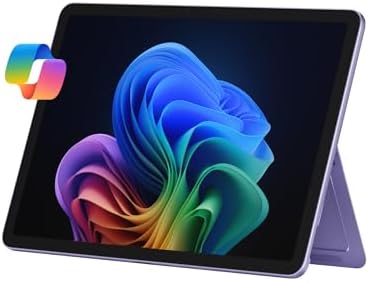

Microsoft Surface Pro 2-in-1 Laptop/Tablet (2025), Windows 11 Copilot+ PC, 12″ Touchscreen Display
The Microsoft Surface Pro 2-in-1 Laptop (2025) redefines portable computing with a sleek design, powerful performance, and unmatched versatility. Built for students, professionals, and creative users, this device combines the performance of a laptop with the portability of a tablet, making it the ultimate productivity companion.
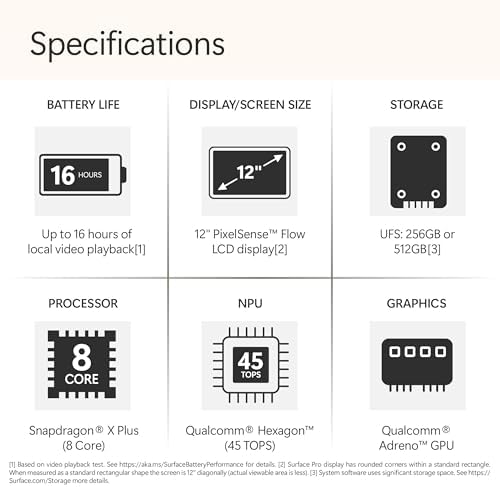
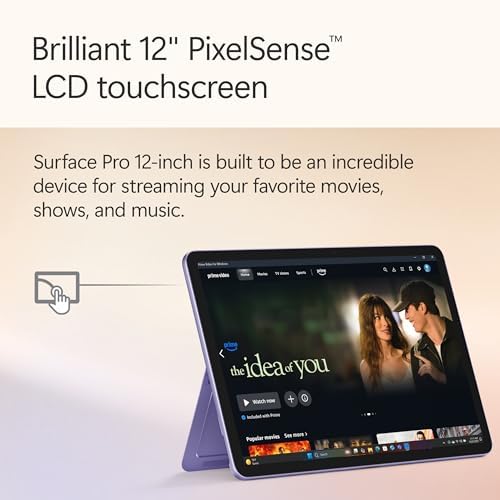
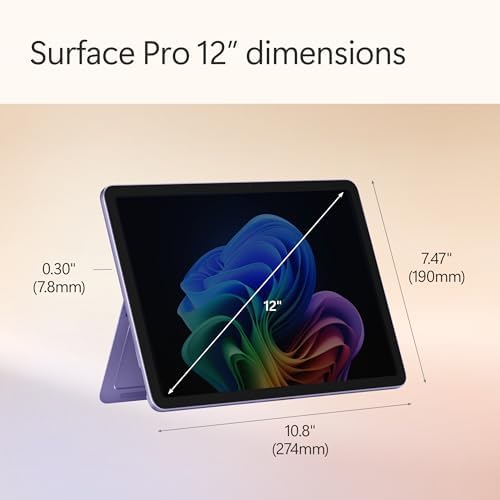
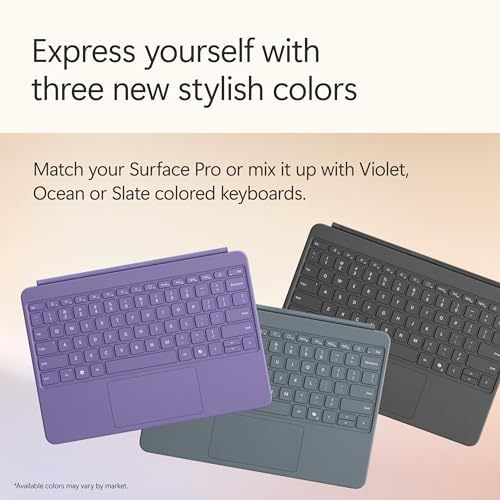
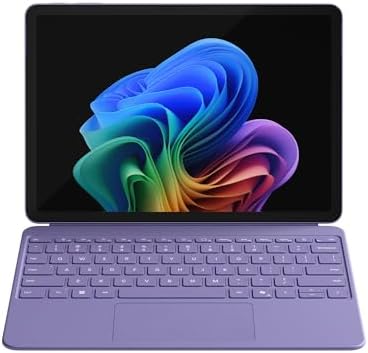
Featuring a 12-inch touchscreen display, the Surface Pro offers vibrant visuals, crisp clarity, and smooth touch responsiveness. Whether you’re drafting documents, editing presentations, sketching ideas, or streaming videos, the immersive screen makes every task enjoyable. Its compact size and lightweight violet design make it stylish, portable, and easy to carry anywhere.
Under the hood, the Microsoft Surface Pro 2-in-1 Laptop is powered by the Snapdragon X Plus 8-core processor and backed by 16GB RAM, ensuring fast performance and efficient multitasking. From running demanding applications to handling multiple browser tabs, this device keeps up with your workflow. The 512GB SSD storage provides both speed and space for essential files, projects, and entertainment.
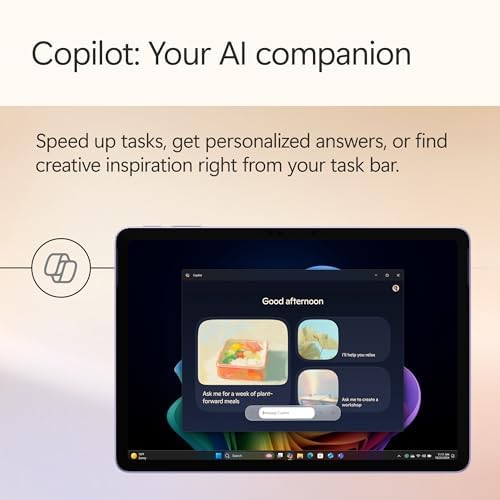
Running on Windows 11 Copilot+ PC, this laptop introduces AI-driven tools that simplify tasks, boost productivity, and enhance creativity. Copilot assists with writing, scheduling, and more—helping you work smarter, not harder.
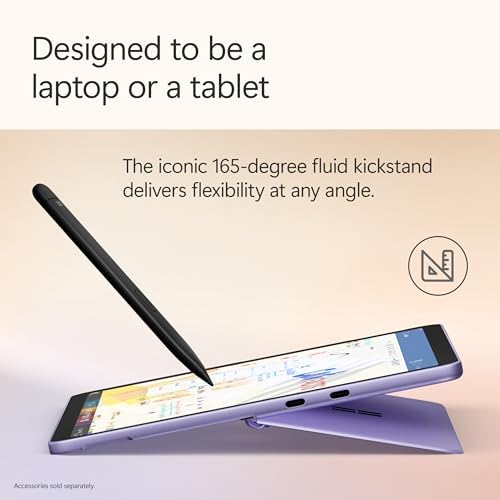
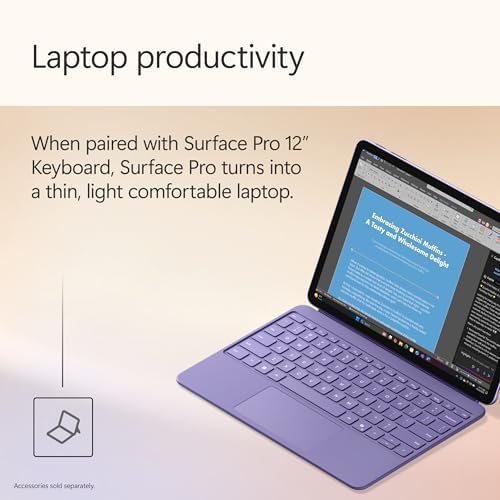
Perfect for users who need adaptability, the Microsoft Surface Pro 2-in-1 Laptop transforms effortlessly from laptop to tablet, giving you flexibility for work, study, or entertainment. Its premium design, advanced features, and AI capabilities make it a standout choice for modern lifestyles.
David Rodriguez –
Best tablet for working on the move
I recently bought a tablet, and it has turned out to be one of the best purchases I’ve made. It’s a wonderful device—efficient, lightweight, and incredibly easy to carry everywhere I go. Whether I’m working, reading, or simply browsing, it performs smoothly and saves me a significant amount of time. The portability makes it convenient for travel and daily use, and I find myself relying on it more than I expected. Overall, it’s both practical and enjoyable to use.
Kenneth A. Kriz –
Good purchase
Excellent tablet at a great price. Has excellent battery life and strong functionality. Also looks sleek and beautiful.
Amazon Customer –
Perfect for Office Suite
Amazing device if you’re using Microsoft office suite
N. Laquidara –
A wonderful piece of hardware; It’s just a shame it runs Windows.
There is a lot to love about this device. It has an excellent build quality, the screen is gorgeous and bright enough for my tastes and the speakers are surprisingly good for a tablet in terms of both loudness and clarity. Having the built in “kick stand” is also useful to prop the screen up. It is fairly light but it is on the larger side for a tablet and someone with smaller hands may find typing with the on screen keyboard to be awkward and uncomfortable. Luckily, Microsoft had the good sense to implement a way to have the onscreen keyboard split itself in half to make it easier to reach for the keys when holding the device with both hands. Also, I consider this device to be a tablet because, unfortunately it does not include the keyboard that would make it a proper 2-in-1 out of the box. Microsoft is charging another $150 to make this device feature complete. I have yet to purchase the keyboard, so I won’t be commenting on this device’s use as a laptop.In terms of performance, it feels speedy. At times, apps feel slow to start which can be annoying at times but there’s no UI lag or hitching that I have noticed. It also runs fairly cool during normal use, although I noticed it got pretty toasting during a telehealth appointment and I’ve yet to try playing any games on it.Which brings us to software. This obviously runs Windows 11 which is both a blessing and a curse. You get the flexibility of a desktop operating system on a tablet. This is why Microsoft should have rethought including a keyboard because the tablet mode in Windows is laughably bad. The tablet mode gives you the virtual keyboard and some minor UI adjustments. And that’s it. You still have the same file explorer, frustratingly tiny UI elements and context menus and the notable absence of a virtual gamepad. Microsoft has clearly not put the effort into a proper tablet interface despite the Surface Pro being its flagship hardware.I do want to mention as a positive that this device has a Snapdragon CPU rather than an Intel or AMD processor. For anyone unaware, this means that it does not natively run x86 programs, however I did get the sense that Microsoft put a lot of work on the software side to allow x86 apps to operate by some sort of compatibility layer. This is seamless and I have yet to have any issues with an x86 app not operating but YMMV. Again, I have not tested games yet but this device is not designed with gaming in mind so don’t expect any miracles.I should mention that as part of my specific use case, I have been connecting a Roland FP-10 (an electric piano) to the tablet and learning to play using Piano Marvel via web browser. There does not appear to be any major latency causing the app to think that I am missing notes, which is good.And then there’s the Windows app store. The disparity in app offerings compared to Android and iOS remains and that may never improve, especially since more and more hardware partners who previously offered Windows tablets have given up and opted to make Android tablets instead. Microsoft has also recently ended support for running android apps through the Windows store so that possibility is now gone. The lack of apps and games leaves me wishing I had gotten a Pixel tablet – it certainly would be cheaper and provide a more diverse offering of touch optimized apps and games.So, while this is a great device my advice to anyone considering buying this is to consider their use case for this. If you plan to shell out another $150 to Microsoft to actually take advantage of this as convertible device or purchase the stylus accessory for computer art then this may be the device for you. If you are looking for just a tablet, make sure the apps you want to use exist in the Windows store or you’ll be left disappointed and wanting more.
David –
Great little computer
I tried a chrome book – hated it because it would not instantly open word documents and it did not display my work they way I needed it to. I love this New Pro, it is fast, and I have all my files and programs that I am used to on a Microsoft platform.
3 people found this helpful
Carol –
Nice
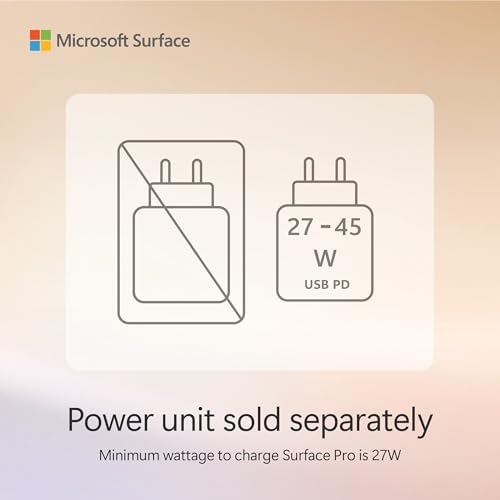
My old Surface finally died, after about 10 years! This one is very nice, although I’m still trying to get used to it! This is so much easier to travel with than my full sized laptop. I like the type C charging port instead of the magnetic one of my old Surface. You will need to get the suggested charger plug. The one you may use for your phone may not be strong enough.
6 people found this helpful
4K Fan –
Microsoft strikes again.
Speedy, light and long battery life. Screen is great looking and 90hz is nice, can’t tell too much a difference from a 120hz screen. Responsive and so far works with my typical apps just fine. Wish it had removable storage like previous Surface Pro products so I had to fork out extra $$$ for the 512GB version, otherwise I’d get the 256gb and purchase ssd separately for a lot cheaper. Going to replace my Surface Pro X which is still great but this one is making it look a bit dated with screen refresh and WiFi speed. A bit pricey but worth it to me.
6 people found this helpful
I leave reviews –
Probably one of the best overall surface pros
It’s a real competitor to the 11inch iPad Pro M4, it chugs along on most tasks. Photoshop and Lightroom also had a bit of a lag. I really wanted to keep this and I think I would be persuaded to get again if they added a tandem oled screen and kept it within the iPad price
One person found this helpful
LS 05 –
Fast enough for almost everything, thin, light, and has great battery life.
I’ll start off with what didn’t work for me. As someone who has been using Microsoft surface devices since the Surface RT this update turned out to be great for every single computing task except when you try to edit Raw files in Lightroom classic or Lightroom. it took an extremely long time for Denoise to clean up a photo. Any user who is purchasing this device for editing photos on the go needs to keep this in mind. its perfect for reading books, surfing, watching movies, getting any productive work done but for creative work you need to temper your expectations. I haven’t tried editing 4k videos yet but I have a feeling that it won’t be able to do it efficiently but if someone else has had a better experience please do let me know. The screen is good, it’s not an OLED but if you can get this device on sale you won’t feel bad about it. 90hz isn’t something that bothered me at all. The battery life is phenomenal. You won’t have to worry about it at all during a typical work day unless you end up running a lot of graphically intense programs.. which you probably won’t since this has an 8 core processor. I haven’t played any games on it and don’t plan on as I didn’t buy it for that. I bought it as a replacement for an Asus ROG Z13 but you can’t really compare the two (The ROG Z13 is more powerful, heavier, generates a lot of heat, has terrible battery life and their keyboard that comes in the box didn’t last for more than a year). They should have included a charger, but honestly that doesn’t matter because I’d rather have a charger with more USB plug points than a charger with just one. Not having a Micro Sd slot or removable storage is a drawback, and I think they need to stop following Apple in this aspect. Having two usb C slots is a good thing. My main goal was to have a Surface that can do anything I need it to do while being thin, and light. Also the fact that the device is sealed shut, and doesn’t need a fan for cooling is great. The Prism emulation layer for X86 programs works well, and I haven’t run into any issues so far. Also I didn’t find app or program compatibility to be a major issue, but I don’t know if that will be the case for others. I’d suggest this device for anyone who wants a Surface that looks great, is fast for almost all tasks, is easy to carry around ,has unbelievable battery life, and is the perfect size. A great device with certain limitations for creative work. I hope the next Surface pro 12 fixes the issues mentioned in this review.
4 people found this helpful
ALBARR –
Great tablet but it does not come with a charger.
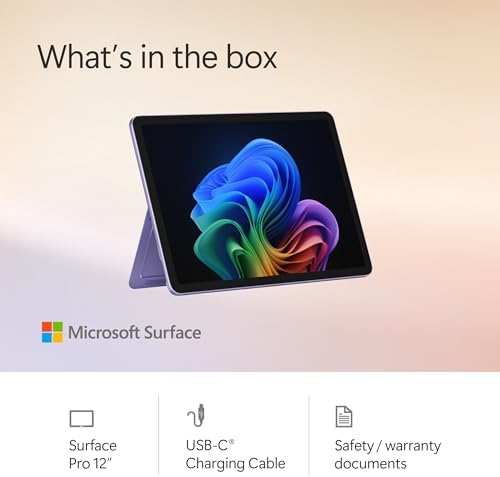
The tablet is quality and works very well. I only deducted one star because nowhere could I find where it said it does not come with a charger. It’s also a USB-C power cable so you can’t use your old Surface power. After I received the tablet, I searched the comments and found a commenter that said to make sure you purchase a charger. I’ve never had a tablet without a charger so I didn’t think to check comments for that. But for the price, I’m not that upset and was able to go to Best Buy the next day and get a charger for $30. Be aware that your phone charger won’t work. It has to be at least 45W.
6 people found this helpful