

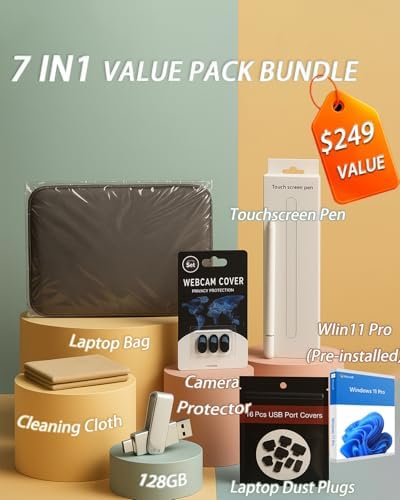
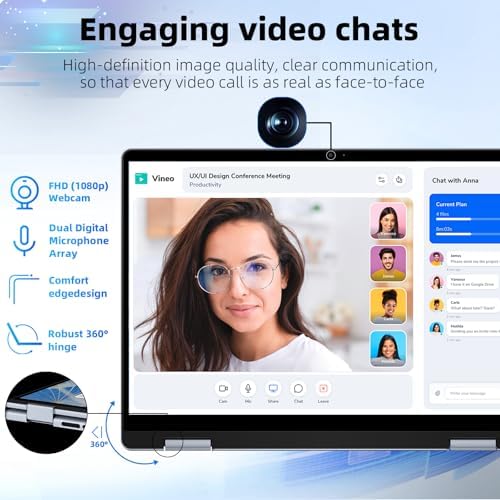


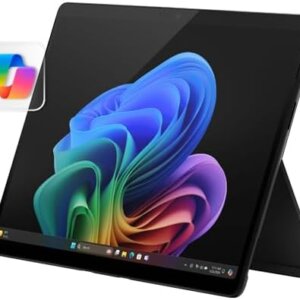
Dell Inspiration 14 Touchscreen Laptop – 14″ FHD+ 2-in-1 Display • Intel Core 5 120U
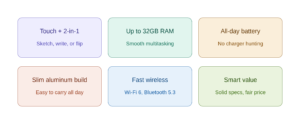
Dell Inspiron 14 Touchscreen Laptop: Everyday Computing That Doesn’t Cut Corners
If you’re shopping for a laptop that handles real life—classes, spreadsheets, video calls, and a Netflix binge without a second thought—the Dell Inspiron 14 touchscreen lineup is one of the most dependable picks in the US market right now. It’s not trying to be the flashiest machine on the shelf. It’s trying to be the one you don’t have to think twice about, and for most people, that’s exactly the point.
Display and Everyday Feel
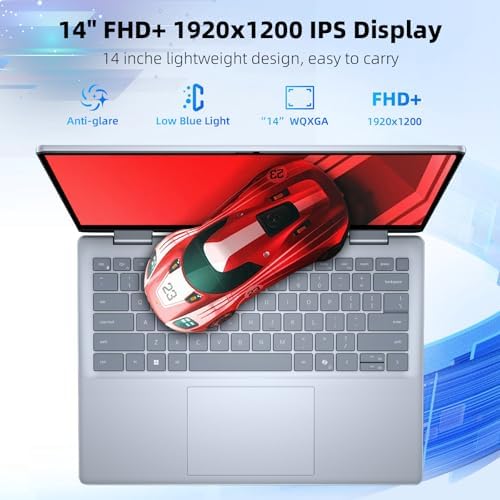
The 14-inch touchscreen is the headline feature, and it earns its keep. Whether you’re on the standard Inspiron 14 or the 2-in-1 convertible version, you get a responsive display that supports basic capacitive styluses for note-taking and sketching, along with a 16:10 aspect ratio on newer models that gives you noticeably more vertical screen space than older 16:9 panels—genuinely useful for scrolling documents or web pages without constant zooming.
Performance That Matches How You Actually Work
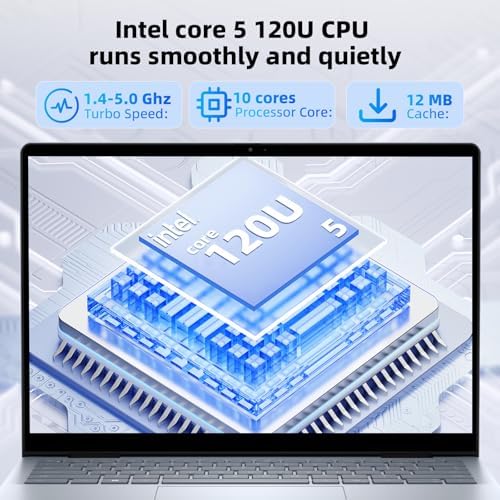
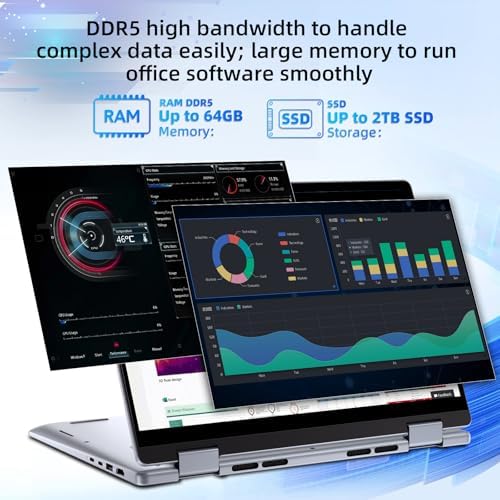
Depending on the configuration, the Inspiron 14 touchscreen line runs on either AMD Ryzen 5/7 processors or Intel Core (including newer Core Ultra Copilot+ variants), paired with up to 32GB of DDR5 memory and SSD storage up to 1TB or 2TB. That’s more than enough headroom for multitasking across a dozen browser tabs, editing documents, or running light photo work without the fan spinning up every five minutes.
Battery, Build, and Daily Comfort
Dell built this line around portability. The aluminum-accented chassis keeps things light enough to carry all day, and features like a backlit keyboard, Wi-Fi 6, Bluetooth 5.3, and Dolby Atmos audio round out the experience for people who live out of coffee shops, classrooms, and shared workspaces. Fingerprint readers on several configurations add a quick, secure login without fumbling for a password.
What Real Owners Say
Across retailer reviews, the pattern is consistent: buyers consistently praise the portability, touchscreen responsiveness, and battery life for everyday tasks—students and retirees alike call it easy to set up and reliable for daily use. The recurring complaints are narrower: occasional fan noise under load, a fingerprint reader that can be finicky on certain units, and a small number of reports about hardware issues like power supply defects.
Who Should Buy It
- Students who want a touchscreen for note-taking plus enough battery to skip the charger between classes
- Remote workers who need a reliable everyday machine without workstation pricing
- Anyone upgrading from an aging laptop who wants a meaningful jump in speed, screen quality, and portability without paying premium-tier prices
Pros
- Touchscreen with support for basic stylus input, useful for notes and sketches
- 16:10 display option gives extra vertical screen real estate
- Configurable up to 32GB RAM and 2TB SSD for real multitasking headroom
- Lightweight, portable build with a backlit keyboard and fingerprint reader on select models
- Strong battery life for all-day use away from an outlet
- Competitive pricing relative to performance, often with bundled financing offers
Cons
- Some units report fan noise under sustained workloads
- Fingerprint reader reliability varies by configuration
- A minority of buyers report hardware defects (power supply, trackpad, audio)
- Doesn’t officially support full-featured active pens—capacitive stylus only
- Base configurations can feel underpowered; you’ll want to upgrade RAM/storage for longevity
- Dell customer service response times are a recurring complaint in reviews
FAQ
1. Is the Dell Inspiron 14 touchscreen actually good for note-taking, or is the touch feature just a gimmick?
It’s genuinely useful, with a real caveat: the display responds well to a basic capacitive stylus for sketching or marking up documents, but it doesn’t support full-featured active pens like the Dell Premium Active Pen. If you want pressure-sensitive drawing, look elsewhere—for quick notes and navigation, the touchscreen earns its keep.
2. Does the Dell Inspiron 14 have enough power for video editing or just basic tasks?
Depends on the configuration. Base models with 8GB RAM are built for browsing, streaming, and office work—not editing. But configured up to 32GB RAM and a 1–2TB SSD, it handles light-to-medium photo and video work comfortably. Check the RAM before you buy; it’s the difference between “fine” and “frustrating.”
3. Is the Dell Inspiron 14 touchscreen worth it over a non-touch model for the same price?
If you’ll actually use the touchscreen—signing documents, quick sketches, tablet mode on the 2-in-1—yes, it’s a meaningful upgrade for minimal extra cost. If you’ll never touch the screen, you’re paying a small premium for a feature that sits unused; a non-touch config saves a bit and won’t change your daily workflow.
Bleu –
Good buy
Was hesitant to buy a refurbished but it has been a good computer so far.
3 people found this helpful
SAMUEL RUGGIERO –
Great buy on a budget
Great buy for the money
One person found this helpful
Amazon Customer –
Great Laptop.
Does a great job. No problems with it.
Richard Zalewski –
Great Bargain
Nice package…great value
One person found this helpful
leslie peeples –
bad repair
keys fell off after 2 months had been glued back on
One person found this helpful
Badar salim –
Great
Clean and clear
Amazon CustomerAmazon Customer –
Works great
One person found this helpful