
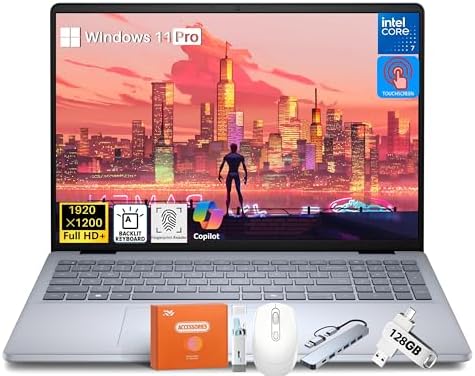
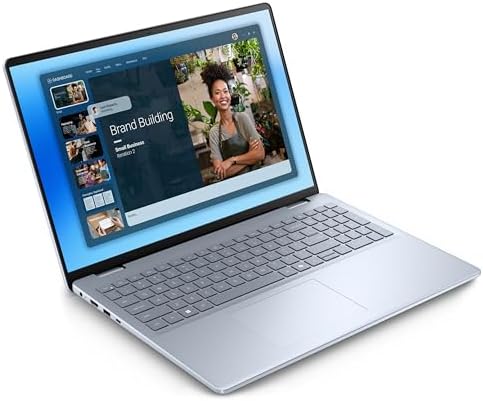
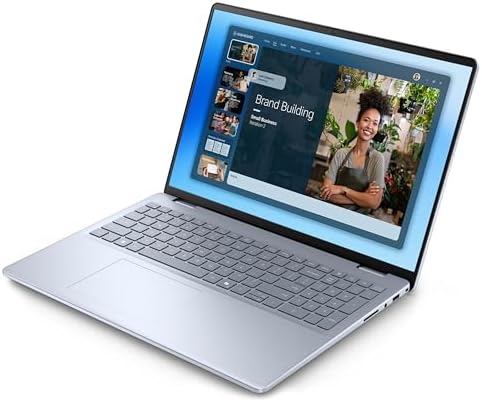
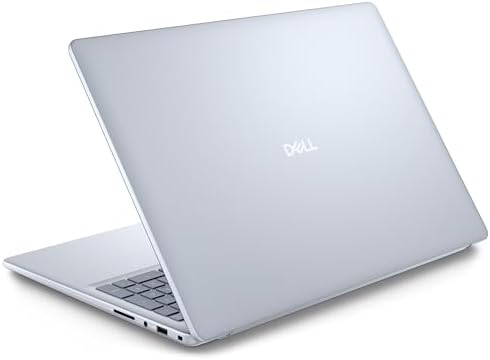
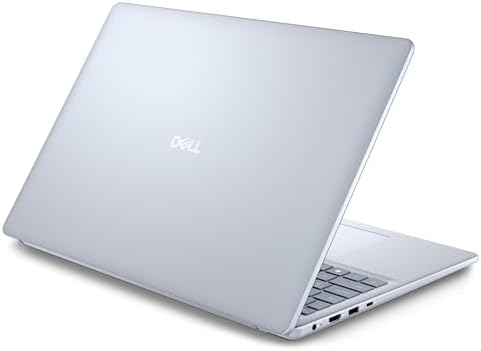

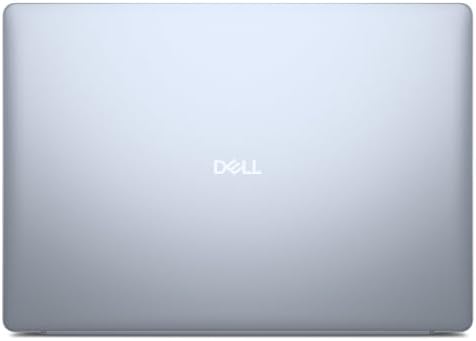
Dell Inspiron 16 Business Laptop PC, 16″ FHD+ Touchscreen, Intel 10-Core i7-150U
The Dell Inspiron 16 Business Laptop PC is a workhorse for productivity and a new definition of mobile workstation. This beast has 64GB of DDR5 RAM and 4TB of solid-state memory, which is far more than what you would usually expect from a “business laptop.”
Together with a dynamic 16-inch FHD+ touchscreen and a robust Intel Core 7 150U processor, it’s intended to serve the needs of professionals who require the best performance and the capacity to handle multiple tasks quickly. However, is this the right machine for you? From practical applications to detailed feature breakdowns to a comparison with leading competitors, all the information is included to help you understand what this guide is all about.
Key Features & Benefits
The Dell Inspiron 16 isn’t just a laptop; it’s a statement of performance and capability. Let’s explore the key features that set it apart.
1. Monumental 64GB DDR5 RAM
This is the characteristic feature of this configuration. The 64GB with high-bandwidth DDR5 RAM isn’t a mere dazzling number; it’s a powerhouse that enables users to work without any lag.
Benefit: multiple heavy workloads could run at the same time, virtual machines, massive databases, complex design applications, and dozens of browser tabs without any degradation in performance. This helps to safeguard the laptop for years of heavy use
2. Colossal 4TB PCIe NVMe SSD
This configuration puts an end to storage anxiety.
Benefit: With a 4TB SSD, you will have tons of space to store everything from files to media, software, and projects. Designed for maximum speed, the PCIe NVMe interface delivers boot times that are as quick as light and data transfer speeds that are almost instant, allowing files to be accessed almost instantly.
3. Powerful Intel Core 7 150U Processor
The laptop’s processor is powered by the Intel Core 7 150U processor (up to 5.4 GHz) at its core. This 10-core, 12-thread processor is capable of handling demanding business applications as well as creative projects with ease
Design: Seamless multitasking with smooth performance for all applications—from spreadsheets to video editing to coding. The processor’s architecture is optimized to deliver maximum energy efficiency while maintaining high productivity.
4. Immersive 16″ FHD+ Touchscreen
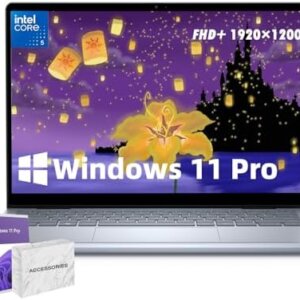
The 16-inch FHD+ (1920×1200) touch screen with a 16:10 aspect ratio provides the user with more vertical resolution than the more standard 16:9 aspect ratio.
Benefit: High “nits” of brightness in combination with ComfortView Plus technology to reduce blue light for a lively, eye-comforting experience. The touchscreen provides an extra degree of interaction, with intuitive navigation, scrolling, and even onscreen typing.
5. Windows 11 Pro & Integrated AI
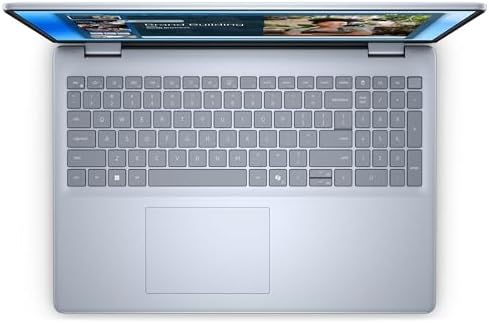
The laptop comes with Windows 11 Pro, offering advanced security features and management tools essential for business use. It also has its own AI Copilot Key, a physical button to launch the AI assistant.
The advantage: Windows 11 Pro is a safe and controlled workstation for professionals. The Copilot Key is designed to streamline workflows for users handling extensive data, providing a convenient productivity boost with AI-backed suggestions, content generation, and task handling
6. Enhanced Security & Connectivity
The Inspiron 16 has been designed for today’s professional user. It has a fingerprint reader built into the power button so that you can log on securely with one touch using Windows Hello. It also features the latest Wi-Fi 6E standard to enable faster, more reliable wireless connectivity
Drawback: It is not entirely secure. The advantage of the fingerprint reader is that it offers convenient and password-free security. The disadvantage is that it is not fully secure. You can expect no interruptions in video conferencing or transferring large files with Wi-Fi 6E.
Real Use Cases: Who Is This Laptop For?
Use Case 1: The Data Scientist or Software Developer
Use case: You are a data scientist who is running a large model or a developer who has multiple virtual machines and containers.
Solution: “The 64 GB of RAM” is the key here. This lets you start up several VMs, run complex IDEs, and process big data without slowdown. The 4TB SSD provides you with an adequate amount of space to store all of your datasets and projects. Compiling code and data processing are much faster with the Core 7 150U. Outcome: You will be able to work on complex projects without slowdowns and increase your productivity and efficiency.
Use Case 2: The Creative Professional
Use Case: You are a graphic designer, video editor, or photographer and have large files and multiple creative applications.
Solution: The 16-inch FHD+ touchscreen with its eye-catching colors and 16:10 aspect ratio is a perfect canvas for your work. Run Adobe Creative Suite apps without crashing with the 64GB RAM, and the 4TB SSD lets you easily access your large media libraries. Result: You have a powerful mobile studio, ready for intensive creative work, no matter where you go.
Use Case 3: The Heavy Multitasking Professional
Scenario: You’re an executive, consultant, or lawyer that has to keep track of dozens of applications, documents, and communication platforms at once. Solution:
This is where the 64GB RAM in the laptop comes in handy, as you can have everything open and ready to use at a click of your fingers. With an FHD+ display, multiple windows can be displayed side by side. Windows 11 Pro provides the security and management attributes needed to manage sensitive information. Outcome: Work more efficiently and seamlessly switch between tasks without the hassle of lag or application reloading.
⚔️ Competitor Comparison
| Feature / Model | Dell Inspiron 16 Business PC | HP Envy x360 16 | Lenovo ThinkPad E16 Gen 2 | Acer Swift Edge 16 |
|---|---|---|---|---|
| Best For | Maximum Power & Storage | Versatility & 2-in-1 Design | Business Durability & Reliability | Portability & Display Quality |
| Processor | Intel Core 7 150U (10-core) | AMD Ryzen 5 / Intel Core Ultra | AMD Ryzen 7 | AMD Ryzen 7 |
| RAM | 64GB DDR5 | Up to 16GB | Up to 32GB | Up to 16GB |
| Storage | 4TB SSD | Up to 1TB | Up to 1TB | Up to 1TB |
| Display | 16″ FHD+ (1920×1200) Touch | 16″ FHD+ / 2K Touch | 16″ FHD+ (1920×1200) | 16″ OLED (3200×2000) |
| Key Feature | Unmatched RAM & Storage | 2-in-1 Convertible Form | MIL-STD Durability | Ultra-lightweight (~2.7 lbs) |
| Price Range | ~$1,200 – $1,500+ | ~$900 – $1,300 | ~$900 – $1,400 | ~$800 – $1,200 |
How It Stacks Up
-
vs. HP Envy x360 16: The HP Envy x360 16 features a highly flexible 2-in-1 design, while the Dell Inspiron 16’s performance is the clear winner—it has almost four times the RAM and storage capacities
- In terms of durability, the ThinkPad is certified to MIL-STD-810H standards, whereas the Lenovo ThinkPad E16 Gen 2 has not been certified. The Dell Inspiron 16, however, is a more powerful workhorse with more RAM and storage for the most intensive work.
- Acer Swift Edge 16 vs. Acer Swift Edge 16: Acer Swift Edge 16’s design is all about portability, featuring an ultra-lightweight chassis and a beautiful OLED screen. While the Inspiron 16 might be slightly bulkier, it’s the more suitable option for professionals requiring desktop-level performance and storage.
Pros & Cons
Pros
-
Exceptional Multitasking: The 64GB DDR5 RAM and 10-core processor make it a multitasking beast.
-
Massive Storage: The 4TB SSD ensures you will likely never run out of space.
-
Vibrant Touchscreen: The 16″ FHD+ display is immersive, and the touchscreen adds a layer of intuitive control.
-
Business-Ready: Windows 11 Pro and the AI Copilot Keys are ideal for a professional environment.
-
Robust Security: The fingerprint reader offers quick and secure login.
Cons
-
Limited Availability: This specific model is currently unavailable through some major retailers.
-
Fan Noise: Some users have noted fan noise under heavy loads.
-
Integrated Graphics: The integrated Intel Graphics are not designed for high-end gaming or 3D rendering.
-
Weight: At roughly 4.18 lbs (1.9 kg), it’s not the lightest ultraportable on the market.
-
Price: While offering immense value, the top-tier configuration comes at a premium.
Frequently Asked Questions (FAQ)
1. Should the Dell Inspiron 16 be considered a good value for a business user?
Yes, if you have to multitask, work with large amounts of data or multiple applications at once. The 64GB of RAM and 4TB SSD are investments in productivity and future-proofing. Even if you are doing basic office tasks (email, documents, websites), this setup might be too much.
2. What is the battery’s endurance?
The battery life is good but not top of the range. With this configuration these laptops will last you between 8 and 10 hours on a 16-inch laptop. However, if you use the device a lot, then the performance and screen size will mean you’ll need to take the charger with you for the entire day.
3. Do you have a built-in games console?
This isn’t a gaming laptop, but the Intel Core 7 150U and integrated graphics can still play the latest games. It’s optimized for productivity, content creation, and business applications and doesn’t support running modern AAA games at high settings.
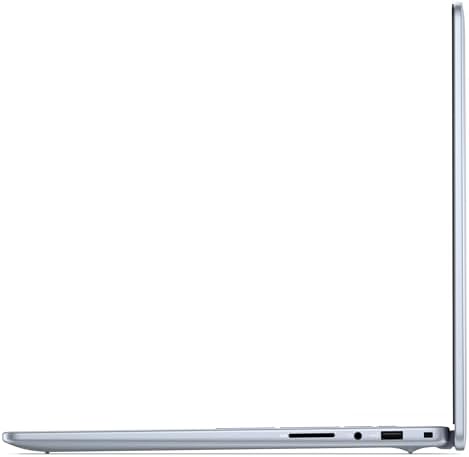
4. Which ports does the Dell Inspiron 16 have?
A full complement of ports, such as USB-C, USB-A, and HDMI, allows for a variety of peripherals and external displays to be connected
5. What is your experience with the touch screen display?
A feature to highlight is the 16-inch FHD+ IPS touchscreen, which provides sharp picture quality and ComfortView Plus for a comfortable viewing experience plus touch interaction. The resolution is quite good when it comes to getting work done and enjoying media.
Jeff Rayford –
Works well.
Economical
One person found this helpful