

ASUS Zenbook DUO Laptop, Dual 14” OLED 3K 120Hz Touch Display, Evo, Intel Core
Asus Zenbook Duo Review: The Dual-Screen Laptop That Finally Feels Purpose-Built
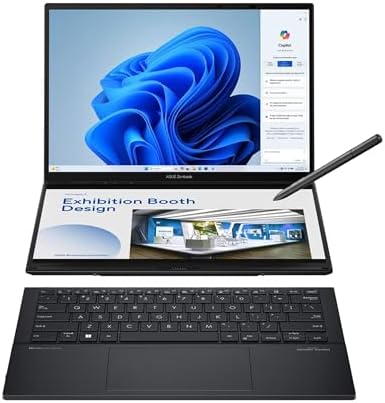
For years, dual-screen notebooks have flirted with novelty without quite escaping it. The Asus Zenbook Duo takes a rather different tack. Instead of squeezing a diminutive auxiliary panel above the keyboard, Asus essentially built two proper 14-inch displays into one machine, then added a detachable keyboard and integrated kickstand.
The result is an unusual hybrid—part conventional notebook, part portable workstation, and, when configured appropriately, something remarkably close to a foldable desktop setup.
It sounds extravagant on paper. In practice, there is a method behind the madness.
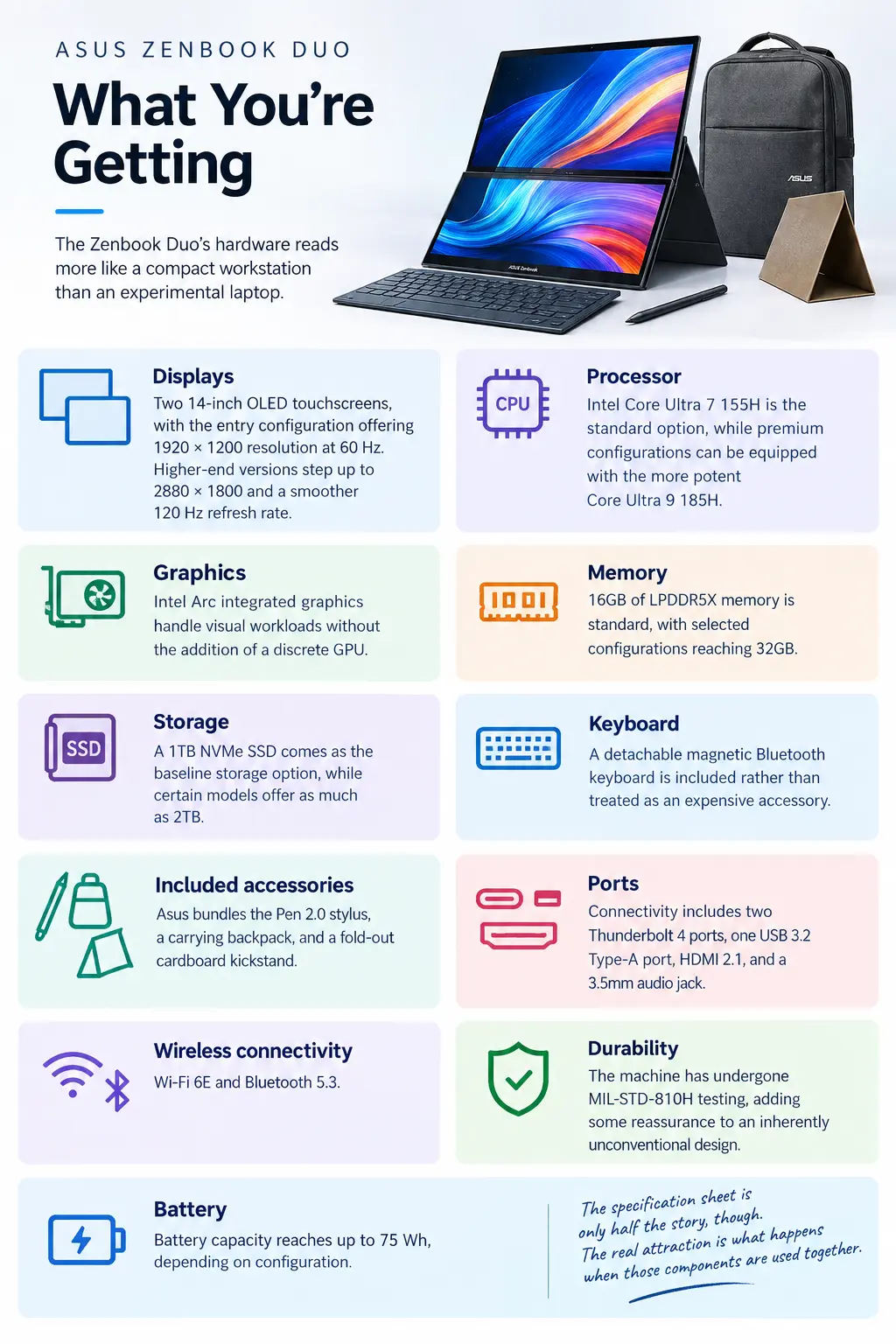
What You’re Getting
The Zenbook Duo’s hardware reads more like a compact workstation than an experimental laptop:
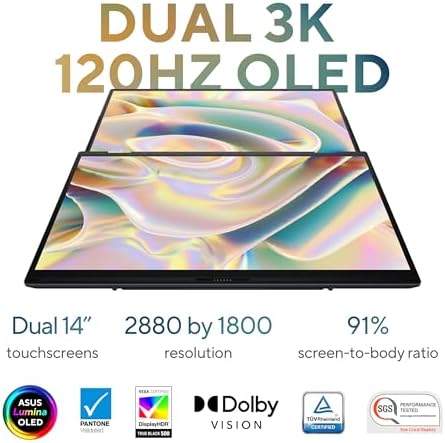
- Displays: Two 14-inch OLED touchscreens, with the entry configuration offering 1920 × 1200 resolution at 60 Hz. Higher-end versions step up to 2880 × 1800 and a smoother 120 Hz refresh rate.
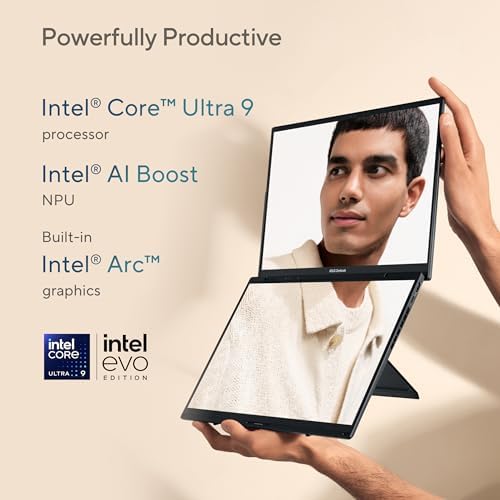
- Processor: Intel Core Ultra 7 155H is the standard option, while premium configurations can be equipped with the more potent Core Ultra 9 185H.
- Graphics: Intel Arc integrated graphics handle visual workloads without the addition of a discrete GPU.
- Memory: 16GB of LPDDR5X memory is standard, with selected configurations reaching 32GB.
- Storage: A 1TB NVMe SSD comes as the baseline storage option, while certain models offer as much as 2TB.
- Keyboard: A detachable magnetic Bluetooth keyboard is included rather than treated as an expensive accessory.
- Included accessories: Asus bundles the Pen 2.0 stylus, a carrying backpack, and a fold-out cardboard kickstand.
- Ports: Connectivity includes two Thunderbolt 4 ports, one USB 3.2 Type-A port, HDMI 2.1, and a 3.5mm audio jack.
- Wireless connectivity: Wi-Fi 6E and Bluetooth 5.3.
- Durability: The machine has undergone MIL-STD-810H testing, adding some reassurance to an inherently unconventional design.
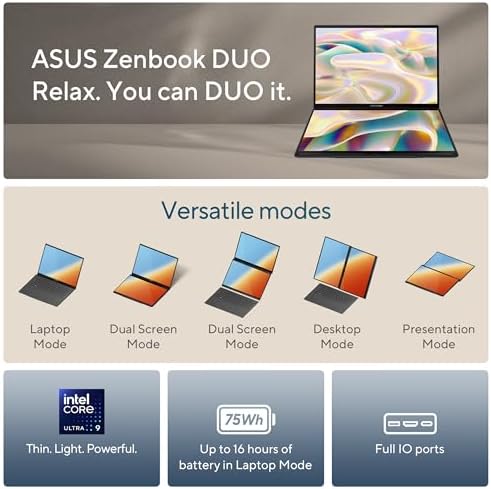
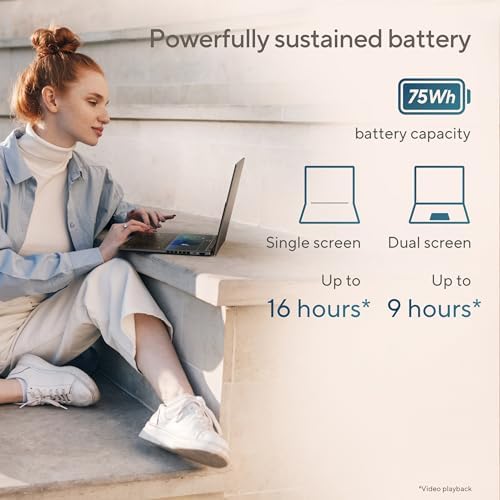
- Battery: Battery capacity reaches up to 75 Wh, depending on configuration.
The specification sheet is only half the story, though. The real attraction is what happens when those components are used together.
US Pricing
The entry-level 2024 Asus Zenbook Duo arrived in the US at approximately $1,499, equipped with the Core Ultra 7 processor, 16GB of RAM, and a 1TB SSD.
Moving into the upper echelon changes the equation. Configurations featuring the Core Ultra 9, 32GB of memory, and the higher-resolution 3K OLED panels can hover around $1,700 to $2,000, depending on the retailer, configuration, and prevailing discounts.
The newer 2025 generation debuted at a higher price point. That has also created an interesting opening for buyers who do not need the newest processor: discounted 2024 models can deliver much of the same dual-screen concept without carrying the full launch premium of the newer generation.
Who Is the Asus Zenbook Duo Really For?
This is not the sort of laptop you buy merely because you want a machine for email, documents, and casual browsing.
The Zenbook Duo makes considerably more sense when your workload naturally spills across multiple visual spaces.
A stock trader, for instance, can keep charts and market information visible on one display while monitoring news, research, or trading software on the other. A developer can place source code on one panel and documentation, terminals, or a browser on the second. Designers and illustrators can use one display as a working canvas while keeping reference material permanently visible beside it.
That separation is where the machine starts to justify its unconventional architecture.
Even ordinary multitasking benefits from the arrangement. Instead of repeatedly shuffling browser windows, minimizing applications, and hunting through a forest of tabs, you can simply dedicate each screen to a different task.
There is a catch.
If your computing routine consists primarily of typing documents and browsing the web, the Zenbook Duo’s second display may spend much of its life underutilized. The detachable keyboard is perfectly serviceable, but it does not provide quite the same planted, familiar feel as a conventional built-in laptop keyboard—particularly during lengthy writing sessions.
You are also paying a substantial premium for a design whose principal advantage only becomes apparent when you actually exploit both displays.
Pros
Two Full-Size 14-Inch OLED Displays
This is the machine’s defining attribute. Rather than offering a cramped secondary strip that feels like an afterthought, Asus gives you two legitimate 14-inch OLED panels.
That changes the experience considerably.
You have enough screen real estate to maintain genuinely separate workflows rather than simply squeezing another window into an already crowded desktop.
An Impressively Complete Package
Asus does not force buyers into an accessory scavenger hunt.
The detachable keyboard, stylus, kickstand, and carrying backpack arrive as part of the package. That makes the proposition more coherent from day one and reduces the additional expenditure often associated with experimental hardware.
OLED Displays With Strong Visual Impact
OLED technology gives both screens vivid color, pronounced contrast, and an unmistakably rich presentation.
For photo work, illustration, video consumption, and general media use, the displays have considerably more visual character than the mundane panels found on many conventional productivity notebooks.
MIL-STD-810H Testing
A dual-screen machine with a detachable keyboard and unconventional support mechanism naturally raises questions about durability.
The MIL-STD-810H testing does not make the Zenbook Duo indestructible, but it does provide a useful measure of reassurance for buyers concerned about the longevity of such an unusual chassis.
Multiple Working Configurations
The Zenbook Duo is not locked into a single posture.
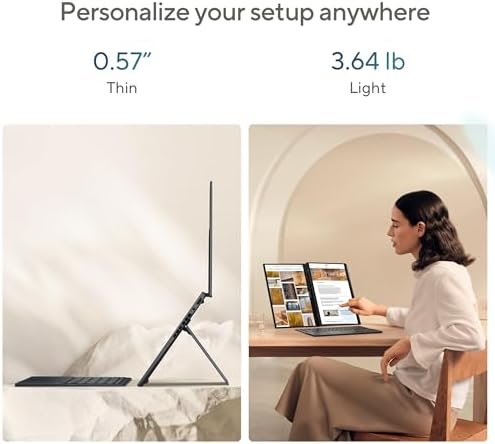
Depending on the situation, it can function as a traditional laptop, a tablet-like device, an easel-style workstation, or a vertically arranged dual-display setup.
That adaptability is one of its most compelling characteristics.
Capable Multitasking Performance
Intel’s Core Ultra processors provide enough computational muscle for demanding productivity workloads, particularly in the higher-end configurations.
The machine is not intended to replace a workstation equipped with a powerful discrete GPU, but for office productivity, development, content creation, and extensive multitasking, the available processing power is substantial.
Cons
The Price Is Difficult to Ignore
Comparable conventional laptops can deliver similar processor, memory, and storage specifications for considerably less money.
With the Zenbook Duo, part of what you are purchasing is the engineering behind the dual-screen architecture. If you do not have a workflow that exploits it, that premium becomes harder to rationalize.
The Detachable Keyboard Has Compromises
The keyboard performs its role well, but it lacks the inherent stability and familiar ergonomics of a permanently integrated laptop keyboard.
For occasional typing, that distinction may barely matter. For hours of continuous writing, however, the difference becomes more conspicuous.
Integrated Graphics Limit Its Ceiling
Intel Arc integrated graphics are competent for everyday creative work and lighter graphical workloads, but they are not a substitute for a dedicated graphics processor.
Serious gaming, demanding 3D rendering, and GPU-intensive professional applications remain outside the Zenbook Duo’s ideal territory.
Running Two Displays Can Affect Endurance
Two OLED panels are visually impressive, but they are not energetically inconsequential.
Using both screens at high brightness can place additional demands on the battery, particularly during workloads that are already processor-intensive.
The Workflow Takes Some Experimentation
The Zenbook Duo does not instantly reveal the perfect way to organize every application.
You may need to test different screen orientations, window arrangements, keyboard placements, and display configurations before finding the setup that fits naturally into your everyday workflow.
It Is Less Convenient to Carry
A conventional ultrabook has a relatively simple equation: laptop, charger, and perhaps a mouse.
The Zenbook Duo introduces more pieces into that equation. Once the detachable keyboard, stylus, and other accessories are packed alongside the computer, the overall footprint becomes less svelte than that of a typical ultraportable.
Bottom Line
The Asus Zenbook Duo is one of those rare unconventional laptop designs where the eccentricity has a practical purpose.
Its dual 14-inch OLED displays are not merely there to make the machine look futuristic. Used intelligently, they provide a portable workspace that can approximate the convenience of a multi-monitor desk without requiring you to carry an external monitor everywhere.
For developers, traders, designers, researchers, and serious multitaskers, that arrangement can fundamentally alter how work is organized. Instead of constantly swapping between windows, information can remain visible exactly where it belongs.
But the second screen is also the reason you need to think carefully before buying it.
If your everyday computing consists largely of documents, email, streaming, and web browsing, a conventional laptop may provide a simpler and more economical experience. The Zenbook Duo’s value emerges when its second display becomes an active part of your workflow rather than an impressive feature that occasionally gets opened.
It is a purpose-built machine centered on a distinct concept—and when that concept dovetails with your workflow, the dual-screen design feels far less like a novelty and far more like an indispensable extension of your mobile workspace.

Mountainguy215 –
Best Productivity Tool
The ASUS Zenbook Duo UX8406 is not just a laptop; it’s a game-changer that redefines what portable computing can be. With its innovative dual 14-inch 3K OLED touchscreens, powerful Intel Core Ultra processors, and a sleek, versatile design, this laptop is a dream for multitaskers, creators, and professionals alike. Intel Core Ultra 9 285H processor with an AI Boost NPU, 32GB of LPDDR5x RAM, and a 1TB PCIe 4.0 SSD, handled everything I threw at it—from video editing to light gaming—without breaking a sweat. The Intel Arc graphics provide a surprising punch for creative tasks, though this isn’t a gaming rig. The laptop’s AI capabilities shine in tasks like real-time video effects and optimized power management, making it a forward-thinking choice for the AI-driven future.Pros:Dual 14-inch 3K OLED touchscreens are gorgeous and versatilePowerful Intel Core Ultra 9 with AI capabilitiesImpressive battery life for a dual-screen deviceDetachable keyboard and stylus enhance flexibilitySturdy build with a clever kickstandCons:Speakers lack depthSlightly heavier than single-screen ultraportables (but worth every extra for the productivity!)Reflective screens can be tricky in bright light (I use Matte screen protectors and this is a great addition)This is my everyday laptop for work and for home. I have a separate gaming pc with an RTX GPU. That said, this can run GTA V Enhanced no problem and even Stalker 2 at low settings. This by far is Asus’s best creation so far for productivity yet.
13 people found this helpful
Kindle Customer –
What a great idea and great value.
This is my second of these computers. I bought the first one as an experiment to see if it was worth it.. it is.I use it for my Digital Audio Workstation, and I also do video editing on it.For its performance alone it’s a good value. It’s got a fast I9 processor with tons of ram and a large SSD. I can run a bunch of FX and soft synths at the same time and performance is barely touched. I was blown away by the performance on Adobe Premiere as well.I was coming from 2 generations removed I7 which was quite fast, and this one is really an eye opener in that regard.My main complaint is that the monitors are kinda small. They look outstanding, with great brightness and clarity, but using my software things get a bit cramped. I can’t really complain, though, because it’s a tiny laptop… having 2 screens is still better than one larger one.Can’t say much about battery life, as I typically use it plugged in. The one or two times I’ve taken it away, I’ve had no complaints.I notice it gets rather warm – I do use some hard hitting FX systems, though. I have it sitting on a laptop fan and that does the trick.Putting the screens on their side costs access to ports, which is frustrating because I think I’d use it that way. You also can’t lean it back when the screens are sideways, but that’s just geometry and there’d be no way to do that anyway.This is my go to computer layout.
One person found this helpful
Rhyalus –
This was worth the wait!
The 2025 version of this laptop comes with the Ultra 9 285H CPU, which was worth the wait. There are a ton of YouTube video reviews, so I will not go into all of the details – you should definitely watch them first, but here are my pros and cons:Pros:You can use it like a regular laptop, and it is totally stable and the keyboard is *great*.The OLED screens are beautiful and bright (though reflective in bright light).The vertical mode is super stable and easy to get used to.Moving apps between screens is simple, and I have had no problems at all.In “standard” mode, I almost never hear the fans, even with multiple programs running.The system uses a small 65W power brick…any 65W or higher PD brick will be fine.The premium body is not a fingerprint magnet.Battery life seems good, but I have not used it too much without ACComes with the active pen, but I have no use for itThe MyAsus application is very good, and puts the system controls in one placeCons:Heavier than your usual 14″ laptop, but you have 2 screens :-)Two Thunderbolt 4 ports – why not TB 5?The keyboard battery life when removed from the body seems a bit short when the backlight is onThe CPU can take more power, but it is limited in this machine to prevent it from throttling too muchBattery life is limited due to the two screens, but that is to be expectedWhy not Win 11 Professional instead of Home for a premium device?There is only 1 M.2 slot for storage, which is a bummerOverall, this is one of the best machines I have ever used. Applications are quick, and I am never waiting for something to respond. This is NOT a gaming machine, regardless of what you might hear. The iGPU is not the best that Intel has to offer, and the NPU for AI is weaker than most – but for what it is meant to do, it excels. This is a business laptop dream – if you multi-task a lot, edit multiple documents at once, etc., it is perfect. Did I mention how great the keyboard is? :-)Highly recommended!R
50 people found this helpful
CajunDragon –
Runs Hot, But Slaughters The Competition…
It’s fast. The screen setups are incredible. OLED is gorgeous. But it runs hot. I have bumped max power to 98% and fan curves up 15%. It is much cooler now, but still handles all multitasking extremely well. And the Arc’s AV1 encoding is outright beautiful. My recordings are a breeze with it. If I ever get my husband to build me a PC, it’ll have an Arc, it is that good. The removable keyboard and such works and the stand functions well. It isn’t bulky and the drive has plenty of storage and is blazing fast. Aside from the ridiculous heat output, I don’t have a single concern here. It is a wonderful machine for my work and travels. Oh, and the Thunderbolt is blissfully useful. I love my Duo, just not the heat it dishes out in spades.
One person found this helpful
Gavin L.Gavin L. –
Great but no pen bundled with the Ultra 7 version!
I owned the Asus Zenbook Duo 2024 and sold it because it was laggy despite having an Ultra 9 185H processor. If not for the performance, I would have been happy with the form factor of having dual screens on the go.Learning from my experience, I decided to go with the Ultra 7 255H processor this time around. It is as capable as the Ultra 9 285H except that it’s more power efficient, which should theoretically result to longer battery life.After 2 weeks of use, here are my observations.Performance. Very good. No more lags and throttling as I experienced with the 2024 edition. I have not used it for gaming so I cannot say anything about its gaming performance.Design. It has a very premium build. The exterior is a fingerprint magnet and can be easily smudged. One of the 2 USB-C ports was moved to the right, which gives more flexibility. I wish it had an additional full-sized USB port though.Keyboard. It is backlit. You can turn it on or off through the F4 key. Although there are no Home, End, Pgup, and Pgdn buttons printed on the keys, you can use the Fn button along with the arrow keys to activate them. Keyboard travel is very good.Webcam. Mediocre at best. Grainy. I would not use it for professional videos, but should be good enough for meetings. It has Windows Hello which means you can use facial recognition to log in. It also has auto lock feature that automatically locks the pc when you go away. Even better, it will automatically wake up from sleep mode when it detects your presence. High tech stuff.Battery life. Big improvement over Zenbook Duo 2024 edition. Considering there are 2 screens, the battery life is pretty decent. With the screen brightness only at 40% and the laptop running on energy saver mode, it only consumed 6% of battery in 30 minutes. If I interpolate that, that would result to around 6 hours of use. Not bad.Fan noise. Very good. Almost silent even in standard mode. There are 4 profiles available thru the MyAsus app – Full speed, Performance, Standard, and Whisper mode.Power Adapter. It uses a 65W power adapter. The Asus adapter is already compact, but I have a ugreen 65w charger that I use for my mobile phone. So when traveling, I just use the ugreen charger which is even smaller than the Asus power adapter to charge both my phone and the Zenbook Duo.Displays. OLED. The 3K is actually overkill for a 14″ screen and by default, display scaling is set to 200%. They could have probably made this to be 1080p and no one would notice. I am not complaining though since battery life is still ok.MAJOR CAVEAT: There is no pen bundled with the Ultra 7 version! I asked Amazon to send me one, but they said I have to return the entire unit so I can get a refund. I don’t understand why they did not bundle this as it is bundled with the Ultra 9 version. So for additional $50, you get a more powerful Core 9 processor (but at the expense of shorter battery life), and a free stylus pen. You may want to consider these before purchasing the Ultra 7 255H version.
20 people found this helpful
Dab CzarDab Czar –
Game Changer for Field Work
I’m a flood insurance adjuster and the Asus Zenbook Duo has completely transformed my mobile office. The dual screens are amazing on their own, but I pair it with two portable monitors for a total of four screens. I can have my estimating software, photos, and reports all open at once without constantly switching windows — productivity is through the roof!When I’m stationary, I use a Bluetooth mouse and keyboard for comfort. On the go, the built-in keyboard and trackpad detach and work beautifully in my car or other tight spaces. The size makes it easy to pack up and travel with, yet it’s powerful enough to handle all of my work with ease.And if the office starts feeling a little stuffy, I can set everything up in minutes and work right from the couch without losing any efficiency (see photo, lol).If you need a portable workstation that can keep up with demanding work in the field, this is it.
k o a l a –
Lack of quality control
First Duo was already installed w PIN, password, and bitlocker. I was locked out and couldnt even factory reset.Second Duo is a failed windows install and immediately required factory reset. Windows finally installed but then keyboard didnt detect when detached. After removing and re-adding the keyboard in bluetooth devices, it began working correctly. The virtual keyboard also only half renders on the bottom screen, making it useless.With the laptop mostly working now with 2 screens and keyboard, it is running smoothly and great for programming while reading reference material.
2 people found this helpful
Grand-shopper –
More than happy customer here. Fits my needs perfectly.
I bought this to replace my Microsoft Surface Laptop. I was a Surface diehard. I was on my 3rd Surface device. But after becoming a full-time day-trader, I needed the extra screen space when I travel. This has been an incredible laptop for my purposes. I was a bit worried about getting an Ultra 9 processor. Some of the trading platforms can be resource hogs. I even got an additional two travel monitors to go with the Asus. So I’m running four monitors with multiple virtual desktops, and this laptop is keeping up just fine. The price is great for this quality of machine. The monitors are beautiful and crisp. I keep my charts and options chains shrunk down so I can see more information, and the monitors are so crisp I can see everything very clearly and in detail. The sound is decent, but I don’t really use it. I connect my headset via Bluetooth. I thought I’d use the pen and touchscreen more than I have. I guess since the Zenbook Duo doesn’t really have a tablet mode, I haven’t found much use for the pen yet. The battery life has been pretty good. I can get about 4 hours with just the two native screens. But with two more external screens, the power drains much quicker. It’s not my daily-use computer. I have a desktop for that. But I took this to the Bahamas a few weeks back and traded on it for 5 days straight with no issues whatsoever. I’m very happy with my purchase.
6 people found this helpful
Seth CaballesSeth Caballes –
Was great until now
Let me start this review by saying I have had Asus products in the past and loved them, but this one has been an expensive headache.To Preface this review:I take very good care of my laptops, I keep them in a laptop sleeve when traveling with it, whether it’s laptop only or in a bag with other accessories.Speaking of accessories, I only use name brand-name peripherals. Such as Anker, Belkin, Logitech, Acer, Sandisk Etc. , this is because I’ve heard of horror stories of the no-name brands causing issues.I’m coming from a Lenovo yoga pro from 2021, got this upgrade because I wanted a smaller laptop(not thinner), but still wanted a touch screen and extra screen real estate when needed.Prior to that, I still have my MacBook Pro from 2017.I purchased the Ultra 9 285H variant. NEWPurchased on July 26th 2025, Delivered July 30th 2025The first 3 weeks of owning this laptop were great, Had no issues at all. It is a Powerhouse! Great for multi tasking , such as writing drafts and having a PowerPoint open. Handled video editing from my insta360 with no issues. And the 2.8K screen is vibrant and very bright, even in sunny conditions. Even handled some light gaming like Minecraft with no issues.Then out of no where, on August 21st 2025, every time I plugged in laptop to charge, the device would shut off. As if someone had unplugged the battery.No lights, no sound, no power.I Never used anything else to charge it but the included power cord and base.Reached out to the Asus Customer service, we tried troubleshooting it over the phone,No Luck.Was advised to send it in to Asus for repair.The Device was dropped off the following day at a FedEx location August 22nd.Fast forward~I received the device back September 4th 2025 Via FedEx.Not quite two weeks of not having the laptop.According to the notes that were in the box, the mother board had to be replaced, but it did fix the issue of the laptop suddenly powering off when plugging it in.So inevitably I had to set up my laptop all over again.This morning after booting it up and setting up my Microsoft account, I spent about 30 minutes transferring important files and checked some emails to get some work done.I noticed the bottoms of the laptop was getting extremely hot. and the mouse pointer started skipping/glitching. I wasn’t doing anything particularly demanding of the laptop. I Was transferring word docs , excel spread sheets, and checking emails.I check the device status on the MyAsus app on the laptop, and it said I was using 5% CPU load but it was at 93degrees Celsius!Did a system diagnostic via the MyAsus app, and it said there could be an issue with the fan in the laptop.Reached back out to the Asus customer service, tried trouble shooting it, ran the system diagnostic.Same thing, it said there could be an issue with the fan.And once again, was advised I would need to send it back in for repair.Even though I had just received it from repairs not even 24 hours before!I recieved this device back yesterday (September 4th) around 8pm.And had to create a new RMA today (September 5th) at 3pm!Not only was the new motherboard they installed in my laptop obviously faulty, the QC after they replaced did not catch the fan issue.Even though the system diagnostics on the MyAsus app, is a one-click process!now I’m back to square one, sending the device back to Asus To fix another issue.I have now owned this laptop for roughly 36 days and 13 of those days the device has been gone for repair, And that’s about to be more.So after spending almost TWO THOUSAND dollars on this laptop, and have owned it for less than 6 weeks. The device is on its way back to Asus AGAIN.Only reason this isn’t a one star review is because I had a great experience with the device before it stopped working.I really hope Asus can make this right!(I Will update this review as it progresses)
MVPappy –
I love the option to have two screens when away from my desktop.
I like the dual screen feature. It Allows me to have an application open on one screen and read a tutorial on the other screen.or App on one screen and write my scripts on the other screen. or when shopping online it is easy to compare two items.Processor performance has been fine for web browsing, Excel, Database, 2D Cad.I don’t use for extended lengths of time away from my desk, so Battery Life has been fineI was worried about screen reflections, but it has been manageable by slightly adjusting the kickstand.Detachable Keyboard is great. When using an external monitor, I can position it in front of the display instead of in front of the computer.HDMI is 2.1 TMDS which won’t support my new monitor of 4k at 120 hz.Graphics Card Intel Arc 140T 16gb could be better. AutoCad 2026 runs fine. But, when I connect to a 27″ 4k external monitor, the graphics Performance report says “This graphics card can’t fully support the resolution. Reduce the resolution or upgrade the graphics card”. Hasn’t been a problem with my 2D Cad drawings.Negatives:- Micro SD card slot would have been nice.- Missing keys: Pg Up, Pg Down, Home and End. Sometimes, I can use Fn + Arrow keys instead.- Charging Cord for Pen is to short.- Palm reject when using Pen is terrible. I don’t use the pen much.- Heavier than my Surface Pro, but worth it for the Duo Screen.I like it better then my Surface Pro’s I’ve had. I would buy it again.