
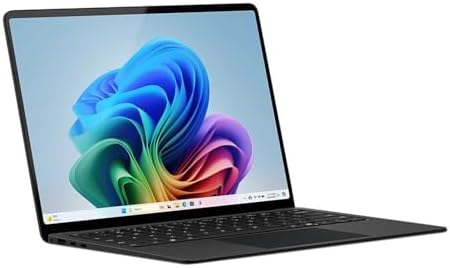

Microsoft Surface Laptop 2025, Windows 11 Copilot+ PC, 13.8″ Touchscreen Display
Discover next-level performance and elegant design with the Microsoft Surface Laptop (2025), a device built to power productivity, creativity, and entertainment in today’s digital world. With its refined design, advanced hardware, and intelligent software, the Surface Laptop delivers the perfect balance of power, portability, and style.
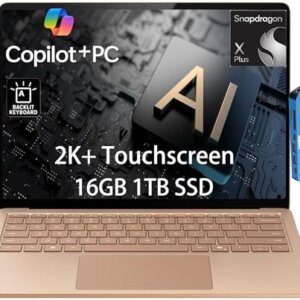
At the heart of the Microsoft Surface Laptop is the cutting-edge Snapdragon X Elite 12-core processor, built to handle demanding tasks with speed and efficiency. Combined with 16GB RAM, it ensures smooth multitasking, whether you’re working on complex projects, streaming content, or managing multiple applications at once. The 512GB SSD storage offers lightning-fast load times and ample space for all your documents, apps, photos, and videos.
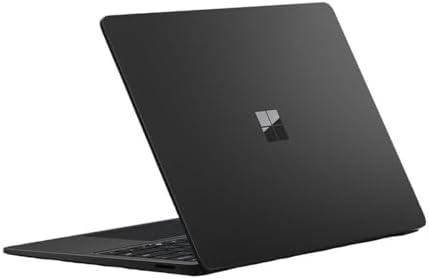
The stunning 13.8-inch touchscreen display of Microsoft Surface Laptop is designed to elevate your viewing experience. With sharp resolution, vibrant colors, and responsive touch technology, it’s perfect for presentations, design work, video streaming, or casual browsing. The sleek, black finish gives the laptop a premium look that’s ideal for professionals, students, and creatives alike.
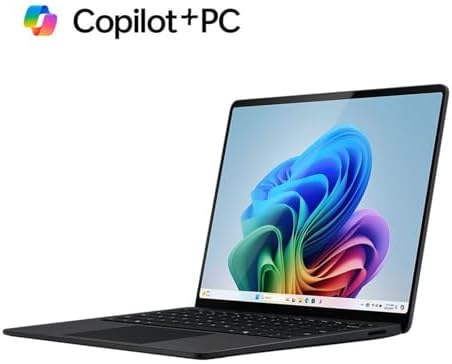
Running on Windows 11 Copilot+ PC, the laptop incorporates AI-driven features that simplify workflows and provide smart assistance in real time. From organizing tasks to generating creative ideas, Copilot helps you work smarter, not harder. This makes the Microsoft Surface Laptop a reliable partner for business, study, and creative pursuits.
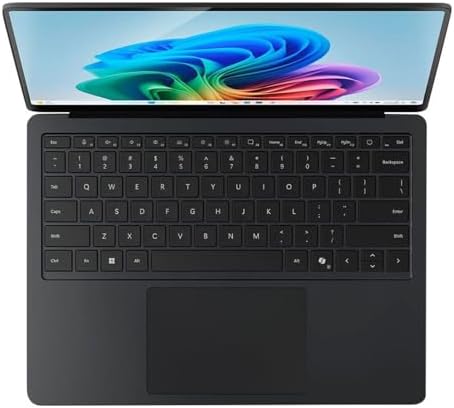
Portability is another highlight. Lightweight yet durable, this Microsoft Surface Laptop is built to go wherever you go, with long-lasting battery life that keeps up with your busy schedule. Its responsive keyboard, precision touchpad, and strong connectivity options further enhance usability, making it ideal for both office and on-the-go productivity.
The Microsoft Surface Laptop is more than just a computer—it’s a complete productivity and creativity hub. With powerful performance, AI-enhanced tools, and a premium design, it’s perfect for users who demand both performance and sophistication in one sleek package.
James A. –
Elegant Computing Defined
This incredible, beautiful, elegant and productive laptop showcases what Microsoft is truly capable of, and I’m a Linux guy. I bought the big one – 15″ screen, 32 gig RAM, elite CPU. It is a powerhouse of a laptop.Now – there is one con, but as time progresses the problem becomes less and less of a problem and that is the ARM architecture vs standard Intel x86/64. Basically, this laptop uses a newer, different CPU architecture, which means that many applications don’t work yet (YET!!). Almost everything I threw at this laptop worked out of the box and worked beautifully. There were some older applications that didn’t work (SimCity Deluxe for example). But and this is a huge BUT – as time passes more applications are supported (or emulated effectively) and it becomes less and less an issue.With the 1 CON out of the way, let’s talk about how amazing this laptop is:Premium feel (shell and keyboard). As good as or even better than a MacBook. Yes, for real.Speakers sound delightful.The 15″-inch sounds like a big laptop but fits perfectly in my backpack and it is still light and small. I mean, unless you are a 5’2″ petite tiny person I don’t see how this 15″ laptop is too big for someone.It is plenty fast for doing all sorts of productivity like writing papers, excel spreadsheeting, music, internet, YouTube etc. Understand this isn’t a fancy Chromebook. Operating System / Applications are exceptionally fast. This laptop WILL make you more productive just by opening it. It makes you want to work it’s so nice.Battery life is OUTSTANDING. If you aren’t glued to this laptop for hours at a time the battery will last DAYS. Literally days.Touchpad is also legit. No problems with cursor moving around (palm detection) and typing. Just legit good.Even when watching movies it doesn’t get hot. Temperature is steady and cool. I love ARM.In closing, get this laptop. It’s nice. Really nice. Like honestly, the nicest laptop I’ve ever owned (I’ve had the ASUS ROG 2024, two Dell XPS 15’s, Razer Blades, etc.,)For my fellow nerds in the crowd:VMWare & Vbox do NOT work. Remember that ARM is a RISC architecture and neither products support ARM (yet). Docker Desktop for Windows DOES work on ARM. Also, WSL 2.0 also works just fine.Also, with the advent of cloud, lightweight servers (I run a small cloud on my home network) we don’t need powerhouse laptops anymore if you have supporting infra. When I’m on travel I just VPN into my home network and I have all the resources I need. So keep something light and portable to work from 🙂
60 people found this helpful
Istvan –
Fantastic ARM laptop. Might not work with old hardware. Check drivers
Let me preface by saying that I love surface laptops. Their keyboard and high res screens are amazing. This is the second time I try a ARM laptop after the Windows RT era. Love the battery life, ease of use as any other windows machine, and the experience of working with an ARM processor. Prism (windows version of Rosetta for mac) does an amazing job translating all those x86/x64 programs to ARM, no noticeable performance difference.However, beware of peripherals that do not have ARM specific drivers, as they won’t work. Think old USB or network printers. Most modern era models will work out of the box, but there are many that will not. And this includes anything you attach to the computer that needs a driver.So far, I just love it. Got the 1TB version elite plus. Don’t be blindsided by the Copilot AI feature. I still haven’t used it and frankly, don’t care.
7 people found this helpful
Joshua –
This is a fantastic laptop, IF you understand what you’re signing up for.
Before making your purchase, consider what you’re getting into. Most computers use an x86-64 CPU (a Complex Instruction Set Computer). However, this device uses ARM architecture (a Reduced Instruction Set Computer), not x86. Unlike macOS, which brute-forced compatibility by compelling developers to support ARM on their platform, Windows has not made such a choice but instead intends to support both ecosystems. Developers must now choose to create native ARM versions of their software for compatibility. Some have even blocked ARM support, as evidenced by reports of certain online exam programs restricting ARM-based Windows machines.My primary motivation for purchasing this laptop was its battery life, which is excellent depending on how you use it. My job primarily runs off web applications, so I have no issues there. While performance isn’t top-tier—hence why I rely on my desktop—it’s still snappy enough for everyday tasks. However, those involved in heavy development might find it underwhelming.I get an average of 10 hours of real usage, which is absolutely stellar for me. I never worry about running out of battery. However, screen brightness impacts battery life. My 10-hour estimate assumes a 60% setting since the display is quite bright. Turning it down doesn’t make it difficult to read.The screen size is ideal for me. Previously, I used a 13-inch device but found my workplace-issued 16-inch model too bulky for travel despite its larger display. The Surface Laptop 7 is very portable.The touchscreen seems more like a novelty. While scrolling is occasionally handy, the lack of foldability or 180-degree opening makes its utility limited. Still, it doesn’t detract from the overall experience.If gaming is your priority, consider a used desktop for affordability or a Steam Deck for portability. Reflecting on my own experience, I deeply regret not saving up for a proper desktop after high school. Gaming on a laptop simply doesn’t compare. Not to mention the gaming compatibility issues that will arise as most games that support ARM are mobile games and they’re trash.The price of this laptop is fantastic (When it is on sale.) I bought a used one for $600, I would still be completely happy paying the just under $800 currently.A base model with 256GB of storage is a bit of a crime, however. I’m fairly technically inclined and have my own homelab so I just have a vpn network drive that I use for large files.
68 people found this helpful
Aaron –
This is the best expression of a Windows laptop ever made
Love this machine. I was worried going from Intel to Qualcomm due to compatibility issues I’ve read about, but I’ve experienced none of them. From a software perspective everything I use has either an ARM compatible version or emulation is working flawlessly. Adobe software is ARM native. Solidworks emulates well. From a hardware perspective– it’s 2025 and it sounds like some people with compatibility issues are stuck in 2010. My mouse is bluetooth, my printer is wifi, and external display via USB-C– so no compatibility issues. The laptop build quality is fantastic and matches Macbooks. Battery life is fantastic. Computer wakes from sleep in about 2 seconds which was my biggest gripe with my old Intel-based Surface Pro 8, which sometimes took 30 seconds to realize I was trying to use it.
5 people found this helpful
An Amazon Customer –
On paper, this is a nice laptop. Six months of actuap use says otherwise.
This is probably the worst laptop I’ve ever owned, and being someone who has spent nearly 25 years working in IT, believe me when I say I’ve owned LOTS of laptops. The good: this laptop is very lightweight, has all day battery and actually looks very nice. The bad: pretty much everything else. I purchased this Surface Laptop to replace my aging Surface Pro 4 and numerous times I’ve had to drag that one out because this steaming pile let me down. Example: the full size USB port lacks driver compatibility with a lot of devices. It all goes back to the processor architecture used in this device and the fact Microsoft was too lazy to do due diligence regarding hardware drivers. There are several threads on MSFT consumer support about this and the answer is they know about it but won’t fix it. I’ve also run into issues with this laptop not resuming correctly from battery saving mode wherein it just won’t work (apps won’t open or close, it doesn’t detect hardware changes like plugging/unplugging peripherals, etc). Again, I strongly suspect this is due to MSFT failing to do their due diligence when doing bug/product QA testing. TL;DR – if you’re a basic user who doesn’t want to connect anything (digital camera, printer, etc) to this laptop via USB, won’t be using anything but basic applications (web browsing, email, etc) and don’t need to pause/resume usage frequently, this is a nice laptop. If you actually want a fully functional device, save yourself the headache and go buy an Apple.
29 people found this helpful
Jeffrey C Little –
Good start
Why did you pick this product vs others?:I’ve owned a a Surface Laptop 2 when they were first introduced. Excellent laptop that I still use today.Portableness:Light weight, clean build. Functionality:Keyboard not as good as my Surface Laptop 2. Feels cheap.So far no issues with any of my programs or hardware. Fast processor, set up was easy. I will revisit my review when I’ve put a few more hours in.
Muhammad RamdanMuhammad Ramdan –
Surface Laptop 7 X Plus (Black, 16GB RAM, 512GB SSD)
Purchased in July for $890, this sleek and powerful laptop delivers excellent performance, long battery life (10–12 hours), and a premium design. The Snapdragon X Plus chip keeps things fast and efficient, while Windows 11’s AI features enhance productivity. The vibrant touchscreen and solid audio round out the experience. Minor drawbacks include limited ports and occasional app compatibility issues due to ARM architecture. Overall, it’s a future-ready, stylish machine that’s great for everyday use.
Jay Bogle –
Great laptop!
I have had this laptop a couple of days now and so far, I’m pleased. This was a luxury purchase in the sense that this is the most expensive laptop I have ever bought and in deciding to do it, I did a lot of research. And I would recommend that to anyone thinking of purchasing the Surface laptop. Some of the biggest complaints I saw were regarding the Snapdragon processor and that a lot of programs didn’t work with ARM. I do some photoediting and use GIMP with no issue, as well as doing some writing, but since that’s on Word on a Microsoft laptop, I didn’t expect issues with their own products anyway. Outside of that, I installed VLC, which has an ARM compatible download. There are a few other programs I haven’t decided if I’m going to install here or keep only on my old laptop, but those also have ARM compatible downloads. The point is if you have never heard of ARM and don’t know if the programs you use are ARM compatible, do your research before spending the money.The laptop is very responsive, although the start-up is a little slower than I’m used to compared to my last laptop, which I had made RAM upgrades to (32 GB there compared to 16GB on the Surface laptop). The display is bright and the touchscreen works very well. I have been on an off othe laptop all day since 6 AM and 7 hours later, I still have 80% battery. I also splurged and bought the Arc Mouse and the pairing was quick and simple. Overall, I am very happy with this purchase.
6 people found this helpful
Micah –
Finally, a proper Macbook Air Competitor
Years ago, I had the original Surface Laptop, and I loved it. It remains one of my favorite laptops of all time.So before I purchased the Surface Laptop 7, I actually had a 14″ 2021 Macbook Pro. It was honestly too much laptop for my needs, but the limited port selection on the Macbook Airs ruled them out for me. Of course, my Macbook Pro was better than the Surface Laptop 7 in many ways – the mini-LED screen is just about the best laptop display you can get, full-stop, whereas the Surface’s display is good but not great. The speakers on the Macbook were amazing; the Surface’s are quite good but can’t compete in that regard.However, I don’t regret my purchase for one second because the Surface Laptop 7 is really a Macbook Air competitor, and that is where it shines. I compared the Surface and Macbook Air 13″ side by side and came away with the following conclusions:-Screen: I don’t do any serious photo editing or graphic design. To me, the Surface screen is slightly better. It gets much brighter than the Air and colors seem more accurate. However, the Air has better black levels. The Surface is a touchscreen, but I never use it as I don’t like fingerprints on my screens. However, if you want a touchscreen, the Surface is clearly the better option. The Surface also has a 120hz display, whereas the Air is stuck at 60hz. The difference in smoothness when scrolling or using trackpad gestures is very noticeable. The Surface’s screen looks much smoother.-Speakers: I can’t tell the difference between the two. The Surface’s speakers are really good compared to other laptops in this class. The same is true of the Macbook Air.-Ports: I had hoped that by 2024, USB-A would be all but gone, but alas it is not. It was very annoying to have to carry around dongles to use USB-A devices on my Macbook Pro, and now I don’t have to! The Air has only two USB-C ports, so clearly the Surface wins here. The Macbook Pro does have HDMI, which is nice, but I just bought a USB-C to HDMI cable that I carry around with me, so I don’t need a dongle for that either.-Keyboard: I like that the Macbook Air has more than 3 levels of brightness control, but I slightly prefer the key feel on the Surface.- Trackpad: somehow, the Surface’s trackpad is better. I am thrilled that Microsoft finally brought a haptic trackpad to the Surface lineup. It feels more delicate and the tactility is stronger. Macbook trackpads are still among the best in the business, but there is finally a Windows laptop that is comparable in this regard.-Login: hands down, Windows Hello is better than the fingerprint reader. It’s so fast that my Surface often logs me that it feels like the laptop was left unlocked. The fingerprint scanner on Macbooks are very good, but they are not as fast, nor as convenient, as Windows Hello. My Macbook Pro could also unlock with my Apple Watch, but that almost always took longer than unlocking with my finger.-Build Quality: This has always been a strong point for Surface devices, and the Surface Laptop 7 doesn’t disappoint. The laptop can be opened easily with one hand, and the fit and finish is flawless. The same is true of the Macbook Air. I can’t say whether one is better than the other. The Surface is designed to be easier to service, however, and you can actually replace the SSD, which is very nice. Additionally, the black finish on my Surface is more resistant to showing fingerprints than the dark blue on the Macbook Airs, which is a fingerprint magnet.-Performance: After owning an Apple Silicon laptop, I could never go back to using an x86/x64 processor. I used Windows 11 for ARM on my Macbook for two years virtualized in Paralells, so I knew what I was getting into. All of the applications I need work beautifully on the Surface, and it is so darn fast. Of course, there are more powerful processors out there using traditional x64 architecture, but I have never used a Windows laptop that is just so snappy for every day tasks. Office apps open in 1-2 seconds. Firefox, Chrome, and Edge open in less than a second. Using gestures to swipe through apps is super snappy, and the high refresh rate screen makes transitions look so smooth. This is the kind of performance I came to except from my Apple Silicon Macbook, and it’s wonderful to finally see Windows operating just as responsively.Overall, the Surface feels like an upgrade over my Macbook Pro, and I personally am fine with the tradeoffs that come with the thinner, smaller, and lighter Surface over the more powerful Macbook Pro. It is an utterly fantastic laptop that, in my opinion, is currently the best thin-and-light laptop in the world.
263 people found this helpful
pdan mother of three –
Opened box sold as “new” by amazon
Computer is good, but an opened box Amazon return, not “new.” Should have been sold as opened box, not as new.