
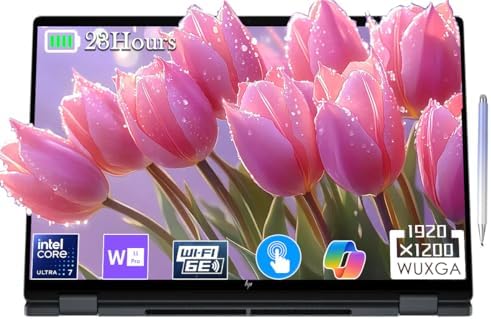
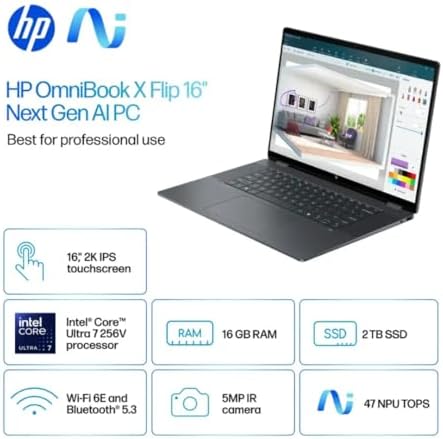


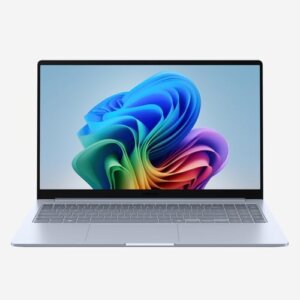
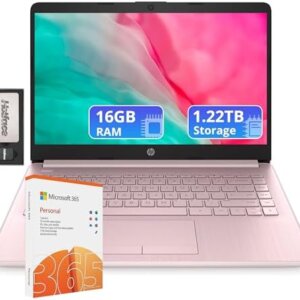
HP Envy 2-in-1 Laptop OmniBook X Flip 16″ FHD+ Touch Copilot+ PC, Intel Core Ultra 7
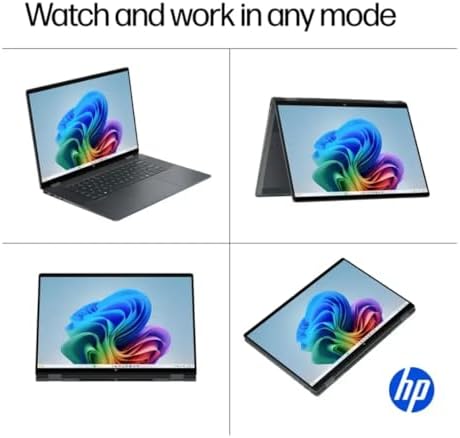
Make the most of the innovative HP Envy 2-in-1 Laptop Omni Book X. This isn’t just another laptop; it’s a Copilot+ PC, built from the ground up with state-of-the-art AI that intelligently boosts your creativity, productivity, and connectivity. This multi-functional 2-in-1 is for the user who demands the best—easily switch between an all-powerful laptop and a fully immersive tablet or presentation stand and have the best of both worlds! The revolutionary technology in the sleek Eclipse Gray chassis brings the ultimate all-in-one solution to the HP Envy 2-in-1 Laptop OmniBook for every professional, student, and creator.
Unleash Unprecedented Power and All-Day Intelligence
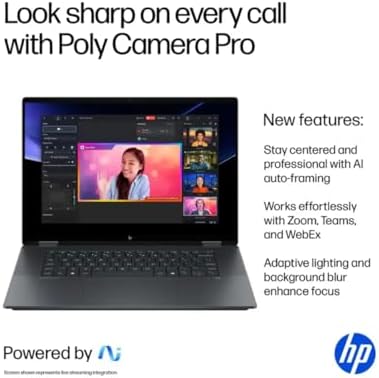
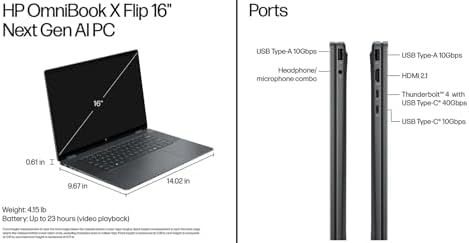
This marvel is powered by the cutting-edge Intel® Core™ Ultra 7 256V processor, designed with neural power for an AI-driven world. This marvel’s heart is the cutting-edge Intel® Core™ Ultra 7 256V processor, a neural-powered CPU for an AI-driven world. It is in perfect synergy with Intel® Arc™ 140V (8GB) graphics, making it ideal for seamless integration in various applications, from 4K video editing and complex data modeling to casual gaming. However, the true magic is that it’s a Copilot+ PC. Now you can instantly access an AI copilot with a dedicated key to summarize emails, brainstorm ideas, and automate tasks, making your workflow smarter and more efficient than ever before.
Immerse Yourself in a Visionary Touchscreen Experience
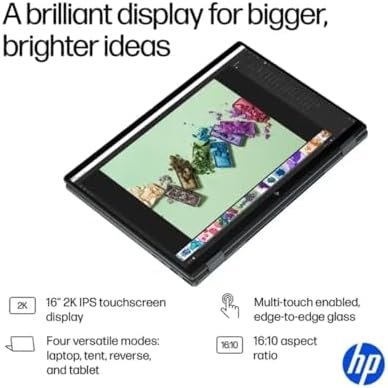
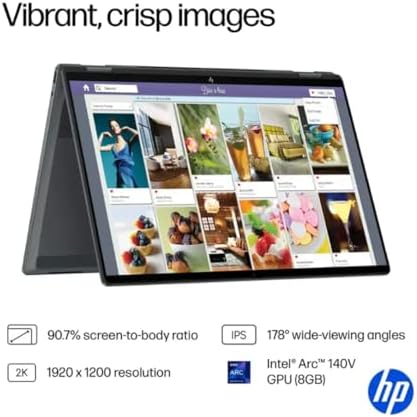
Connect with your content on a stunning 16” FHD+ touch-screen display. With ultra-thin bezels, enjoy your work and entertainment in style with vibrant colors and sharp details. The intuitive touchscreen and built-in stylus enable intuitive note-taking, photo editing, and seamless navigation. The intuitive HP Envy 2-in-1 Laptop Omni Book X adapts to your natural style, whether you’re sketching a design, presenting to clients, or simply browsing the web.
Designed for a 23-hour battery life, a field day that never ends. A field day that never ends—engineered for a Mobile World with 23-Hour Battery Life
Engineered for a Mobile World with 23-Hour Battery Life
HP has revolutionized mobility. Enjoy the freedom of work, creation, and play without ever seeking an outlet. The HP Envy 2-in-1 Laptop OmniBook X offers a remarkable 23-hour battery life on a single charge to meet the most demanding of your days. Packed with the latest features of Eclipse Gray and running the latest Windows 11, this is your key to a seamless, smart, and powerful computing experience. Redefine what’s possible. Shop the AI-enabled HP Envy 2-in-1 Laptop OmniBook X now.
HP Envy 2-in-1 Laptop Omni Book – Pros & Cons (USA User Perspective)
✅ Pros
| Pro | Why It Matters for USA Users |
|---|---|
| True budget-friendly 2-in-1 | Typically $600–$900 vs. $1,000+ for Surface Pro or Dell XPS—great for families, students, and first-time buyers |
| Full 360° hinge (not detachable) | No lost keyboard! Folds into tent, stand, tablet, or laptop mode—works perfectly on a lap, desk, or couch (unlike Surface Pro) |
| Multiple port options | Includes USB-A, USB-C, HDMI, and headphone jack—no dongles needed for projectors, monitors, or older accessories |
| Sharp display options | Up to 2.8K OLED touchscreen with 400+ nits—bright enough for home offices, coffee shops, and outdoor patios |
| Great for students & remote workers | Runs Zoom, Google Meet, Canvas, Microsoft Teams, and Chrome with 10+ tabs smoothly |
| Fingerprint reader + webcam shutter | Log in securely and physically block the camera for privacy—a feature USA buyers appreciate |
| Solid battery life | 8–12 hours depending on the model—enough for a full workday or cross-country flight |
| Easy to upgrade | Many models have accessible RAM and SSD slots—unlike glued MacBooks or Surface devices of HP Envy 2-in-1 Laptop Omni Book |
❌ Cons
| Con | Reality Check for Buyers |
|---|---|
| Build quality is not premium | Plastic chassis on lower-end models—feels less solid than aluminum MacBook or Dell XPS |
| Fan noise under load | It can get loud and warm during video calls, updates, or light gaming—noticeable in quiet libraries or meetings |
| The display could be dimmer on base models | Entry-level 250-nit screens are hard to see near windows or outdoors—upgrade to 400+ nit or OLED |
| Pre-installed bloatware | Comes with McAfee, ExpressVPN, and HP promotional software—takes 15–20 minutes to uninstall |
| Pen sold separately | HP MPP 2.0 pen costs $50–$70 extra—not included even on touchscreen models at HP Envy 2-in-1 Laptop Omni Book |
| Speakers are average | Fine for YouTube and Zoom, but not impressive for music or movies compared to MacBook or Surface |
| The charger is bulky | Still uses a large barrel plug on many models—not USB-C charging on all configurations (check before buying) |
FAQs – HP Envy 2-in-1 Laptop OmniBook (USA Customers)
1. What’s the meaning of Omni Book? Does this appear to be a new HP series?
Great question and very relevant to the USA shoppers.
HP recently refocused and reinvented its brand of laptops. For the “OmniBook” name, HP’s new “premium-ish” consumer brand (from the parts of the Envy and Pavilion lines). The HP Envy 2-in-1 Laptop, OmniBook, is the culmination of the quality of HP Envy and OmniBook’s modern design. In simple terms: It’s a better, better, cheap Envy. The 360° hinge, specs, and solid build at a lower price than previous Envy models. It’s HP’s response to, “I want to have a Surface Pro alternative, but with a real keyboard and lower price. Current USA models to look for: HP OmniBook X 14 (Snapdragon X Elite) HP OmniBook Ultra (AMD Ryzen) HP Envy x360 (still being sold with OmniBook)
2. Is the HP Envy 2-in-1 OmniBook good for college students in the USA?
Yes – it’s one of the best values for students right now.
| Student Need | Does It Deliver? |
|---|---|
| Taking notes in tablet mode | ✅ Yes (pen sold separately) |
| Writing essays in laptop mode | ✅ Great keyboard |
| Zoom classes | ✅ Good webcam + microphone |
| Running Chrome + Word + Spotify | ✅ Handles it easily |
| Light gaming (Minecraft, Sims) | ✅ Integrated graphics work |
| Durability for backpacks | ⚠ Get a sleeve – plastic models scratch |
Best for: Business, liberal arts, education, and social science majors.
Not ideal for engineering (need dedicated GPU) or video editing majors.
Pro tip for students: Check Best Buy’s student deals, HP’s education store (use your .edu email), or Costco bundles—often $100–$200 off with a free HP pen included.
3. Can USA models have their RAM or SSD upgraded?
Yes – and this is certainly something that Apple and Microsoft don’t have. Many HP Envy 2-in-1 OmniBook models include the following, as opposed to MacBooks or Surface devices, which have RAM and storage soldered onto the motherboard: Easily upgradeable RAM slots—8GB to 16GB or 32GB upgrade Replace the existing drive (2.5-inch SATA/SDD) with another larger drive (1TB or 2TB) via the M.2 SSD slot. What you need: Small Phillips-head screwdriver DDR4/DDR5 laptop RAM (sizes depend on the model; check with the manufacturer) M.2 2280 NVMe SSD Note: There are some configurations that are not upgradeable. Ultra-thin OmniBook X models (Snapdragon) have soldered RAM. See HP’s spec sheet or take out the bottom cover before upgrading. If you are a USA buyer, you can use a scanner tool at crucial.com to determine what will fit your model.
Quick Comparison Chart: HP Envy 2-in-1 Laptop Omni Book Model (USA Market)
| Model | Processor Best For | RAM | Storage | Best For |
|---|---|---|---|---|
| Envy OmniBook (Intel Core i5) | Everyday work, students | 8–16GB | 256–512GB | Most buyers—best value |
| Envy OmniBook (Intel Core i7) | Multitasking, light creative | 16GB | 512GB–1TB | Power users, small business |
| OmniBook X (Snapdragon) | All-day battery (15+ hours) | 16GB | 512GB | Frequent travelers |
| Envy OmniBook (AMD Ryzen) | Better graphics, good price | 8–16GB | 256–512GB | Light gaming, budget |
Final Verdict for USA Shoppers
The HP Envy 2-in-1 Laptop OmniBook is what it says it is, an inexpensive and improved laptop. It isn’t an expensive luxury gadget; it is a savvy and sensible 2-in-1 for Americans looking for versatility at a budget-friendly price.
Don’t buy it if: HP Envy 2-in-1 Laptop OmniBook
-
As a student, teacher, or remote worker who is on a budget of $600-$900.
-
You want a real laptop—not a detachable tablet—that folds up to tablet mode
-
The requirement is to have ports (USB-A, HDMI) without dongles.
-
You would like to be able to add RAM or SSD later on.
Skip it if it’s an HP Envy 2-in-1 Laptop OmniBook.
-
You will need to purchase a high-quality aluminum chassis and quiet fans (Dell XPS or MacBook).
-
You would like the pen to be in the box (it’s not, so please budget $50 – $70)
-
Exposed to the outdoors or in a very brightly lit room—first, upgrade the display.
-
Game or video editing requires a dedicated graphics card.
Note that the following is a pro tip for USA buyers: Look for refurbished units or open boxes at Costco, Sam’s Club, or the HP official eBay store—often you can get a 16GB RAM / 512GB SSD for less than $700 and with a full warranty.
Availability: You can purchase the HP Envy 2-in-1 laptop Omni Book at the following location: Where to buy (USA)
-
HP.com (best customization options)
-
Check out Best Buy (see it in real life)
-
Check seller ratings and fast shipping at Amazon.
-
Discounts (best deals, extended warranties) (best bundle deals + extended warranty)
J. Aquilino –
High quality, sleak machine
Excellent laptop. I had a previous generation Spectre 360 and have been a big fan of these machines. This one is sturdy, looks sleep, has all the power and features looking for in a higher end laptop. Definitely recommend.
3 people found this helpful
Jennifer S. Warren –
Great to Use, Less Great to Take Along
Love the performance and display the HP pen makes the touch-screen easier to use. However, it seems significantly heavier than my 13-inch Spectre, and its default name indicated it is a “desktop computer.”
5 people found this helpful
longbow NY –
Great art machine
Running Clip Paint Studio, Krita and Blender. Typical line wobble (EMR vs AES situation). Line stabilization takes care of that for the most part. Preforms fantastic. Handles 3D Modeling and Hi-poly sculpting. OLED screen can leave ghost if high contrast images are left on the screen, no long term issues, however. Use screensaver or time out display after not using to be safe. Love this laptop.
2 people found this helpful
Rachellg –
Unreliable, terrible customer service, bad quality product
This is the most unreliable computer I’ve ever purchased. I bought it in July and it has been out of service 3 times, leaving me with down time of a month overall with repair times, shipping and trying to deal with HP customer service. I received one repair and one replacement and I am currently waiting for a box to ship my replacement in for repairs. Working from home, this has lost me days of work, running around looking for a loaner computer, multiple set ups and frustration. Would not recommend this computer. The design is lovely, but the reliability makes it a definite NO.
Rose –
Would recommend
Very nice laptop a little pricey but worth it. Battery isn’t to bad. love the way it looks and I love the Bluetooth and the lights on the keyboard.
4 people found this helpful
Isaac –
weight
this computer i just ordered and received today. i was impressed this notebooks weight 0.71lb is the reason i purchased.However, this computer is not 0.71lb I didn’t believe it’s stats but i thought this should be lighter than the others. but this one same as the other’s, looks like more than 4 lb.this computer placed real good price than other’s for sure. Overall, it’s perfect, but i wanted to purchase light weighted notebook. I am not gonna return this one but not satisfied with it’s weightl.
8 people found this helpful
Greg –
The computer is impressive so far…….
I like the facial recognition. I like that you can control the speed of the 2 cooling fans. The 4k video is astounding. Grant it, the NITs are average, yet still acceptable. I do not like the combo headphone/mic jack, but many computers come with that these days. I like that Amazon has peripherals that seem they were made for this computer, for example; Bluetooth Mouse, Jelly Comb MS003 Slim Dual has gold trim that compliments the computer. The mouse also has a 3 position DPI and is very sleek, for only $14.99!YouTube has some excellent videos on the Spectre X360 convertible. One video, the computer is opened and saw the dual cooling fans, radiators, cooling pipes.The computer itself, I would give 5 stars! However, Amazon has a poor product description. First, it’s a 4 core Core I7, not a 6 core. The laptop weighs 4.8 pounds, NOT a few ounces.I’m still keeping my HP Probook 440 14″ Windows 7. It’s always been my very dependable workhorse.
4 people found this helpful
Andrew –
Great laptop for ther price
Product received as stated. Stylus i kinda new for me but looks and feels great.
One person found this helpful
Kindra Denny –
Good for heavy applications
Love this computer! I am learning to use revit and creo which are heavier programs. My old computer took a long time to process and left me annoyed/irritated. Since I got this computer I haven’t had any issues!
4 people found this helpful
oscar –
Super rendimiento
Posee un super rendimiento, muy versatil y bateria de larga duración. No es liviano pero aun asi facil de cargar.